Key Takeaways
- An owner statement is a financial report showing how a rental property performed over a specific period.
- It tracks income, expenses, net cash flow, and owner distributions, usually for a single month.
- They’re the primary tool for communicating financial performance to clients. For self-managed owners, they’re how you understand whether your portfolio is actually profitable.
- A complete owner statement includes income (rent and other), expenses (maintenance, fees, taxes, etc.), net income, beginning and ending cash balances, owner distributions, and supporting transaction detail.
- Most property managers send monthly statements between the 5th and the 15th of each month, with the goal of giving owners predictable, consistent reporting they can plan around.
- The most common owner statement problems come from underlying accounting issues, not from the statement format itself.
Owner statements are the document that answers the simple but critical question every landlord wants answered each month:
Did this property make money?
And just as important:
Where exactly did the money go?
Owner statements are how property managers communicate financial performance to their clients. They’re also how self-managed landlords track whether their own portfolios are doing what they’re supposed to do. When done well, they build trust, make tax season easier, and give owners the information they need to make good decisions about their investments. When done poorly, they create confusion, missed opportunities, and frustrated phone calls.
This guide walks through everything that goes into a proper owner statement. What’s in it, why each piece matters, and how to read one. And how to spot the issues that turn a good report into a problematic one.
What Is an Owner Statement?

An owner statement is a financial report that summarizes the activity of a rental property over a specific period, most commonly one month.
Sometimes called a landlord statement, rental statement, or owner report, it details every dollar that came in, every dollar that went out, and what’s left over for the owner.
For self-managed landlords, the equivalent is the property-level profit and loss report you generate from your own accounting software. Same content. Same purpose. Different audience (yourself instead of a client).
The statement is meant to do three things:
- Show financial performance for the period
- Document every transaction so the owner can verify accuracy
- Calculate net income and owner distribution
It’s a snapshot. A monthly check-in. And taken together over the course of a year, those snapshots become the story of how your property is performing.
Why Owner Statements Matter
Owner statements aren’t just paperwork. They’re the most important communication tool between property managers and their clients, and they’re a critical tracking tool for any landlord serious about understanding their portfolio.
Here’s why they matter for both audiences.
For Property Managers
Owner statements are how you build trust with your clients. When statements are accurate, timely, and easy to understand, owners stay confident in your work. When they’re late, unclear, or full of errors, owners start questioning everything else you do.
Beyond trust, statements protect you legally. They document every transaction, every fee, and every distribution, creating an audit trail that protects both you and your client if questions come up later.
For Self-Managed Landlords
Owner statements (or your equivalent monthly property P&L) tell you whether your investment thesis is actually working. The rent you’re collecting versus the expenses you’re paying. The trends month over month. The unexpected costs that quietly erode your margins.
Without consistent reporting, you’re guessing. With it, you can make informed decisions about rent increases, capital improvements, refinancing, or selling.
For Tax Time
For both audiences, owner statements feed directly into year-end tax preparation. Schedule E reporting requires income and expense categories that match what’s on your statements. Clean monthly statements mean clean year-end reporting, which means less stress and less risk of missing deductions.
The Core Components of an Owner Statement
Every well-built owner statement contains the same basic elements. The format may vary between management companies and software platforms, but the substance should always look similar.
Here’s what should be on every statement.
| Component | What It Shows | Why It Matters |
|---|---|---|
| Property details | Address, unit, owner info, statement period | Confirms what the statement covers |
| Beginning cash balance | Funds held at the start of the period | Establishes the starting point |
| Income | All rent and other revenue collected | Shows what came in |
| Expenses | All costs paid during the period | Shows what went out |
| Net income | Income minus expenses | The actual profit (or loss) for the period |
| Owner distribution | Amount paid out to the owner | The money the owner actually received |
| Ending cash balance | Funds remaining in the trust account | Establishes the next period’s starting point |
| Transaction detail | Line-by-line list of every transaction | Lets the owner verify accuracy |
Property Details
Every statement starts with the basics. The property address. The unit (if applicable). The owner’s name. The reporting period (typically one month, with start and end dates).
This sounds obvious, but it matters. Owners managing multiple properties need to quickly identify which statement belongs to which property.
Income
This section lists every dollar collected on behalf of the property. The primary line is rent, but it often includes other income sources:
- Rent payments
- Late fees
- Pet rent or pet deposits applied
- Parking fees
- Application or admin fees
- Utility reimbursements
- Laundry or vending income
Each source should be itemized separately. A single “Income: $2,400” line tells the owner less than a breakdown showing $2,200 in rent plus $75 in late fees plus $125 in parking.
Expenses
This is where most owner questions come from. Every expense should be coded to a specific category and tied to a vendor and date.
Common expense categories include:
- Repairs and maintenance
- Property management fees
- Landscaping or lawn care
- Pest control
- Utilities (if landlord-paid)
- Insurance premiums
- Property taxes
- Cleaning and turnover costs
- HOA dues (if applicable)
- Legal or professional fees
The level of detail matters. An owner who sees “Maintenance: $487” with no further breakdown will wonder what was fixed. The same expense itemized as “Plumbing repair (kitchen sink) – ABC Plumbing – 3/14: $487” answers the question before the owner asks.
Net Income
Net income is the difference between total income and total expenses for the period. It’s the single most important number on the statement because it tells the owner whether their property made money.
A negative net income (loss) isn’t always a problem. A month with a major repair might run negative even on a healthy property. Keep in mind, several negative months in a row signal something worth investigating.
Owner Distribution
This is the amount actually paid out to the owner during the period. It’s not always equal to net income because of timing differences, reserves held for upcoming expenses, or owner-requested distribution amounts.
The statement should make the math clear: starting balance, plus income, minus expenses, minus distribution, equals ending balance.
Beginning and Ending Cash Balances
These two figures bookend the statement. The beginning balance is what was held for the property at the start of the period. The ending balance is what’s held going into next month.
If you held a $500 maintenance reserve last month and didn’t use it, the ending balance should reflect that. The next statement should start with that same $500.
Transaction Detail
A summary at the top is helpful, but owners need the underlying detail to verify accuracy. The transaction-level section should include every individual transaction with:
- Date
- Description
- Vendor or payer
- Amount
- Category
This is also where the audit trail lives. If an owner ever questions a number, the transaction detail is what answers the question.
How to Read an Owner Statement
Reading a statement is straightforward once you know what to look for. Most issues show up in the same places.
Here’s the order to go through it.

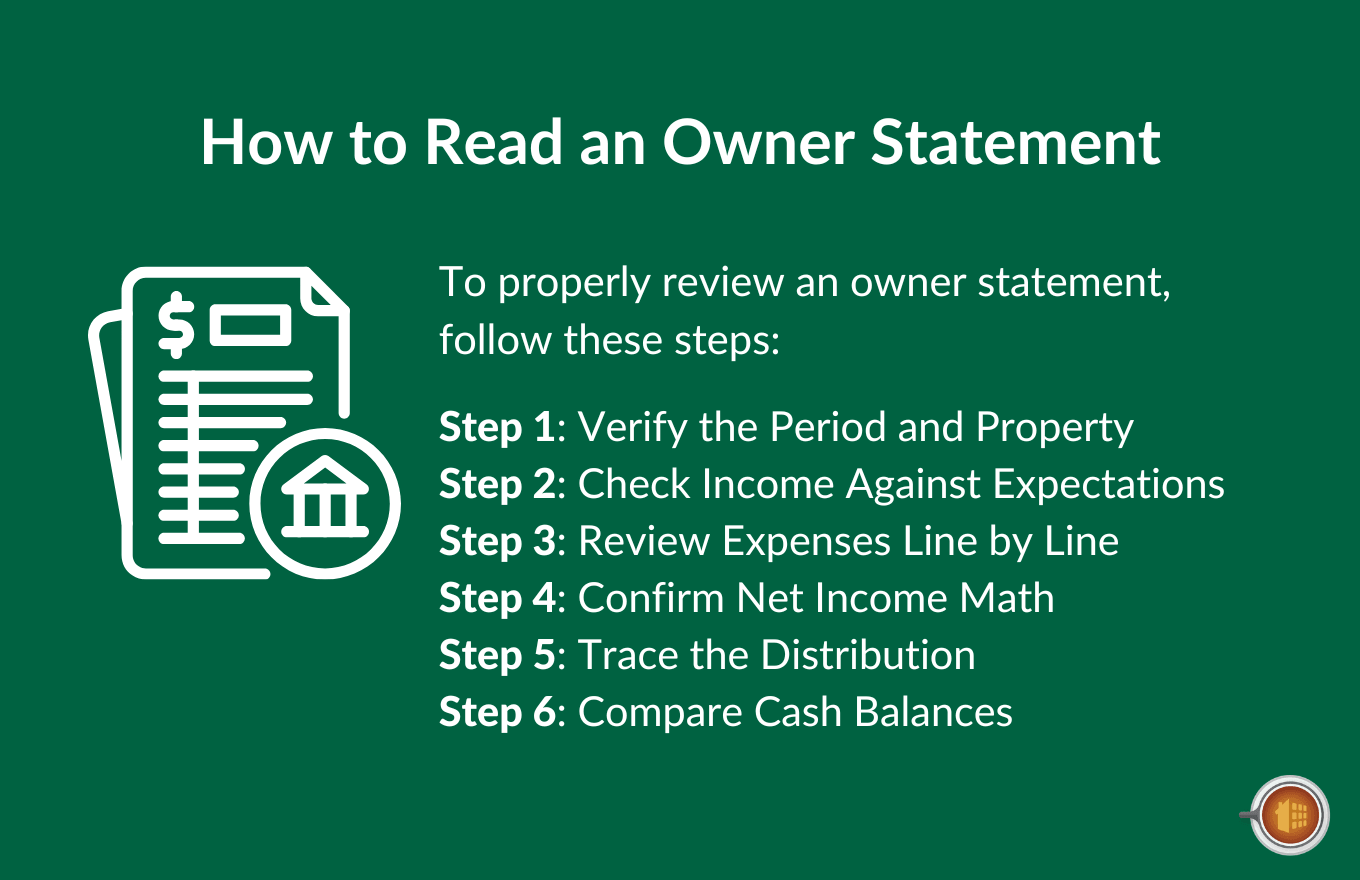
Step 1: Verify the Period and Property
Confirm the statement covers the correct property and the correct reporting period. Statement errors at this level are rare but worth checking.
Step 2: Check Income Against Expectations
If you know the rent should be $2,400 for the month, confirm $2,400 in rent was collected. If a tenant was late, look for the explanation (partial payment, late fee applied, or rent still outstanding).
Step 3: Review Expenses Line by Line
Every expense should make sense. If you see something you don’t recognize, follow up. Common issues include:
- Repairs you weren’t told about
- Vendor charges that look unfamiliar
- Categorization that doesn’t match the actual work performed
- Expenses that should have come out of a reserve, not the operating account
Step 4: Confirm Net Income Math
Income minus expenses should equal net income. This is basic math, but verifying it catches calculation errors.
Step 5: Trace the Distribution
The owner distribution should equal the net income minus any held reserves. If your distribution is lower than expected, the statement should show why (reserve held back, upcoming expense expected, etc.).
Step 6: Compare Cash Balances
The beginning balance on this statement should match the ending balance on last month’s statement. If those numbers don’t agree, something happened between statements that needs explanation.
5 Types of Owner Statements
Not every statement looks the same. The frequency and depth depend on the agreement between the property manager and the owner, or the reporting cadence the landlord sets for themselves.
1. Monthly Owner Statements
The standard. Most property managers produce monthly statements covering the previous calendar month, sent within 5-15 days of month-end.
For self-managed landlords, monthly P&L reports serve the same purpose. Even if you’re not sending statements to anyone, generating one for yourself every month builds the discipline of regular financial review.
2. Quarterly Statements
Some owners prefer quarterly summaries instead of (or in addition to) monthly statements. Quarterly reporting smooths out monthly variation and gives a clearer picture of trends.
This works well for owners who don’t want to dig into monthly details but still want regular performance updates.
3. Annual Statements
The annual statement summarizes the full year. It’s especially important for tax preparation because it consolidates all income and expense categories into the totals that flow onto Schedule E.
A good annual statement includes both the full-year totals and a month-by-month breakdown.
4. Year-to-Date Statements
YTD statements show cumulative performance from January 1 through the current period. They’re useful for mid-year reviews and for owners who want to track progress against an annual budget.
5. Special Purpose Statements
These cover specific events or time frames:
- Lease-up statements (covering initial leasing and move-in)
- Renovation statements (tracking a major capital project)
- Year-end tax statements (combining the annual statement with 1099 information)
When and How Often to Send Owner Statements
Most property managers send statements monthly, with the goal of consistent, predictable reporting.
Common cadences include:
- Sent on the 5th of the following month (gives time to close out the prior month)
- Sent on the 10th of the following month (allows for late rent and end-of-month bills to settle)
- Sent on the 15th of the following month (full month-end close completed)
The truth is, the specific date matters less than the consistency. Owners value predictability. They want to know when their statement will arrive each month so they can plan their own reporting and decision-making around it.
Statements should be delivered through whatever channel the owner prefers: email, an owner portal, or both. An owner portal makes statements available on demand alongside historical statements, which most owners appreciate over time.
Owner Statement Best Practices
A few habits separate the property managers who produce great statements from the ones who get owner complaints.
Here are the practices that consistently produce the best results.
1. Standardize Your Format
Use the same template every month for every owner. Consistency makes statements easier to read and easier to compare period over period.
2. Itemize Everything
Lumping expenses into vague categories invites questions. Itemize every expense with a clear description, vendor, and date.
3. Include Supporting Documentation
When possible, attach invoices, receipts, or work order documentation to the statement. Owners shouldn’t have to ask to see what they’re paying for.
4. Use Plain Language
“Rent collected” beats “Tenant remittance.” “Plumbing repair” beats “Maintenance line item.” Statements are for owners, not accountants, even when the owner is also an accountant.
5. Explain Anomalies
If a month had a major repair, an unusual expense, or a tenant turnover, include a short note explaining what happened and what (if any) impact it has on future months.
6. Reconcile Before You Send
The statement should match your accounting records exactly. If you’re sending a statement before completing bank reconciliation, you’re inviting errors.
Common Owner Statement Mistakes
Most statement problems come from the same handful of mistakes. They’re easy to avoid once you know what to watch for.
Late or Inconsistent Delivery
If owners can’t predict when statements will arrive, they start worrying about other things. Set a cadence and hold to it.
Vague or Missing Descriptions
“Repair: $287” is not enough information. The owner needs to know what was repaired, by whom, and when.
Miscoded Expenses
A landscaping bill posted as a repair, or vice versa, distorts the statement and the year-end tax categories. This usually traces back to AP workflow issues, not the statement itself.
Missing Transactions
If a tenant paid rent but it doesn’t show up on the statement, the owner will notice. Reconciling before sending catches missing transactions.
Allocation Errors Across Properties
When a single invoice covers multiple properties (a landscaping bill for four houses, for example) and gets posted to just one, that one property’s statement is inflated and the others are deflated. Multi-property allocation needs to happen at the bill entry stage, not the statement stage.
No Year-Over-Year Context
A statement showing this month’s numbers is useful. A statement showing this month versus the same month last year, or this month versus the year-to-date average, is far more useful. Most modern statements should include comparison columns.
Distribution Confusion
When the distribution amount doesn’t match the net income, the statement needs to explain why. Owners shouldn’t have to do the math themselves to understand where their money went.
How Mocha Manage Handles Owner Statements

If you’ve been generating owner statements manually (or wrestling with accounting software that doesn’t produce them cleanly), you already know how easy it is for small errors to undermine the whole report. Allocation problems. Missing line items. Reconciliation gaps. Each one is a phone call from an owner waiting to happen.

Mocha Manage was built by CPAs who understand owner reporting from both sides: as managers producing statements and as accountants reviewing them. The platform’s reporting and owner statement features are designed to give owners the clarity they want and managers the efficiency they need.
Easily generate commonly used reports within one of several report categories, then add them to your favorites for quick access:

When you’re ready to send, select the report, input the date range and other desired info:

Then email your reports directly to your owners within seconds:

And you can do much more with Mocha’s fully integrated accounting suite, including:
- Generate owner statements automatically. Pull statements for any property and any period directly from the platform. No exporting to spreadsheets or assembling reports manually.
- Customize what’s included. Choose which sections, categories, and detail levels appear on each statement. Different owners have different preferences, and your statements can match.
- Automate property and owner allocation. Income and expenses are coded to the correct property and owner from the moment they’re recorded, eliminating the allocation errors that distort statements.
- Itemize every transaction. Every income and expense line includes the date, vendor, category, and description so owners can verify exactly what happened without having to ask.
- Send statements through an owner portal. Owners log in to view current and historical statements anytime. No back-and-forth emails to request prior months.
- Track year-to-date and prior-period comparisons. Statements include comparison columns automatically so owners can see trends and anomalies at a glance.
- Include supporting documentation. Attach receipts, invoices, and work orders directly to statements so owners see the source documents alongside the line items.
- Reconcile before sending. Because reconciliation happens within the platform, statements are pulled directly from reconciled records. No risk of sending a statement that doesn’t match the books.
- Tie statements to tax-ready reporting. Annual statements feed directly into Schedule E categories, making year-end tax prep significantly easier for both you and your owners.
The result is owner statements that owners can actually trust. Built on accounting that’s already correct. Delivered consistently and on time. Without the back-and-forth that comes from statements assembled from disconnected systems.
And, best of all, no QuickBooks required. Mocha Manage’s native accounting suite doesn’t require integration with other accounting software to do its job (unlike other property management tools)
Try Mocha Manage free to see what owner reporting looks like when the accounting underneath is built for it from day one.
Frequently Asked Questions
What is an owner statement?
An owner statement is a financial report that summarizes a rental property’s income, expenses, net income, and owner distribution over a specific period, typically one month. Property managers send them to clients to communicate financial performance. Self-managed landlords use the equivalent property-level P&L for their own tracking.
What should be on an owner statement?
A complete statement includes property details, the reporting period, beginning and ending cash balances, itemized income, itemized expenses, net income, owner distribution, and supporting transaction detail.
How often should owner statements be sent?
Most property managers send monthly statements between the 5th and 15th of the following month. Some owners also receive quarterly or annual summaries. The key is consistency, owners should always know when to expect their statement.
What’s the difference between an owner statement and a tax report?
An owner statement summarizes one period (usually a month). A tax report consolidates a full year’s activity into the categories that flow onto Schedule E. Annual owner statements often double as year-end tax reports.
Why doesn’t my owner distribution match my net income?
The distribution may be lower than net income if reserves are being held for upcoming expenses, or if the owner has requested a specific distribution amount. The statement should explain any difference between the two figures.
How do I review an owner statement for errors?
Verify the property and period, check income against expectations, review every expense line, confirm the math, trace the distribution, and compare cash balances against the prior month’s ending balance. Discrepancies usually show up in one of these places.
Disclosure: Mocha Manage publishes this blog. This guide is for informational purposes only and does not constitute legal, tax, or accounting advice. Consult a CPA familiar with property management for advice specific to your situation.
Leave a Reply