Key Takeaways
- Property maintenance tracking is the system that captures, assigns, completes, and documents every repair and upkeep task across your properties, so nothing gets lost and every cost is recorded.
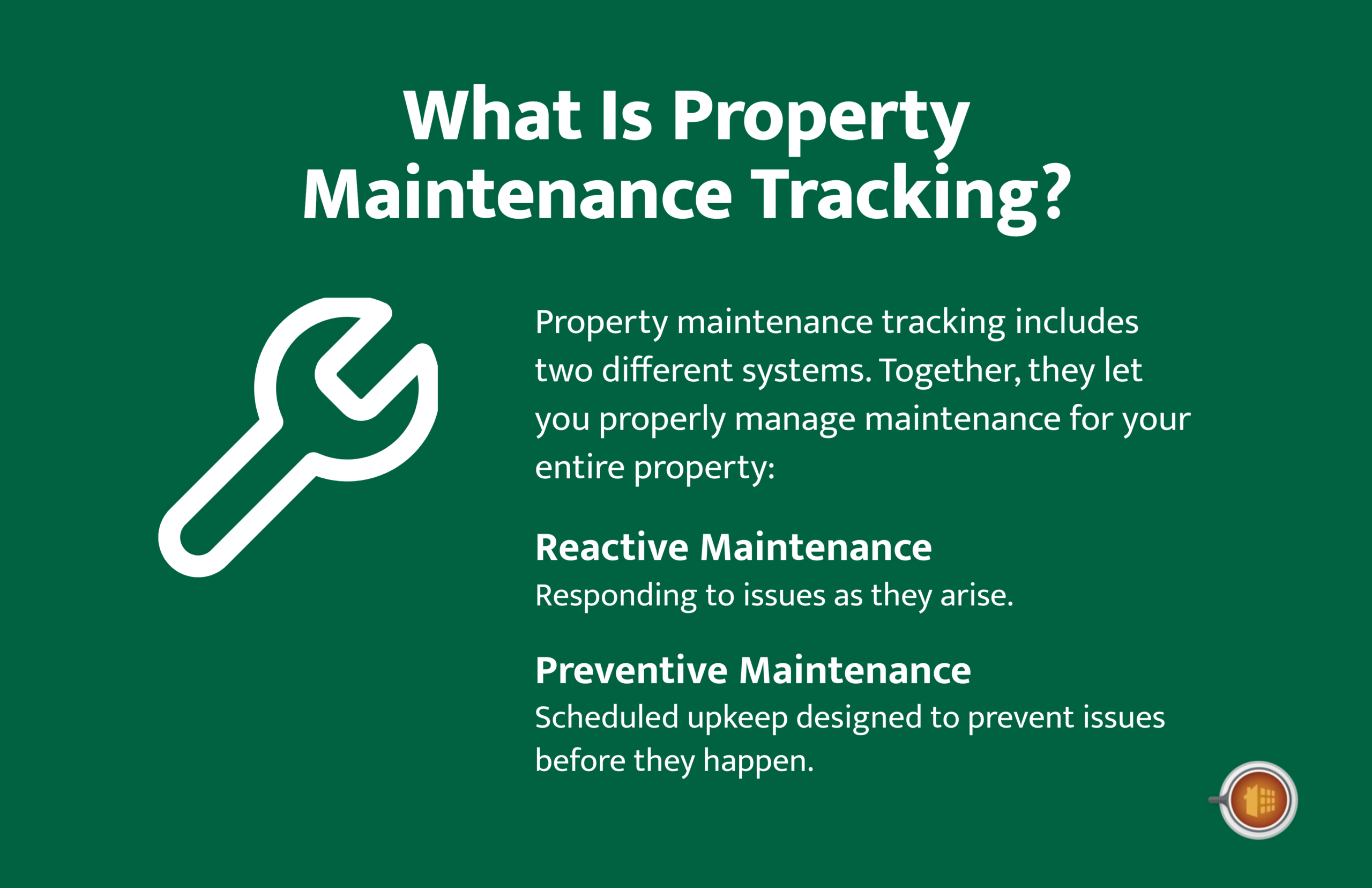
- A complete system handles both reactive maintenance (responding to issues as they arise) and preventive maintenance (scheduled upkeep that prevents issues before they happen).
- The work order is the core unit of maintenance tracking. A clean work order workflow moves from request to assignment to completion to documentation, with cost recorded at every step.
- Preventive maintenance scheduled by system and season reduces emergency repairs, extends equipment life, and lowers total maintenance costs over time.
- Maintenance tracking software that connects work orders to your accounting eliminates the gap between work completed and costs recorded, keeping your property-level books accurate.
A tenant texts you about a leaky faucet.
You mean to call a plumber, but the day gets away from you. Three days later you remember, call someone, and they come out the following week. By then the leak has warped the cabinet under the sink. What was a $90 fix is now a $600 repair, and your tenant is frustrated that it took ten days to address.
This is what maintenance looks like without a tracking system. Things slip. Small problems become big ones. Costs climb. Tenants lose confidence.
Now picture the same scenario with a system in place. The tenant submits the request through a portal. It becomes a work order automatically. You assign it to your plumber the same day. The plumber updates the status when the job’s done. The cost gets logged against that property. And the whole thing is documented in case it ever comes up again.
That’s the difference maintenance tracking makes. This guide walks through how to build that system, whether you manage three units or three hundred.
What Is Property Maintenance Tracking?

Property maintenance tracking is the system you use to capture, assign, complete, and document every maintenance task across your properties.
It covers the full lifecycle of a maintenance issue, from the moment it’s reported (or scheduled) to the moment it’s resolved and recorded. The goal is visibility: knowing what needs to be done, what’s in progress, what’s been completed, and what each task cost.
Maintenance tracking breaks into two types, and a complete system handles both.
Reactive Maintenance
Reactive maintenance is responding to issues as they arise. A tenant reports a broken appliance. A pipe bursts. The HVAC stops working. These are unplanned, and they need to be addressed quickly.
Reactive maintenance will always be part of property management. You can’t schedule a water heater to fail. But a good tracking system makes reactive maintenance faster and less chaotic.
Preventive Maintenance
Preventive maintenance is scheduled upkeep designed to prevent issues before they happen. Servicing the HVAC before summer. Cleaning gutters in fall. Inspecting plumbing annually. Testing smoke detectors.
The truth is, the more you invest in preventive maintenance, the less you spend on reactive emergencies. A well-run preventive program is the single biggest lever for reducing total maintenance costs.
Why Maintenance Tracking Matters
Maintenance tracking isn’t just about staying organized. It directly affects your costs, your tenant relationships, and the value of your properties.
Here’s what a good system delivers.
Lower Total Costs
Caught early, most maintenance issues are cheap. Left unaddressed, they compound. A small roof leak becomes water damage. A worn HVAC part becomes a full system failure. Tracking surfaces issues before they escalate.
Faster Response Times
When a request becomes a work order automatically and gets assigned immediately, the time between “problem reported” and “problem fixed” shrinks. Faster response means less damage and happier tenants.
Happier Tenants
Tenants who see their requests handled quickly and professionally renew more often. Maintenance responsiveness is one of the biggest drivers of tenant satisfaction, and satisfied tenants are cheaper to keep than new ones are to find.
Accurate Cost Tracking
Every maintenance dollar should be tied to a specific property and expense category. When it is, your property management financial reports show the true cost of maintaining each property, which informs rent pricing, capital decisions, and whether a property is worth keeping.
Documentation and Liability Protection
Documented maintenance protects you. If a tenant claims you ignored a safety issue, your maintenance records show exactly what was reported, when, and how you responded. Photos, timestamps, and completion records are your defense.
Better Vendor Management
Tracking maintenance over time shows you which vendors are reliable, which are expensive, and which consistently deliver quality work. That data makes you a smarter buyer of maintenance services.
The Work Order Lifecycle
The work order is the core unit of maintenance tracking. Every maintenance task, reactive or preventive, should flow through a work order.
A clean work order workflow moves through five stages. When stages get skipped or handled inconsistently, tasks fall through the cracks.
| Stage | What Happens | Why It Matters |
|---|---|---|
| 1. Request intake | A maintenance need enters the system (tenant request or scheduled task) | Captures the issue in writing before it gets lost |
| 2. Triage and assignment | Issue is prioritized and assigned to the right vendor or technician | Emergencies get handled first; routine work gets scheduled |
| 3. Scheduling and communication | Work is scheduled with the vendor and communicated to the tenant | Clear timing prevents most tenant frustration |
| 4. Completion | Work is finished and the status is updated with notes and photos | Creates a record of what was done |
| 5. Documentation and cost recording | The completed work order is documented and the cost recorded against the property | Connects maintenance to accounting (the step most often skipped) |
Stage 1: Request Intake
A maintenance need enters the system. For reactive maintenance, this usually comes from a tenant. For preventive maintenance, it’s generated automatically from a schedule.
The best intake method is a tenant portal where renters submit requests with photos and descriptions. This beats phone calls, texts, and sticky notes because it captures the details in writing and starts the work order automatically.
Stage 2: Triage and Assignment
Once a request comes in, it gets prioritized and assigned. Emergency issues (no heat, water leak, security) jump to the front. Routine issues get scheduled.
Assignment means choosing the right vendor or in-house technician for the job and giving them the details they need: the property, the issue, access instructions, and any relevant history.
Stage 3: Scheduling and Communication
The work gets scheduled with the vendor and communicated to the tenant. Tenants should know when someone’s coming and what to expect. A surprising amount of tenant frustration comes not from the repair itself but from poor communication about timing.
Stage 4: Completion
The vendor or technician completes the work and updates the work order status. Before-and-after photos, notes on what was done, and any follow-up needed all get recorded here.
Stage 5: Documentation and Cost Recording
The completed work order gets documented and the cost recorded against the property. This is the step most often skipped, and skipping it is what breaks the connection between maintenance and accounting.
Keep in mind, when the vendor bill comes in, it should tie back to the work order that authorized the work. We covered this work-order-to-bill connection in detail in our guide to property management accounts payable.
What to Track on Every Work Order
A work order is only as useful as the information it captures. At minimum, every work order should record the following.
- Property and unit: Which property and unit the work applies to
- Date reported: When the request came in
- Reported by: Tenant, inspection, or scheduled preventive task
- Issue description: What’s wrong, with photos when possible
- Priority: Emergency, urgent, or routine
- Assigned to: The vendor or technician handling it
- Status: Open, assigned, in progress, completed
- Date completed: When the work was finished
- Cost: Labor, parts, and total, tied to an expense category
- Notes and photos: What was done, with before-and-after documentation
The cost field is the one that connects maintenance to your accounting. Without it, you know the work got done but you’ve lost the financial record.
Building a Preventive Maintenance Program
Reactive maintenance is unavoidable. Preventive maintenance is where you actually save money. A structured preventive program reduces emergencies, extends equipment life, and gives you predictable maintenance costs.
The framework is simple: checklist plus frequency plus assignment plus tracking.
Start With the Core Systems
Focus your preventive program on the systems where failure is expensive: HVAC, plumbing and water, electrical, roofing and exterior, and safety systems. These are the areas where a small preventive investment prevents a large reactive cost.
Schedule by Frequency and Season
Preventive tasks fall into natural rhythms. Some are monthly, some quarterly, some seasonal, some annual. Aligning tasks with the calendar keeps them from piling up and ensures they happen at the right time.
| Frequency | Example Tasks | Systems Covered |
|---|---|---|
| Monthly | Test smoke and CO detectors, check common-area lighting, inspect for leaks | Safety, electrical, plumbing |
| Quarterly | Replace HVAC filters, inspect plumbing fixtures, test GFCI outlets | HVAC, plumbing, electrical |
| Seasonal | HVAC tune-up before summer/winter, gutter cleaning in fall, irrigation checks in spring | HVAC, exterior, roofing |
| Annual | Deep roof inspection, water heater service, full safety audit, exterior assessment | Roofing, plumbing, safety, exterior |
Convert Tasks Into Recurring Work Orders
The key to a preventive program that actually runs is turning each scheduled task into a recurring work order. Instead of relying on memory or a paper calendar, the system generates the work order automatically when the task is due and assigns it to the right vendor or technician.
Refine With Data
Track your preventive maintenance results over time. Which tasks consistently catch problems? Which are unnecessary? Where do emergencies still happen despite preventive work? Use that data to refine the program, dropping low-value tasks and adding checks where emergencies keep occurring.
Maintenance Tracking Best Practices
A few habits separate landlords and property managers who run maintenance well from those who are always putting out fires.
1. Use a Single Intake Channel
Maintenance requests that come through phone calls, texts, emails, and in-person mentions get lost. Funnel every request through one channel, ideally a tenant portal, so nothing slips through.
2. Respond Fast, Even If Just to Acknowledge
Tenants tolerate a repair taking a few days far better when they know it’s been received and scheduled. An automatic acknowledgment when a request comes in buys you patience.
3. Document Everything With Photos
Before-and-after photos protect you in disputes, help you evaluate vendor quality, and create a maintenance history for each property. Make photo documentation a standard part of every work order.
4. Tie Every Cost to a Property
A maintenance cost that isn’t tied to a specific property distorts your books. When a vendor handles work at three properties, the bill should be split across the three, not lumped onto one. This keeps each property’s chart of accounts accurate.
5. Build Vendor Relationships
Reliable vendors who answer your calls during emergencies are worth their weight in gold. Pay them promptly, communicate clearly, and give them steady work. A good vendor relationship is a maintenance asset.
6. Review Maintenance Costs Regularly
Run reports on maintenance spending by property and by category. A property with rising maintenance costs may signal a deeper issue (aging systems, deferred maintenance catching up) that affects whether it’s worth keeping.
5 Common Maintenance Tracking Mistakes
Most maintenance tracking problems come from the same handful of mistakes.
1. Relying on Memory
The biggest mistake. A maintenance request you “remember” to handle is a request that will eventually be forgotten. Every task needs to be captured in a system the moment it arises.
2. Scattered Request Channels
When tenants report issues through five different channels, requests get lost. Centralize intake to one place.
3. Skipping Preventive Maintenance
Skipping preventive maintenance to save money is a false economy. The emergency repairs you’ll face later cost far more than the preventive work would have. Preventive maintenance is an investment, not an expense.
4. Not Recording Costs
Completing a repair but never recording the cost against the property breaks the link between maintenance and accounting. Your books understate the true cost of the property.
5. Poor Tenant Communication
A repair that takes a week feels reasonable when communicated and infuriating when ignored. Keep tenants informed about timing and progress.
How Mocha Manage Handles Maintenance Tracking

If you’ve been juggling maintenance across texts, emails, a spreadsheet, and your memory, you already know how easily things slip. The request that never became a work order. The repair you can’t find the cost for. The preventive task that everyone forgot.
Mocha Manage was built by CPAs who understand maintenance as part of the broader accounting workflow, where every repair is also a transaction that needs to hit the right property’s books. The Maintenance Tracking feature connects work orders directly to your accounting.
Here’s what you can do with Mocha:
- Capture requests through a tenant portal. Tenants submit maintenance requests with photos and descriptions, and each request becomes a work order automatically.
- Create and assign work orders. Build work orders with property, issue, priority, and assignment details, then route them to the right vendor or technician.
- Track status from open to complete. See every work order’s status at a glance, so you always know what’s pending, in progress, and done.
- Convert work orders into bills. When a vendor completes a job, the work order carries its details (property, vendor, expense category) directly into a bill, eliminating duplicate data entry.
- Tie every cost to the right property. Maintenance costs are coded to the correct property and expense category automatically, keeping property-level books accurate.
- Schedule recurring preventive maintenance. Set up recurring work orders for preventive tasks so they generate automatically when due.
- Document with photos and notes. Attach before-and-after photos, completion notes, and vendor documentation to every work order.
- Coordinate with vendors. Manage vendor assignments, communications, and payment all in one place.
- Run maintenance cost reports. Analyze maintenance spending by property, category, or time period to spot trends and inform decisions.
The result is maintenance tracking that connects directly to your books. Requests become work orders. Work orders become bills. Bills hit the right property’s accounting. Nothing gets lost between the repair and the financial record.
Try Mocha Manage free to see what maintenance tracking looks like when it’s connected to your accounting from day one.
Frequently Asked Questions
What is maintenance tracking in property management?
Maintenance tracking is the system used to capture, assign, complete, and document maintenance tasks across properties. It covers both reactive maintenance (responding to issues) and preventive maintenance (scheduled upkeep), with every task flowing through a work order.
What’s the difference between reactive and preventive maintenance?
Reactive maintenance responds to issues after they occur (a broken appliance, a leak). Preventive maintenance is scheduled upkeep that prevents issues before they happen (HVAC servicing, gutter cleaning). Investing in preventive maintenance reduces reactive emergency costs.
What is a work order?
A work order is the record of a single maintenance task. It captures the property, the issue, the priority, who’s assigned, the status, the cost, and documentation. Every maintenance task should flow through a work order.
How does maintenance tracking software help?
It centralizes maintenance requests, automates work order creation, tracks status in real time, documents completed work, and (in integrated systems) ties costs directly to property accounting. This reduces missed requests, speeds response times, and keeps costs accurate.
How often should I do preventive maintenance?
It depends on the system. Some tasks are monthly (testing detectors), some quarterly (HVAC filter changes), some seasonal (gutter cleaning, HVAC tune-ups), and some annual (deeper inspections). Aligning tasks with a calendar keeps the program running.
How do I track maintenance costs by property?
Use a system that ties every maintenance cost to a specific property and expense category. When a single vendor bill covers multiple properties, it should be split across them rather than assigned to one. This keeps each property’s books accurate.
Disclosure: Mocha Manage publishes this blog. This guide is for informational purposes only and does not constitute legal, financial, or accounting advice. Consult a professional familiar with property management for advice specific to your situation.
Leave a Reply