Key Takeaways
- Online rent collection eliminates the time, cost, and risk of paper checks while giving landlords a verifiable audit trail of every payment.
- ACH transfers are the dominant payment method because they’re inexpensive (under 1% or free in many cases) and reliable, but supporting multiple payment options (ACH, debit, credit) reduces late payments.
- Automated rent collection with autopay, late fee enforcement, and partial payment handling reduces manual follow-up dramatically once tenants are set up.
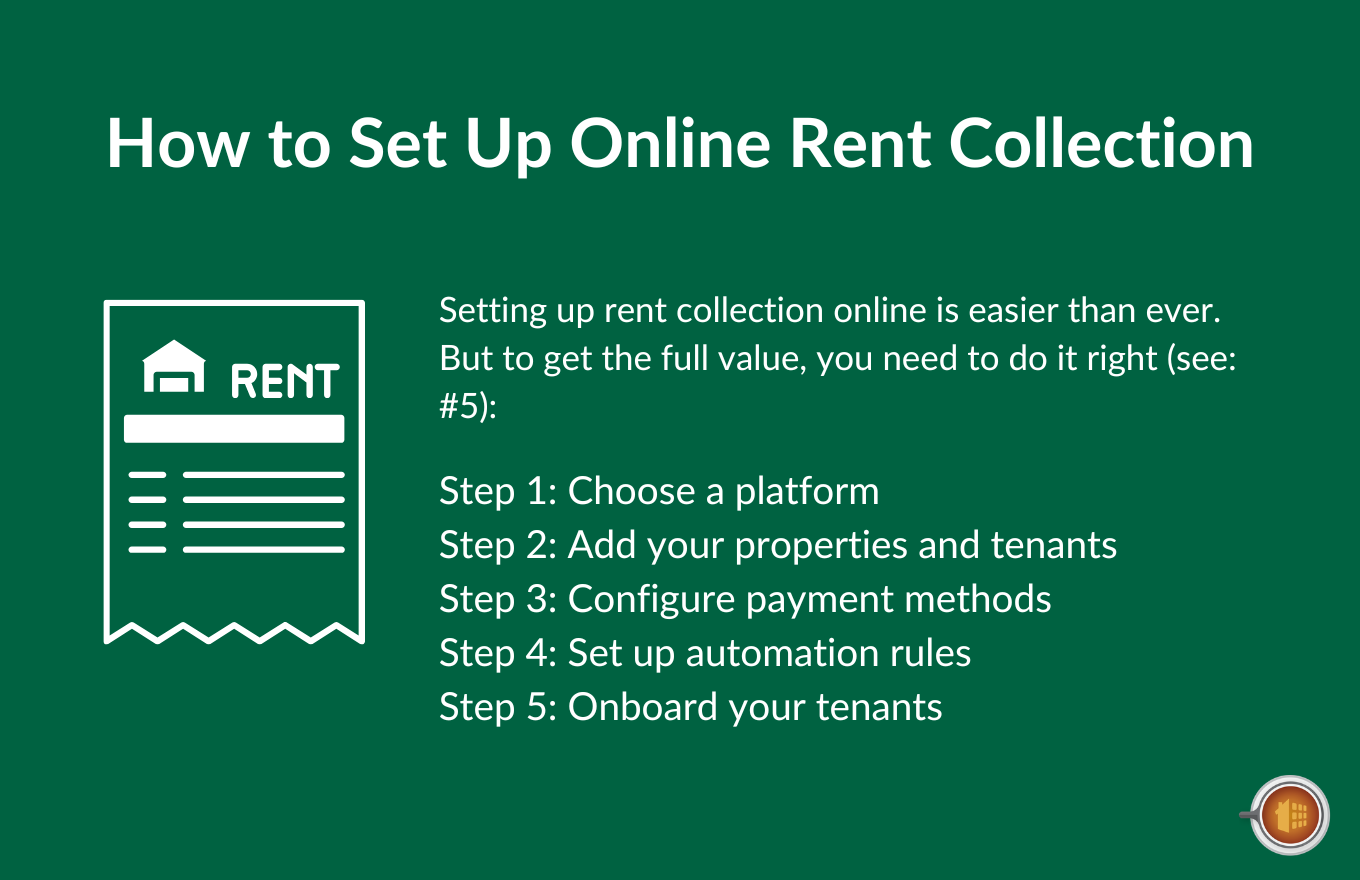
- Setup involves five core steps: choose a platform, add properties and tenants, configure payment methods, set up automation rules, and onboard tenants.
- The right software connects rent collection directly to your accounting system, so every payment automatically updates property-level books and tenant ledgers without manual data entry.
There’s the way you used to collect rent.
Paper checks in the mailbox. Driving to the bank to deposit them. Hoping the check doesn’t bounce. Calling the tenant when it’s three days late. Writing it down in a notebook so you know who paid and who didn’t.
Then there’s online rent collection now.
A tenant pays through an app. The money lands in your bank account automatically. The transaction is logged against the right property and the right tenant ledger. Late fees apply themselves. Reminders go out without you doing anything. And when April rolls around, every transaction is already categorized for your taxes.
The difference between the two systems is a few hours of setup followed by years of cleaner finances and fewer headaches.
This guide walks through how to make that switch. Which payment methods to support. How to set up online collection. What automation to enable. And how to handle the edge cases (partial payments, late fees, returned payments) that come up no matter what platform you use.
6 Reasons to Switch to Online Rent Collection
If you’re still collecting rent by check or cash, you already know the problems. They’re not subtle.
Here’s what online collection actually solves.
1. Faster Payments
ACH payments typically settle within 1-3 business days. Some platforms now offer same-day or next-day deposits for an additional fee. Compare that to a paper check that takes days to arrive in the mail and another few days to clear the bank.
2. Lower Risk of Late Payments
Tenants who can pay online are statistically less likely to pay late. Recurring autopay turns the question of “will rent be on time” into “yes, it’s already scheduled.”
3. Clean Audit Trail
Every transaction is timestamped, attached to a specific tenant and property, and recorded in your system automatically. No screenshots, handwritten receipts, or trying to remember whether you cashed the check in February or March.
4. Reduced Bank Trips
You stop driving to the bank to deposit checks. Funds land directly in your operating account. For landlords with multiple properties, this alone saves hours every month.
5. Better Tenant Experience
Tenants paying rent online aren’t doing it for your benefit. They’re doing it because it’s how they pay everything else in their lives. Tenants who can pay how they want are happier tenants, and happier tenants renew more often.
6. Cleaner Accounting
When rent payments flow directly into your property management accounting system, they’re already categorized by property and tenant. No manual data entry. No reconciliation headaches at month-end.
The Main Online Rent Payment Methods
Not all payment methods work the same way. Each one has different fees, processing speeds, and tenant adoption rates.
Here’s how the main options compare.
| Payment Method | Typical Fees | Processing Speed | Best Use |
|---|---|---|---|
| ACH bank transfer | Free to $2.50 per transaction | 1-3 business days | Primary method for most tenants |
| Debit card | 1.5-2.5% per transaction | Instant or next day | Backup option when checking is short |
| Credit card | 2.5-3.5% per transaction (usually tenant-paid) | Instant or next day | Backup to prevent late payments |
| Cash via retail (PayNearMe, etc.) | $3-$5 per transaction (usually tenant-paid) | 1-2 business days | Unbanked tenants |
| Paper check | No fees but high handling cost | 3-7 days (mail + deposit) | Legacy support only |
ACH Bank Transfer
ACH (Automated Clearing House) transfers pull rent directly from a tenant’s bank account into yours. This is the dominant method for online rent collection because it combines low cost with high reliability.
Most platforms offer ACH for free or for a small flat fee (typically $0.25-$2.50 per transaction). Settlement usually happens within 1-3 business days.
The downside: insufficient funds can cause an ACH payment to bounce, and chargebacks (while rare) are possible. Most platforms charge the tenant a returned payment fee in this case.
Credit and Debit Cards
Credit card payments process instantly, but they come with higher fees. Most platforms charge tenants a 2.5-3.5% convenience fee for card payments, which means most tenants will choose ACH if both are available.
That said, card payments are valuable as a backup option. A tenant whose checking account is running low on rent day can put rent on a card to avoid being late, then pay the card off later.
Cash and Money Orders
Some platforms support cash and money order tracking. The tenant brings cash or a money order to a participating retail location (often through services like PayNearMe or Western Union), and the platform records the payment.
Useful for unbanked tenants or as an emergency option. Generally more expensive and less convenient than ACH.
Checks
Some landlords still accept checks alongside online options. The truth is, the more payment methods you support, the harder reconciliation becomes. If you accept checks, your platform should still let you log the check payment so it shows up in your tenant ledger alongside online payments.
How to Set Up Online Rent Collection
The setup process varies by platform, but the core steps are the same regardless of which tool you use.
Here’s the standard five-step workflow:

Step 1: Choose a Platform
The right platform depends on your portfolio size and what else you need beyond rent collection. Free options like Baselane and TurboTenant work for landlords whose only need is rent collection. Full property management platforms like Mocha Manage combine rent collection with accounting, owner statements, work orders, and reporting.
Keep in mind, your rent collection platform also becomes part of your accounting system. If your collection tool doesn’t integrate cleanly with your books, you’ll be doing duplicate data entry to keep both systems in sync.
Step 2: Add Your Properties and Tenants
Every property gets entered with its address, unit count, and any sub-units if applicable. Each tenant gets entered against their unit with their name, contact info, and lease terms.
Most platforms support bulk import from a CSV if you’re switching from spreadsheets or another system.
Step 3: Configure Payment Methods
Decide which payment methods you’ll accept and configure them in the platform. At minimum, ACH should be enabled. Most landlords also enable debit and credit cards as backup options.
If your platform supports it, configure who pays the processing fees on card transactions. The standard practice is to pass card fees to the tenant (since they’re choosing the more expensive payment method), but some landlords absorb the fees as a tenant benefit.
Step 4: Set Up Automation Rules
This is where online collection earns its keep. Configure the rules that will run automatically:
- Rent amount and due date for each tenant
- Late fee policy: flat fee or percentage, grace period, escalation rules
- Autopay invitations: most platforms let you invite tenants to enroll in recurring autopay
- Payment reminders: email and SMS reminders before rent is due
- Late payment notices: automatic follow-ups when rent is overdue
- Partial payment handling: whether you accept partial payments and how they apply
Spending an hour on automation setup at the start saves hours every month afterward.
Step 5: Onboard Your Tenants
Tenants need to be invited to the platform and walked through how to pay. Most platforms send tenants an email invitation with setup instructions, but a brief explanatory note from you reduces the support questions.
The first month is the bumpiest. After that, most tenants settle into the new routine quickly.
Handling the Edge Cases
Online rent collection works smoothly 95% of the time. The other 5% is where landlords get tripped up if they haven’t planned ahead.
Here are the situations that come up most often.
Late Payments
Decide your late fee policy and let the platform enforce it.
A typical policy: 5-day grace period, then a $50 flat fee or 5% of monthly rent (check your state laws for caps). The platform applies the fee automatically when the grace period ends. No conversations needed.
Most states regulate late fees. California caps them, Florida allows them with proper notice, and Texas has specific rules around when fees can be applied. Check your local laws before setting your policy.
Partial Payments
Some platforms accept partial payments by default. Others require you to opt in.
The argument for accepting partial payments: it’s better to receive 60% of rent on time than nothing while a tenant tries to scrape together the full amount. The argument against: accepting a partial payment can complicate eviction proceedings in some states by signaling you’ve accepted the partial as full satisfaction.
Talk to your attorney about your state’s rules before deciding. If you do accept partial payments, configure the platform to apply payments to the oldest balance first (most platforms do this by default).
Insufficient Funds and Returned Payments
ACH payments can bounce if the tenant’s account has insufficient funds. When that happens, the platform reverses the transaction and typically charges the tenant a returned payment fee.
Your lease should specify the returned payment fee (typically $25-$50). Your platform should be able to enforce it automatically.
Security Deposits
Security deposits should be collected separately from rent and held in a separate trust account in most states. Your rent collection platform should let you collect the deposit at lease signing and track it separately from rent payments.
Some states require interest-bearing security deposit accounts, with the interest belonging to the tenant. Make sure your platform supports this if your state requires it.
Last Month’s Rent and Prepaid Rent
If your lease collects last month’s rent at move-in, that money should be applied to the last month of the lease, not absorbed into your operating cash. Track it as a liability (you owe it back if the tenant moves out early).
Some platforms automatically apply last month’s rent at the end of the lease. Others require you to manually apply it. Either way, the amount should be visible in the tenant ledger throughout the tenancy.
Rent Increases at Renewal
When a lease renews with a rent increase, your platform should automatically update the rent amount on the renewal date. If it doesn’t, you’ll be billing the old rent forever.
This is a recurring spot where manual tracking fails. Set up the rent increase rule when you process the renewal, not later.
Best Practices for Online Rent Collection
A few habits separate landlords who use online collection well from those who set it up and then drift back to manual workarounds.
Make Autopay Easy
Tenants who set up autopay pay on time without thinking about it. Send them autopay setup instructions during onboarding and follow up with anyone who hasn’t enrolled after the first month.
Send Reminders Anyway
Even tenants who pay reliably benefit from a “rent is due in 5 days” reminder. It surfaces upcoming payments at the right moment and reduces “I forgot” excuses.
Communicate Late Fee Rules in the Lease
The lease should spell out the late fee amount, grace period, and how late payments will be handled. When the platform applies a fee automatically, the tenant has already been notified of the policy.
Reconcile Monthly
Run a bank reconciliation every month between your platform’s rent records and your actual bank account. Online collection minimizes errors but doesn’t eliminate them. Reconciliation catches the rare discrepancy before it grows.
Keep Tenant Records Updated
Outdated email addresses or phone numbers break the reminder system. Quarterly verification of tenant contact info keeps your automation working.
Train Tenants on the Tenant Portal
Most platforms include a tenant portal where renters can view their balance, pay rent, see receipts, and submit maintenance requests. Tenants who use the portal need less direct support from you, but they have to know how to use it. A brief portal walkthrough during onboarding pays off all year.
6 Common Online Rent Collection Mistakes
Most issues with online rent collection trace back to the same handful of mistakes.
1. Choosing the Wrong Platform
Free platforms work fine for landlords whose only need is rent collection. But if your portfolio grows beyond a few units, or if you need accounting that ties rent payments to property-level books, free tools start showing their limits. Choose a platform you can grow into, not one you’ll need to switch from in six months.
2. Not Configuring Late Fees
A late fee policy that exists in the lease but doesn’t get applied automatically is essentially no policy at all. Configure your platform to enforce the late fee rules you’ve written down.
3. Ignoring Returned Payments
When an ACH payment bounces, the platform handles the reversal but you still need to follow up with the tenant. Build a workflow for what happens next (a call, a notice, a stop on autopay until the issue is resolved).
4. Mixing Rent and Personal Finances
If your rent collection deposits land in an account you also use for personal expenses, you’re creating a mess for yourself at tax time. Open a dedicated business or property account and route all rent collection there.
5. Skipping the Tenant Onboarding Step
Tenants who don’t understand how to use the platform pay late or call you with questions. A 10-minute portal walkthrough at move-in eliminates most support requests.
6. Not Tracking Cash Payments
If you accept any cash payments, log them in the platform manually. Otherwise the tenant ledger shows them as unpaid even though you have the money.
Simplify Rent Collection with Mocha Manage Today

If your current rent collection is split across spreadsheets, a payment app, and a separate accounting tool, you already know how much friction that creates. Manual reconciliation. Missed late fees. Tenant ledgers that don’t match your bank.
Mocha Manage was built by CPAs who understand rent collection as part of the broader accounting workflow. The Rent Collection feature is designed to handle every payment scenario while keeping your books clean from day one.

Here’s what you can do with Mocha:
- Accept multiple payment methods. ACH, debit, and credit card payments are all built in. Tenants pay how they want; you get the money in your account either way.
- Set up autopay easily. Tenants enroll in recurring autopay through their portal in minutes. Rent goes from “due each month” to “already scheduled.”
- Apply late fees automatically. Configure your late fee policy once and Mocha enforces it on every overdue payment, no manual follow-up required.
- Handle partial payments and prepaid rent. Partial payments apply to the oldest balance first. Prepaid rent and last-month deposits are tracked as liabilities until applied.
- Track security deposits separately. Security deposits flow into a separate trust account ledger, keeping them properly segregated from rent payments and your operating funds.
- Sync with your accounting in real time. Every rent payment automatically updates the correct property, the correct tenant ledger, and your books. No manual data entry, no end-of-month reconciliation scramble.
- Send automated reminders and notices. Pre-due reminders, late notices, and follow-up communications run automatically based on your configured rules.
- Give tenants a portal they actually use. Tenants pay rent, view their balance, see receipts, and submit maintenance requests from a single portal.
- Reconcile rent receipts against your bank account. Bank reconciliation happens within the platform, so the rent your tenants paid matches the money in your account every month.
The result is rent collection that runs on its own while your accounting stays clean and your tenants stay happy. Less manual work. Fewer late payments. Cleaner books.
Try Mocha Manage free to see what rent collection looks like when it’s built into your accounting from day one.
Frequently Asked Questions
What’s the cheapest way to collect rent online?
ACH transfers are typically the least expensive option, with fees under 1% or free on many platforms. Credit card payments cost 2.5-3.5% per transaction and are usually passed to the tenant.
How long does ACH rent collection take to process?
ACH payments typically settle within 1-3 business days. Some platforms offer expedited deposits (same-day or next-day) for an additional fee.
Can I require tenants to pay rent online?
Most jurisdictions allow this, but a few states (notably California) require landlords to accept at least one non-electronic payment method. Check your state’s tenant protection laws before requiring online-only payments.
Should I let tenants pay rent with a credit card?
Yes, as a backup option. Most tenants will choose ACH if both are available because of the fees. But having credit available means tenants can pay on time even when their checking account is short, which reduces late payments.
What do I do if a rent payment bounces?
Your platform should automatically reverse the transaction and charge the tenant a returned payment fee (typically $25-$50). Follow up with the tenant to arrange replacement payment, and consider disabling their autopay until they confirm the issue is resolved.
How do I handle security deposits collected online?
Security deposits should be collected separately from rent and held in a trust account, separate from your operating funds. Your platform should let you track deposits independently and refund them to the tenant at move-out (minus any deductions).
Disclosure: Mocha Manage publishes this blog. This guide is for informational purposes only and does not constitute legal or financial advice. Rent collection laws vary by state. Consult an attorney familiar with your state’s landlord-tenant laws for advice specific to your situation.
Leave a Reply