All property managers track income, expenses, and a dozen other moving parts.
But how you do it is up to you.
With that said, there is a wrong way to do it.
If you’re doing it with spreadsheets or trying to make QuickBooks work? You’re probably spending way too much time on accounting.
Here’s the thing: specialized rental property accounting software exists for this exact reason. It’s built for landlords, not adapted from business tools.
The difference matters—automated tracking, property-by-property reports, and tax forms that actually make sense. All of this comes together to make your job easier and more efficient.
But not all rental property accounting software is created equal.
Below, we’ll compare the top 10 platforms so you can find the right fit for your portfolio.
Key Takeaways
- Specialized rental property accounting software saves landlords 150+ hours annually compared to manual tracking
- Free options like Stessa work well for small portfolios, while paid platforms scale with growing businesses
- QuickBooks requires extensive workarounds for rental properties—purpose-built software eliminates complexity
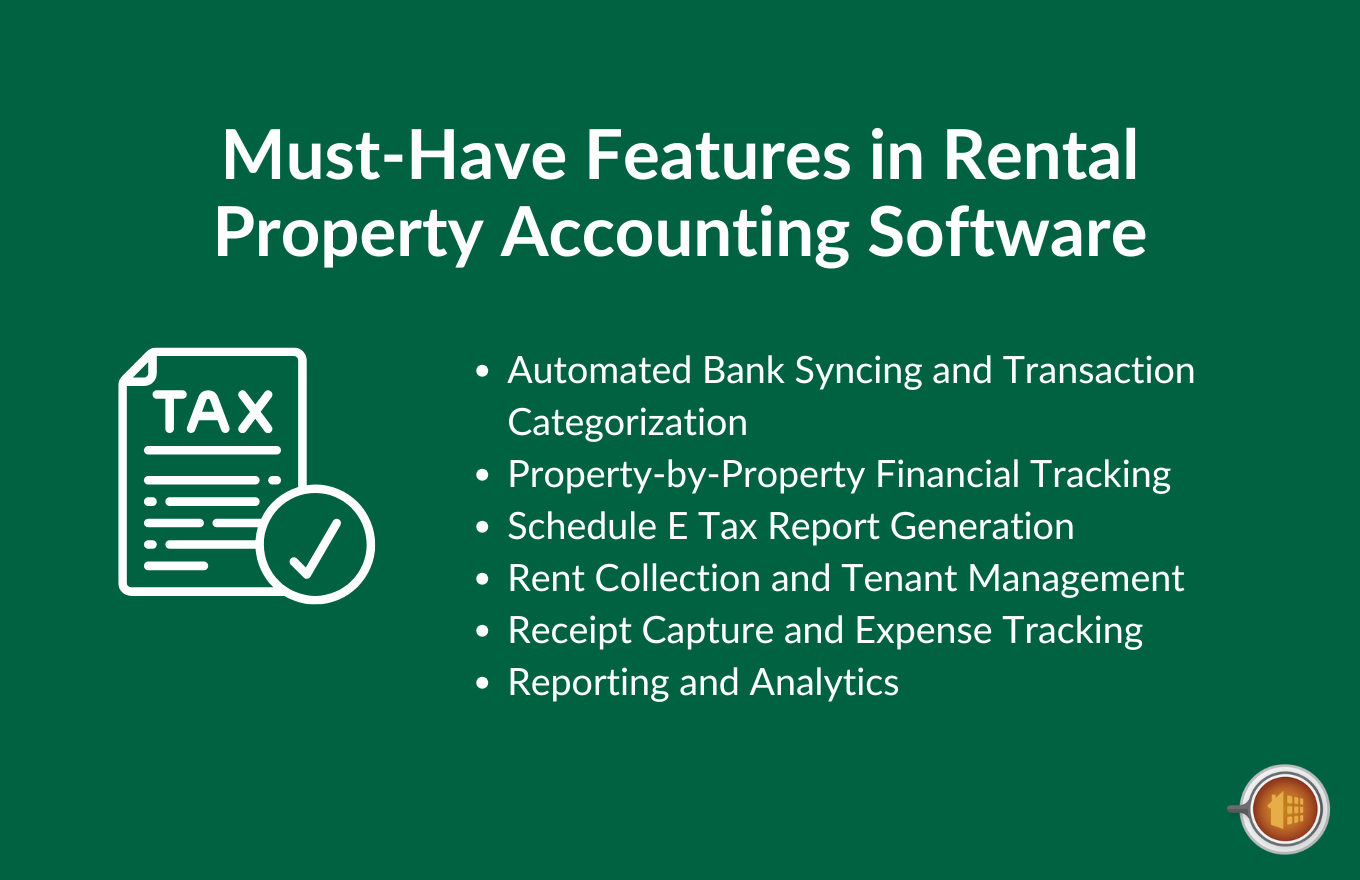
- Look for automated bank syncing, Schedule E reports, and property-by-property tracking as must-have features
- Integration with rent collection and maintenance tools creates an all-in-one property management ecosystem
What Is Rental Property Accounting Software?

Let’s start with what we’re actually talking about here.
Rental property accounting software is specialized software designed to track income and expenses for your rental properties.
But here’s where it gets interesting.
General accounting tools like QuickBooks or FreshBooks? They’re built for any business. Coffee shops, consultants, contractors. Rental property software is different—it’s purpose-built for landlords and real estate investors.
That means it handles the specific things you deal with. Multiple properties. Different tenants in each unit. Security deposits that aren’t income. Schedule E tax forms. Depreciation tracking.
The software automates transaction tracking, maximizes your tax deductions, and simplifies reporting.
Instead of manually categorizing every Home Depot receipt, the software does it for you. Instead of building spreadsheets to see which properties are profitable, you get instant reports.
Here’s what good rental property accounting software includes (at a minimum):
- Bank and credit card integration that imports transactions automatically
- Property-by-property financial tracking so you know exactly where you stand
- Tenant and lease management tools
- Schedule E tax report generation that saves hours during tax season
- Receipt capture through mobile apps
- Real-time dashboards showing your portfolio performance
According to research from Baselane, the average real estate investor saves 150 hours per year using accounting software instead of manual tracking. That’s nearly four full work weeks you get back.
Why Landlords Need Specialized Accounting Software (Not QuickBooks)
Look, QuickBooks works.
It’s powerful, it’s popular, and your accountant probably knows it inside and out.
But it wasn’t built for rental properties. And that creates problems.
A lot of them.
The QuickBooks Problem for Rental Properties

QuickBooks has no fields for properties.
No fields for tenants.
No fields for units.
So… you work around it:
- Properties become “customers” in the system.
- Tenants become “sub-customers” under each property.
- You use “classes” to track which transactions belong to which property—but class tracking only works in the Plus version, which costs $90 per month.
Then there’s your chart of accounts.
You have to manually configure it to match Schedule E categories. Every single account, set up by hand.
Security deposits? Complex to track properly because they’re liabilities, not income.
But QuickBooks doesn’t give you an easy way to handle them. Multi-property tracking gets messy fast. One wrong class assignment and your reports are wrong.
And QuickBooks still doesn’t include rent collection. No tenant portals. No automated late fees. No maintenance request tracking.
Your average property manager with 10 units would spend over 5+ hours every month just fixing QuickBooks workarounds. That’s time she could spend finding new properties or dealing with actual tenant issues.
Or, you know, growing that portfolio. Not managing software.
What Specialized Software Solves
Specialized software has properties and tenants as native fields.
No workarounds needed.
Schedule E reports generate automatically because the software was designed around them. Security deposits track in trust accounts by default. You get property-by-property profit and loss statements with one click.
But it goes beyond accounting:
- Built-in rent collection with automated late fees
- Tenant portals where renters can pay rent and submit maintenance requests
- Mobile apps that let you snap photos of receipts at the hardware store
- Everything syncs in real time.
Software like Mocha does what QuickBooks can’t because it was built for it from the ground up:
Having said that, let’s talk about what features actually matter when you’re choosing rental accounting software.
Must-Have Features in Rental Property Accounting Software

Not all rental property software is created equal.
Some platforms nail the basics. Others add features you’ll never use. The key is knowing which features actually matter for your situation.
Let me walk you through the essentials.
Automated Bank Syncing and Transaction Categorization
This is the big one.
The software connects to your bank accounts and credit cards. Every morning, new transactions import automatically. The AI looks at the transaction—”Home Depot” for $87.43—and categorizes it as “Repairs & Maintenance” for Unit 2B.
No manual data entry. No spreadsheets. No forgotten expenses.
Smart rules learn your patterns over time. The more you use the software, the better it gets at categorization. Manual work drops by 90% or more.
For example, your monthly mortgage payment to Wells Fargo? After you categorize it once, the software remembers. Next month, it categorizes automatically.
This gives you a real-time financial picture. You always know where you stand.
Property-by-Property Financial Tracking
Here’s what you need to know about each property: Is it making money?
Sounds simple. But you can’t answer that question if you’re looking at portfolio-level numbers only.
Good software tracks income and expenses separately for each property. For multifamily buildings, it even tracks by unit. You get a profit and loss statement for 123 Main Street. Another one for 456 Oak Avenue. Another for the duplex on Elm.
Then you can compare them side by side. One property might be killing it while another barely breaks even. You need to know which is which.
This matters for investment decisions. When you’re ready to buy another property, you want to know which ones in your portfolio are actually profitable. When it’s time to sell, you need accurate numbers for capital gains calculations.
Can’t do any of that without property-level tracking.
Schedule E Tax Report Generation
Tax season is painful enough already.
Specialized software makes it less painful by automatically generating your Schedule E (Form 1040). The IRS form for reporting rental income and expenses.
Here’s how it works:
All year, you’re categorizing transactions.
The software maps those categories to Schedule E lines. Advertising goes to line 5. Insurance goes to line 9. Repairs go to line 14. When tax time rolls around, you click “Generate Schedule E” and the software produces a completed form.
Your expenses are already pre-categorized to match IRS categories. This reduces errors and audit risk. Most platforms also generate 1099 forms for contractors and comprehensive tax packages you can hand directly to your CPA.
One property manager told me her tax preparation time dropped by 70% after switching from manual tracking to automated Schedule E generation. That’s 12-15 hours saved every year.
Rent Collection and Tenant Management
Let’s talk about getting paid.
Online rent payment processing means tenants pay through the platform. ACH transfers, credit cards, and debit cards. Payment reminders send automatically three days before rent is due. Late fees charge automatically on the due date if payment doesn’t arrive.
This is huge for reducing late payments. Industry data shows automated payment reminders reduce late payments by roughly 30%.
Tenants get their own portal where they can make payments, view their lease, and submit maintenance requests. You get lease tracking with renewal reminders. Security deposit accounting that keeps everything compliant.
Some platforms even handle the entire leasing process—online applications, tenant screening, digital lease signing.
All of this reduces the back-and-forth. Fewer phone calls about “when is rent due?” Fewer checks to deposit manually. Less time chasing down late payments.
Receipt Capture and Expense Tracking
You’re at the hardware store buying supplies for a repair.
Pull out your phone. Open the app. Snap a photo of the receipt.
The software uses OCR to extract the amount, vendor, and date. It attaches the photo to the expense transaction. It asks you which property. You select “123 Main Street” and you’re done.
The entire process takes 15 seconds.
This matters for two reasons:
First, you never lose a deductible expense. Every receipt gets captured and categorized immediately. No more shoeboxes full of crumpled receipts.
Second, mileage tracking for property visits. The app logs your trips to properties and calculates the deduction. All automatically.
Reporting and Analytics
You need reports to make decisions.
Cash flow reports show money coming in and going out. Occupancy tracking tells you how many units are filled. Rent roll reports list all tenants, their rent amounts, and payment status.
Balance sheets show your assets (properties) and liabilities (mortgages). Net operating income calculations tell you profitability. Owner statements work if you’re managing properties for other people.
Good reporting means you can pull up any of these reports in under a minute. Bad reporting means you’re exporting data to Excel and building your own reports.
Don’t settle for bad reporting.
Best Rental Property Accounting Software: Top 10 Solutions Compared
We evaluated over 20 rental accounting platforms to craft the below list.
They were tested for:
- Ease of use
- Feature completeness
- Pricing
- and customer support
Then, we narrowed that list down to these 10 based on what actually works for landlords, based on a combination of user reviews, reported feature sets, and software tests.
You’ll find options for every portfolio size and budget. Each includes pricing and pros and cons as well to give you all the information you need to make a more informed decision.
Let’s jump in:
1. Mocha Manage – Best All-in-One for HOAs and Rental Properties

Mocha Manage is purpose-built for property managers and landlords who need real accounting accuracy combined with property management tools.
Not just one or the other—both in one platform.
The problem with many property accounting tools is that they have a variety of property management features that allow them to call their tool “all-in-one” but in reality are lacking a number of useful accounting features.
They “have” accounting, but don’t really suffice on the accounting side of things.
Mocha was built by property managers and CPAs who know what is needed to effectively manage property accounting.
Check out what Mocha Manage can do for your rental accounting by trying it out free.
Best For: Property managers and landlords managing 5-50+ units, HOAs, associations
Key Features
- Complete property accounting with real-time dashboards that show exactly where your finances stand. Income and expense tracking broken down by property and unit.
- Automated rent collection with recurring billing so tenants get invoiced automatically. Bank account integration and reconciliation.
- Maintenance request tracking and work orders so you’re not juggling three different apps. Lease management and document storage in one place.
- Detailed financial reporting for owners and boards. 1099 filing automation for contractors.
- Communication tools for tenants and owners. The platform is integrated—you’re not buying accounting software, then adding rent collection, then adding maintenance tracking.
Pricing

Custom pricing based on portfolio size (typically starts around $50-75/month for smaller portfolios)
Pros
- Purpose-built for property management and HOA accounting, so it handles the specific challenges you face.
- All-in-one solution means you don’t need QuickBooks plus three other apps.
- Excellent reporting for property owners and boards.
- Clean, intuitive interface that doesn’t require training.
- Strong focus on accounting accuracy.
Cons
- Particularly strong and streamlined accounting feature set that may be missing some of the more complex features of older tools
2. Stessa – Best Free Option

Stessa made its name by offering robust accounting for free.
The software is lean and doesn’t offer everything you’ll need if you have a larger or more complex portfolio, but it’s a good starting point if you’re looking for a few basic accounting features to manage a small portfolio.
Best For: DIY landlords with 1-20 properties looking for free accounting
Key Features
- Free accounting with unlimited properties
- Automated transaction import and categorization from connected bank accounts.
- Property-by-property financial tracking and Schedule E tax package generation.
Pricing

Their Essentials plan is free forever, but keep in mind you may want to upgrade to one of their paid plans to get features missing from the base plan.
Pros
- The free plan is legitimately robust—not a stripped-down teaser.
- Purpose-built for real estate investors, so the terminology and features make sense.
- Clean interface that’s easy to navigate with excellent financial analytics.
- High-yield banking option if you want it.
Cons
- Limited property management features beyond accounting.
- Rent collection requires opening a Stessa banking account.
- No maintenance management or tenant communication tools.
- Customer support is primarily for paid tiers.
3. Buildium – Best for Complex Portfolios

Buildium is a major player in the space and has been around for quite a while.
That works as a double-edged sword, as it means they have more (or as many) features than anyone else. But it also means the software is built on an older code base, the UI bloated with many features you may never use, and it can be hard to navigate.
With that said, it’s a solid option if you have a large portfolio.
Best For: Property managers with 20-200+ units needing a full-service solution
Key Features
- Owner portal with automated financial statements and rent collection with payment processing.
- Tenant and lease management with maintenance request and work order system.
- Online rental listings, tenant screening services, and detailed financial reporting.
Pricing

Starts at $50/month for up to 20 units; pricing scales with portfolio size.
Pros
- Comprehensive feature set
- Good reporting and owner accounting capabilities.
- Strong customer support with phone and chat options.
Cons
- Can feel complex for very small landlords who just need basic accounting.
- Higher price point than simpler alternatives.
- Steeper learning curve initially (though comprehensive training resources help).
4. Landlord Studio – Best Mobile

Landlord Studio built their platform mobile-first.
That means the mobile app isn’t an afterthought, which makes it one of the best mobile experiences on this list.
With that said, it is one of the leaner options on the list in terms of all-around accounting and property management features.
But it’s a decent option if you’re just getting started and only have a few properties, especially if you do most of your property management from your smartphone.
Best For: Landlords with 1-20 properties who manage on-the-go
Key Features
- Mobile-first design
- Automated bank syncing and categorization
- Schedule E report generation for taxes and rent collection with automated reminders
Pricing

Starter: Free (limited features) | Growth: $15/month | Professional: $30/month. All-around highly affordable.
Pros
- Good mobile app
- Easy to learn and use
- Affordable pricing for what you get, good for small to mid-size portfolios.
Cons
- Less robust than enterprise solutions if you need advanced features.
- Limited customization options and reporting not as detailed as competitors.
5. REI Hub – Best for Tax-Focused Landlords

REI Hub was built by real estate investors who were tired of complicated software. They wanted something simple that nailed the tax reporting.
The tool does that, though it remains a bit incomplete on the accounting side, and isn’t an all-in-one property management solution either.
With that said, if your focus is on tax optimization, REI Hub is a good option to consider.
Best For: Real estate investors managing 4-30+ properties with a focus on tax optimization
Key Features
- Automated transaction categorization with Schedule E and comprehensive tax package generation.
- P&L, cash flow, balance sheet and rent roll reports.
- Integration with Airbnb and VRBO for STR income
Pricing

Starts at $12/month; scales with number of properties. One of the most affordable options on our list.
Pros
- Simple, clean interface
- Works for both STR and LTR portfolios with affordable pricing.
- Good for managing multiple LLCs or business entities.
Cons
- No rent collection built into the platform.
- Limited property management features beyond accounting and no maintenance tracking.
6. AppFolio – Best for Enterprise-Level Property Management Companies

AppFolio is enterprise-grade software.
You don’t choose AppFolio for a handful of units. You choose it when you’re managing 200+ units and need power.
Best For: Property managers with 200+ units and enterprise needs
Key Features
- Enterprise-grade property management platform with advanced accounting and financial reporting.
- Owner portal with automated statements and rent collection with payment processing.
- Maintenance management and work orders with tenant screening and online leasing workflows.
- Advanced reporting and analytics with API for custom integrations.
Pricing

Pricing isn’t listed on their site, which means you’ll need to reach out to their sales team for more information.
Pros
- Feature-rich platform that scales to thousands of units.
- Automation capabilities that reduce manual work with strong reporting and analytics.
- Robust API for integrations.
Cons
- Expensive for small portfolios—overkill if you have under 50 units.
- Complex setup and high learning curve with annual contracts typically required.
7. Baselane – Best for Integrated Banking

Baselane took a different approach.
They started with landlord banking, then added the accounting features around it.
With that said, it isn’t the comprehensive accounting tool you may be looking for, but it will serve decently if you’re a small landlord just looking for a few simple accounting tools.
If you’re looking for a more all-in-one property management and accounting tool, however, this isn’t an ideal option.
Best For: Landlords with 1-20 properties wanting banking + accounting in one place
Key Features
- Free landlord banking with unlimited virtual accounts for each property, unit, and security deposits.
- High-yield savings with competitive APY rates and automated bookkeeping with transaction import.
- Schedule E and tax package generation with income statements and cash flow reports.
Pricing

Free (Core plan), as Baselane mostly makes money on the banking side.
Pros
- Completely free with full features included and integrated banking simplifies money management.
- Separate accounts for each property keep finances organized with good financial reporting.
Cons
- Must use Baselane banking to get the full feature set.
- Less robust property management tools compared to dedicated platforms with no maintenance tracking.
8. QuickBooks Online – When General Accounting Is OK
Let me be direct: QuickBooks wasn’t built for rental properties.
We talked about this earlier, so I won’t beat a dead horse (rejoice, horse lovers). Some landlords use it successfully, but it will never be the best tool, most comprehensive, or easiest to use.
If you’re just starting out and you manage other businesses at the same time within the same QuickBooks account, it’s something to consider.
Best For: Landlords already using QuickBooks who don’t mind workarounds
Key Features
- Robust general business accounting platform with customizable chart of accounts.
- Extensive reporting capabilities with invoice and bill management.
- Tax preparation tools and integrations with thousands of apps.
Pricing

Simple Start starts at $30/month, but you may need to move up to higher-tier plans to get certain key features that make managing rental properties easier.
Pros
- Powerful accounting platform with robust features that’s familiar to most accountants.
- Extensive integration ecosystem with good reporting tools.
- Can handle complex business accounting needs beyond just rentals.
Cons
- NOT purpose-built for rentals—requires workarounds (properties as “customers,” tenants as “sub-customers”).
- No native property or tenant fields and must manually configure chart of accounts for Schedule E.
- Steep learning curve for rental setup and more expensive than specialized solutions.
9. DoorLoop – All-Around Alternative for Smaller Portfolios

DoorLoop positions itself as an all-in-one solution for property managers.
It has a good base of features, especially for smaller property managers, but many users report unresponsive customer support that can make using the software a hassle, especially if you run into issues.
Best For: Landlords with 5-50+ properties wanting an all-in-one solution
Key Features
- Automated rent collection (ACH and credit cards).
- Tenant and lease management with maintenance and work order tracking.
- Financial reporting and analytics with online rental listings
- Tenant screening services and owner portal,
Pricing

Starts at $49/month for unlimited units, making it one of the more all-around affordable options on our list.
Pros
- True all-in-one platform covering accounting and property management with unlimited units at base price.
- Clean, modern interface with strong customer support and regular feature updates.
- Good automation capabilities.
Cons
- Can be complex for very small portfolios with some advanced features requiring add-ons.
- Learning curve initially, though less steep than QuickBooks.
- Mixed reviews on customer response times.
10. Rent Manager – Best for Customization

Rent Manager is the platform for property managers who need everything their way.
Highly customizable, powerful, and… highly complex.
If you like getting into the weeds, just so long as you get just the right set up after hours of tinkering, Rent Manager is worth considering.
Best For: Property managers with 50-500+ units needing customization
Key Features
- Highly customizable property management software with complete accounting system.
- Owner accounting and statements with rent collection and payment processing.
- Maintenance and work order management
Pricing

Pricing isn’t listed on their site, which means you’ll need to reach out to their sales team for more information.
Pros
- Extremely customizable to fit specific workflows with powerful accounting features.
- Scales well for large portfolios with strong reporting capabilities.
- Desktop option for those who prefer local control.
Cons
- Expensive for small portfolios with complex setup process requiring significant time investment.
- Steeper learning curve than simpler alternatives and requires training to use effectively.
How to Choose the Right Rental Property Accounting Software
No single platform works for everyone.
Your portfolio size matters. Your budget matters. What you actually need the software to do matters.
Let’s break down how to choose.
Portfolio Size Considerations
This is the biggest factor.
If you have 1-5 properties:
Free or low-cost options work great. You don’t need advanced features yet. Mobile-first solutions are convenient since you’re probably managing everything yourself.
If you have 5-20 properties:
You need more robust reporting. Automated workflows become essential because manually tracking 15 properties is brutal. Paid plans are worth the investment. Consider all-in-one platforms like Mocha Manage that combine accounting with property management tools.
If you have 20+ properties:
You’re running a professional operation. You need enterprise-grade features. Owner accounting and statements if you’re managing for others. Trust account management for regulatory compliance. Team collaboration tools so multiple people can work in the system.
Feature Prioritization Framework
Make a list of must-haves versus nice-to-haves.
- Essential features: Bank syncing so transactions import automatically. Schedule E generation so taxes don’t kill you. Property-by-property tracking so you know which investments work.
- Important features: Rent collection built into the platform. Robust reporting tools. Mobile app so you can manage on the go.
- Nice-to-have features: Maintenance management tools. Tenant screening services. Lease tracking and renewals.
Think about where you’ll be in two years, not just where you are today. If you plan to grow from 3 properties to 10, choose software that scales.
Key questions to ask yourself:
- Do you self-manage or use property managers?
- Do you need rent collection built-in or do tenants pay you directly?
- Are you managing properties for other owners (which requires trust accounting)?
- Do you have multiple LLCs or business entities that need separate tracking?
Budget and Pricing Models
Pricing varies wildly.
Some platforms charge per unit. Others charge flat rates regardless of portfolio size.
Watch out for hidden costs like payment processing fees (typically 2-3% for credit cards) or add-on features that cost extra.
Calculate the ROI. If software saves you 10 hours per month and your time is worth $50/hour, that’s $500 in value. Paying $75/month for the software is an easy decision.
Getting Started: Implementation and Migration
Switching software feels overwhelming.
I get it. You’re worried about losing data, messing up your books, spending hours on setup.
But most platforms make it easier than you think.
The Setup Process
Here’s what setup actually looks like.
- Step 1: Connect bank accounts and credit cards. The software needs to import your transactions. Takes 10 minutes.
- Step 2: Import or create your property list. Add each property with its address and basic info. Takes 20-30 minutes for 5 properties.
- Step 3: Add tenant information. Names, contact info, lease details. Takes 5-10 minutes per tenant.
- Step 4: Set up chart of accounts (if needed). Some platforms have this pre-configured. If not, takes 30-45 minutes.
- Step 5: Configure income and expense categories. Map them to the right accounts. Takes 15-20 minutes.
- Step 6: Import historical transactions (optional). Most platforms can import from CSV. Takes 30 minutes to prepare data.
- Step 7: Set up recurring invoices for rent. Automate monthly billing. Takes 10 minutes per tenant.
- Step 8: Configure payment processing. Connect your bank account for rent collection. Takes 15 minutes.
Total timeline: Most small portfolios complete setup in 2-4 hours.
Migrating from Spreadsheets
You’ve been tracking everything in Excel or Google Sheets.
How do you move to software?
Export your transaction history to CSV format. Most platforms can import CSV files. You may need to clean up the data first—remove blank rows, ensure consistent column headers.
Having said that, you don’t need to import everything. Many landlords start fresh on January 1st. Focus on the current tax year for tax purposes. Historical data can live in the spreadsheets.
Migrating from QuickBooks
Some platforms offer direct QuickBooks import.
Others require you to export reports from QuickBooks and use them as a baseline. You may need to manually enter property and tenant data since QuickBooks stores them in non-standard ways.
Consider running both systems in parallel for one month. Enter transactions in both. Compare the reports. Once you’re confident the new system works, drop QuickBooks.
The migration is worth it for long-term simplicity.
6 Common Mistakes to Avoid When Using Property Accounting Software
Even great software can be used poorly.
Let me save you some headaches.
Mistake #1: Not connecting bank accounts
Manual entry defeats the entire purpose. Bank syncing is the #1 time-saver these platforms offer. Connect your accounts. Let transactions import automatically. Reduces errors and saves hours.
Mistake #2: Poor categorization habits
Lumping everything under “Other” or “Miscellaneous Expense” means you miss tax deductions. Set up categories properly from day one. The software can suggest categories, but you need to review them.
Mistake #3: Mixing personal and business expenses
Keep rental finances completely separate. Use dedicated bank accounts for rental properties. Mixing personal and business expenses complicates taxes dramatically. The IRS doesn’t like it either.
Mistake #4: Ignoring receipt capture
You can’t deduct what you can’t prove. Snap photos of receipts immediately—right there at the store. The IRS requires documentation. Don’t rely on memory or bank statements alone.
Mistake #5: Choosing software that doesn’t scale
Think about where you’ll be in 2-3 years, not just today. If you plan to grow from 3 properties to 15, choose software that scales. Switching platforms later is painful. Better to grow into software than outgrow it quickly.
Mistake #6: Not using automation features
Set up recurring invoices for monthly rent. Turn on automated late fees. Enable payment reminders. These features save time every single month. Not using them means you’re doing manually what the software can do automatically.
Integrating with Property Management Tools
Accounting is just one piece of property management.
You also need rent collection. Maintenance tracking. Tenant communication. Lease management.
Two approaches exist: all-in-one platforms or best-of-breed integrations.
All-in-one platforms include everything in one system. Mocha Manage, Buildium, DoorLoop, AppFolio. Accounting plus property management in one place. Everything syncs automatically because it’s all the same platform.
Best-of-breed means using specialized tools for each function, then integrating them. QuickBooks for accounting. A separate platform for rent collection. Another for maintenance. Another for leasing.
The integration approach adds complexity. You’re managing multiple logins, multiple bills, and hoping the integrations work reliably.
For most landlords, all-in-one makes more sense. Fewer moving parts. Less to manage. Lower total cost.
Mocha Manage takes the all-in-one approach. Accounting, rent collection, maintenance tracking, tenant communication—all in one platform. No integrations needed because everything’s already there. Data syncs instantly because it’s all in the same system.
Take Control of Your Rental Property Accounting
The right accounting software transforms how you manage rental properties.
You save 150+ hours per year. You catch every tax deduction. You get clear financial pictures that show which properties actually make money.
But many of the big players now have bloated feature sets, confusing UIs that are a pain to manage, and lack the agility to make fast and frequent updates to fix software issues their customers are facing.
Mocha Manage offers a comprehensive solution that eliminates the complexity.
Property accounting and management in one integrated platform. Built specifically for landlords and HOAs. Clean interface. Powerful features. No QuickBooks workarounds needed.
- Say goodbye to scattered systems. No more juggling QuickBooks for accounting, one app for rent collection, another for maintenance tracking, and spreadsheets to tie it all together. Mocha Manage is your all-in-one integrated platform designed specifically for property managers and landlords.
- Get a 360° view of your property portfolio. Real-time dashboards show exactly where your finances stand—property by property, unit by unit. Make informed, data-backed decisions with intuitive reporting tools that actually make sense for rental properties.
- Built for property managers, not adapted from business tools. Native property and tenant fields. Automated rent collection with late fee calculations. Maintenance tracking from request to resolution. Lease management and renewals. 1099 filing automation. Everything landlords actually need, without the workarounds.
- Designed to save time and boost productivity for property managers of all sizes—whether you’re managing 5 units or 500+, residential or commercial, single-family homes or HOAs.
Try Mocha Manage for free to see how Mocha Manage can simplify your rental property accounting.
Frequently Asked Questions
Can I use QuickBooks for rental property accounting?
Yes, but it requires significant workarounds. QuickBooks lacks native fields for properties and tenants, so you must use “customers” for properties and “sub-customers” for tenants. You also need QuickBooks Plus ($90/month) for class tracking to generate property-by-property reports. Specialized software eliminates all these workarounds and includes features QuickBooks doesn’t have, like automated rent collection and tenant portals.
How much does rental property accounting software cost?
Pricing ranges from free to low-cost ($10-30/month) to $50-100/month to enterprise ($200+++/month). Choose based on your portfolio size and feature needs, but keep in mind that more expensive doesn’t necessarily mean effective for you.
Can rental property software generate Schedule E for taxes?
Yes. Most specialized platforms automatically generate Schedule E (Form 1040) and comprehensive tax packages for your CPA. The software maps your expense categories to IRS Schedule E lines throughout the year, then generates the form with one click during tax season.
What’s the difference between property management software and accounting software?
Accounting software focuses purely on financial tracking—income, expenses, reports, taxes. Property management software includes accounting plus tenant management, rent collection, maintenance tracking, and leasing tools. All-in-one platforms like Mocha Manage combine both, eliminating the need for separate tools.
How long does it take to set up rental property accounting software?
Most platforms take 2-4 hours for initial setup. You’ll connect bank accounts, add properties and tenants, configure income and expense categories, and set up recurring rent invoices. The time investment upfront pays off through ongoing automation.
Does rental property accounting software integrate with my bank?
Yes, generally. All major platforms offer bank syncing through secure connections. The software automatically imports and categorizes transactions daily, reducing manual data entry by 90% or more. Most support connections to major banks, credit unions, and credit card companies.
Leave a Reply