Finding the right HOA accounting software for your association can be a pain.
There are a lot of property management software tools out there, but most have one (or both) of two issues:
- They’re overly complex, with bloated UI that makes it hard to do the core tasks you want it for
- Or it isn’t designed with associations in mind
With that said, there are other things to consider.
The right software depends on your association’s size too, as well as management structure and specific needs.
A 30-unit self-managed townhome association has completely different requirements than a 500-unit professionally managed high-rise condo.
Below, we’ll seek to tackle those (and other) challenges.
We’ll not only take you through our top picks for the best HOA management software of 2026, taking into consideration both ease of use and association-specific features, we’ll also cover other important details from what to expect to what features to prioritize.
Let’s get started.
What Features to Prioritize
First, let’s talk a bit about the features you should be looking for.
Some tools don’t have direct solutions for associations, but workarounds that allow you to do the same.
If you know what you’re looking for, ensuring that a particular tool has all the things you need becomes way easier.
Let’s break it down:
Must-have features (non-negotiable for any HOA)
First, let’s talk about the non-negotiables. You need a tool that does these things in one way or another (whether a direct feature or an acceptable workaround):
- Operating and reserve fund separation is legally required in most states. Any software that can’t handle this properly gets eliminated immediately.
- Online dues collection reduces delinquencies and treasurer workload. In 2026, homeowners expect to pay online.
- Bank integration eliminates manual data entry errors. If you’re still typing in every transaction, you’re wasting time and introducing mistakes.
- Basic financial reporting (balance sheet, P&L) is the bare minimum. Your board needs to see financial statements monthly.
With that said, there are other features that aren’t essential but really nice to have.
Should-have features (valuable for most HOAs)
Next, these should-haves are the features that you don’t need but are really nice:
- Automated late fees and payment reminders save treasurer time and awkward conversations. The software becomes the bad guy, not the treasurer.
- Board approval workflows create accountability for large expenditures. Documented approvals protect board members from liability questions.
- Homeowner portal access reduces treasurer phone calls and builds transparency. Homeowners can answer their own account questions 24/7.
- Reserve study integration helps with long-term planning. Connecting your reserve study to your accounting system creates better capital planning.
Nice-to-have features (depends on your specific needs)
None of the below are essential, but they’re also features that are nice to have if your particular tool happens to have them:
- Violation tracking might be critical for some associations and irrelevant for others. If your HOA rarely issues violations, this feature adds little value.
- Architectural review management matters for communities with active building modification. If you process 50 ARC requests yearly, integrated tools help. If you process two, they don’t.
- Website integration can build community engagement. Connecting accounting to your association website creates seamless homeowner experiences.
- Mobile app access for homeowners increase adoption among younger residents. Some associations find this essential; others see little usage.
Now that you have a better idea of the features that are possible and which you should ideally be looking for (and likely a few that would be “nice to haves”), let’s go over your options.
Best HOA Accounting Software: Top 8 Solutions Compared
We’ve gathered our top picks for the best HOA accounting platforms based on:
- Features
- Pricing
- Ease of use
- and HOA-specific capabilities
For each option below, we’ve paid special attention to a few other factors, including the growing issue of feature bloat in older property management software tools.
The software you use should be easy and straightforward to use, allowing you to accomplish the essential tasks you need it for, provide key reports to stay on top of things, and never hold you back.
Ready to jump in? Here are our top picks for the best HOA accounting software of 2026:
1. Mocha Manage – Best All-In-One for HOA-Focused Property Management
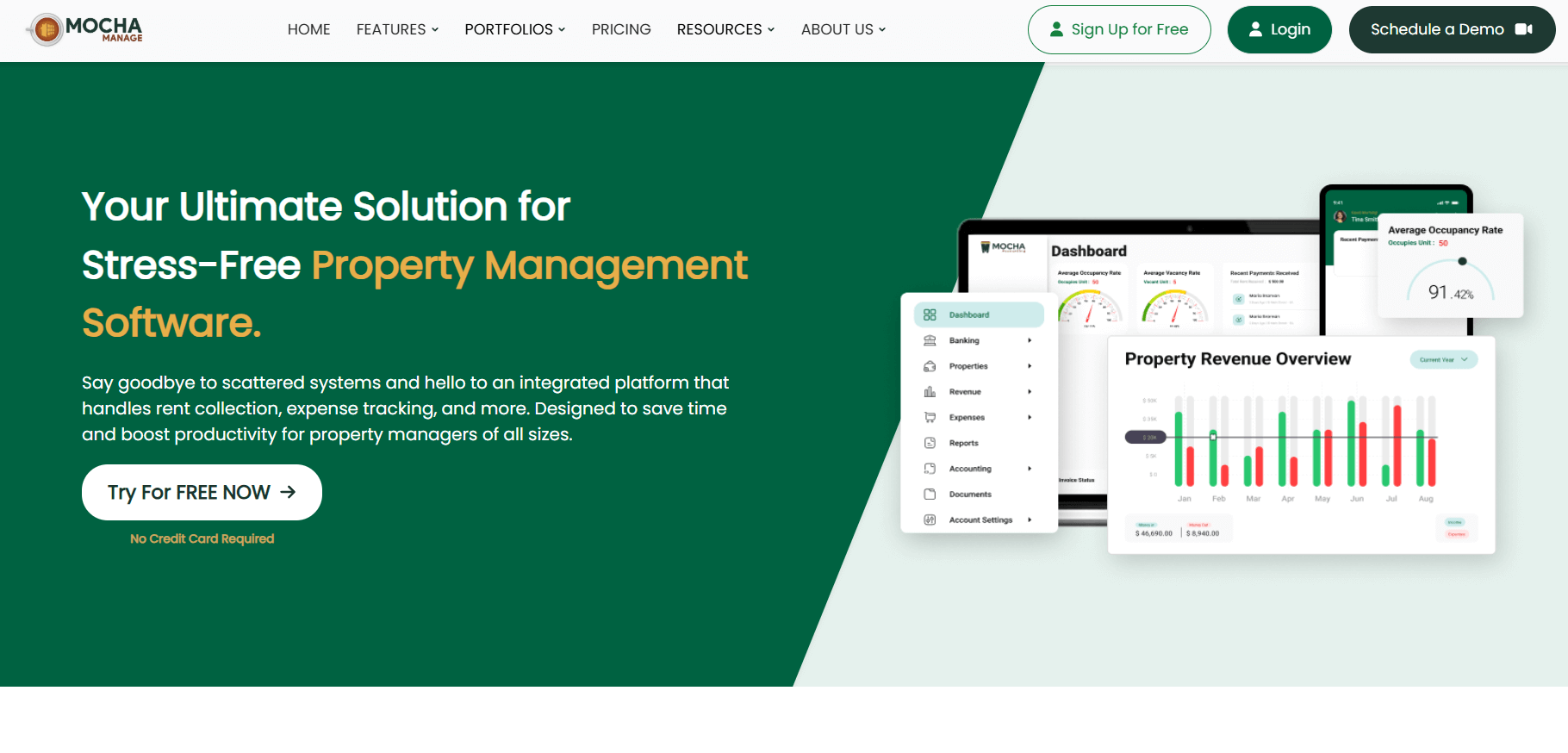
 Mocha Manage is an all-in-one property management and accounting platform with strong HOA and association capabilities.
Built by property accountants, the platform offers some of the strongest integrated accounting features of any tool available.
In addition to that, the tool is streamlined and easy to use, as opposed to other top options that have nice features but overcomplicated navigation that makes it hard to find what you need and complex UIs that make it confusing to get things done (high learning curve).
Key Features:
- Integrated property accounting with complete fund separation ensures operating and reserve funds remain properly segregated. The system automatically allocates homeowner payments according to your budget
- Automated rent and dues collection supports recurring billing, one-time special assessments, and flexible payment options. Homeowners can pay via credit card, ACH, or check with all transactions flowing through one system
- Expense tracking and vendor management keep all bills, payments, and vendor information organized. Upload invoices, request approvals, and process payments without leaving the platform
- Bank account integration connects your operating and reserve accounts for automatic transaction imports. Daily bank feeds keep your records current without manual data entry
- Dashboard reporting for boards and managers provides real-time visibility into financial performance. Generate board reports with one click, formatted exactly how your board prefers
- Work order and maintenance tracking connects financial data to actual property work. When you pay an invoice for HVAC repair, it links to the work order documenting the issue
- 1099 filing support prepares vendor tax forms automatically. The system tracks which vendors need 1099s and generates forms ready for filing
- And more
Best For:
Property managers handling HOAs alongside rental properties benefit from Mocha Manage’s unified platform.
You can manage both property types without switching between different software systems.
In addition, associations seeking integrated management plus accounting get operational and financial tools in one place.
Maintenance requests, violations, and accounting all work together.
Pricing

Mocha Manage offers a free trial to get started, with their base Espresso plan coming in at $10.20 per unit charged annually.
Why it stands out: Mocha Manage combines property management operations with robust accounting in an intuitive interface designed for real-world workflows.
The platform was built by property managers for property managers, so features actually solve problems you encounter daily.
And the best part is, you can try out Mocha for free.
Sign up to see how Mocha can streamline your property accounting here.
2. Buildium – Comprehensive Platform for Management Companies

Buildium is a property management software with extensive accounting tools and lots of great features.
It’s a core player in the space with many features that HOAs and associations will love, but it suffers from two key problems:
- The software is older and built on code that makes it less nimble than newer tools like Mocha
- And it has so many features and tools that users report it being hard to navigate and use, with a big learning curve to get used to
Key Features:
- Full fund accounting (operating plus reserves) maintains complete separation with automatic allocation
- Online payment processing with a resident portal gives homeowners 24/7 access to their accounts. They can pay assessments, view payment history, and download statements anytime
- Automated bank reconciliation imports transactions daily and matches them to your records
Pricing

- Essential: $62/month
- Growth: $192/month (includes eSignatures)
- Premium: $400/month (Open API, priority support)
On the higher end, especially if you want to get some of their premium features.
Pros: Comprehensive feature set, strong integrations with specialized tools
Cons: Higher pricing than simpler platforms, may include more features than small self-managed HOAs need while being much harder to navigate
3. AppFolio – Enterprise-Grade for Large Associations

AppFolio is a cloud-based platform serving larger property management companies with significant portfolios.
The tool has tons of great features, like Buildium, with particularly good advanced accounting tools.
With that said, it has similar problems compared to Buildium by way of its complex navigation and bloated UI, which users report makes it hard to find a number of essential features.
Key Features:
- Advanced fund accounting goes beyond basic separation to include sophisticated allocation rules.
- Automated dues collection and late fees
- Mobile apps for homeowners and managers work across devices
- Homeowners can submit maintenance requests from their phones; managers can approve bills from tablets
Pricing

AppFolio doesn’t list its pricing publicly, so you’ll need to reach out to their sales team for more information. They offer custom pricing typically in the range of $300-500+/month depending on number of units.
Minimum: 50 units
Pros: Highly scalable, excellent mobile apps, enterprise-grade features
Cons: Expensive for smaller HOAs, 50-unit minimum excludes small associations, difficulty to use
4. PayHOA – Best for Small Self-Managed Associations

PayHOA is a simplified HOA management platform designed specifically for volunteer-run communities.
It offers some unique HOA-specific features, such as fund separation and violation tracking. However, it falls short in the way of
Key Features:
- Basic accounting with fund separation
- Online payment collection supports credit cards and ACH
- Violation tracking helps boards document and manage community rule enforcement
- Document storage keeps governing documents, meeting minutes, and contracts in one secure location
Pricing

Pricing is in the low-to-mid range for property accounting software, making it one of the more affordable options on the list (even though it is missing some essential features you’ll want if you have a mixed portfolio).
- Up to 25 units: $49/month
- 26-100 units: $99/month
- 101-250 units: $149/month
- 251-500 units: $249/month
- Payment processing: 3.5% + $0.50 (CC), $2.45 (ACH)
Pros: Very affordable, simple interface good for volunteers
Cons: Limited scalability beyond 500 units, fewer integrations than enterprise platforms, missing some key accounting features for mixed property portfolios and managers
5. Vantaca – Professional Management Platform

Vantaca is a full-service HOA management software with a strong accounting core.
Users report Vantaca is a bit difficult to use and navigate, but it offers a good collection of accounting tools with a few association-specific tools like a homeowner communication portal.
Key Features:
- Automated accounts receivable and payable streamline billing and payments
- Vendor management organizes contractor information, insurance certificates, and payment history
- Budget creation and tracking tools help build annual budgets and monitor performance monthly
- Homeowner communication portal
Pricing
Vantaca doesn’t list their pricing publically, so you’ll need to contact their sales team for more information.
Pros: Strong automation capabilities, excellent AR/AP tools
Cons: Pricing not transparent, steeper learning curve than simpler platforms make it difficult to use
6. FRONTSTEPS – Cash Flow-Focused Solution

FRONTSTEPS is an HOA platform emphasizing payment processing and cash flow management.
The tool is particularly strong when it comes to its automated payment processing tools, including recurring assessments.
The tool falls short for property managers with mixed portfolios, however, as it is designed heavily for associations.
It also comes in at a higher price than many of the other tools on this list with comparable features.
Key Features:
- Automated payment tools handle recurring assessments and one-time charges
- Vendor management portal
- Mobile app manages payments, accounting functions, and HOA operations
- Guest check-in tools
Pricing
FRONTSTEPS doesn’t list their pricing publicly, so you’ll need to contact their sales team for more information.
Pros: Strong payment and cash flow features, good security integrations
Cons: Limited pricing transparency, not be ideal if payment processing isn’t your primary concern
7. MoneyMinder – Budget-Friendly for Treasurers

MoneyMinder is treasurer-focused accounting software designed for smaller associations with minimal budgets.
If you run a small association and don’t need heavy accounting features, this is a decent option.
You’ll find it missing some of the great all-in-one property accounting and management features that tools like Mocha and Buildium have, however.
Key Features:
- Banking transaction management tracks deposits, payments, and transfers
- Budget creation and analysis tools build annual budgets
- Bank, PayPal, and Square integration connects common payment methods
- Document storage keeps important association files organized digitally
Pricing

Starting under $100/year (annual subscription), making it one of the most affordable options on this list.
With that said, the price goes up considerably depending on the tier you choose, so keep that in mind.
Pros: Affordable, designed for non-accountants, simple interface
Cons: Basic feature set, limited scalability, may require supplementing with other tools for larger associations
8. Condo Control – Built for Condo Boards

Condo Control is management software specifically designed for condominium associations with strong resident engagement features.
If you exclusively manage condo associations, Condo Control is a good option.
The tool offers board announcements and newsletter tools as well as accounting integrations, to make up a bit for lacking some of the more core accounting functions that the other tools on this list have.
Key Features:
- Communication module for residents facilitates board announcements, newsletters, and individual messaging
- Accounting integrations (QuickBooks, Yardi)
- Violation tracking documents rule infractions and enforcement actions
- E-voting for board decisions
Pricing
Condo Control doesn’t list their pricing publicly, so you’ll need to contact their sales team for more information.
Pros: Condo-specific features, strong resident engagement tools
Cons: Relies on QuickBooks integration for full accounting (not standalone), pricing not transparent
HOA Accounting Software Pricing: What to Expect
Understanding software costs helps you budget appropriately and avoid surprises.
The thing is, many property accounting tools don’t list their pricing transparently.
This can make it easier for them to nickel-and-dime you with add-on features, often that other tools simply include in their base plans.
Read on to understand property accounting pricing models better:
Per-unit pricing
This is the most common model in HOA software. Vendors charge a monthly fee multiplied by your unit count.
Ranges typically fall between $0.40 and $2.00 per unit per month. A 100-unit association paying $1.00 per unit pays $100 monthly.
The advantage? Pricing scales with your association size. Small associations pay less; large associations pay more.
The disadvantage? Costs increase as your association grows. Adding units through development increases your software expense.
Flat monthly fee
Some vendors use tier-based pricing instead. Small associations pay one rate, medium associations pay another, and large associations pay a third rate.
Typical ranges run from $49/month to $500+/month depending on features and association size.
Buildium’s pricing exemplifies this model: Essential at $62/month, Growth at $192/month, and Premium at $400/month.
The advantage? Predictable monthly costs within each tier. You know exactly what you’re paying.
The disadvantage? Jumping to the next tier when you add units can cause sudden cost increases.
Transaction fees
Nearly all HOA software charges transaction fees for online payments. These fees cover the cost of payment processing through credit card networks and ACH systems.
Credit card fees typically run 2.5-3.5% plus $0.30-$0.50 per transaction. A $350 assessment paid by credit card might incur a $10 processing fee.
ACH fees are much lower, usually $1.00-$3.00 per transaction flat. That same $350 assessment costs only $2.00 to process via ACH.
Some platforms pass fees to homeowners, making payment processing cost-neutral for the association. Others absorb fees as part of service.
- Software cost at $0.75/unit: $112.50/month
- If 100 units pay online via ACH at $2/transaction: $200/month in fees
- If 50 units pay via credit card at 3%: $375 in fees
- Total monthly cost: $687.50 for software and payment processing combined]
Hidden Costs to Watch For
Sometimes, and depending on the tool, additional fees and other costs may factor into the total investment for your chosen property accounting tool.
Here are a few things to keep in mind:
Setup and implementation:
Data migration fees can add $200-$1,000 to your first year costs. Moving historical transactions, homeowner data, and account balances from old systems to new software requires professional help.
Training sessions may cost extra beyond basic onboarding. Some vendors include training; others charge $150-$300 per training session.
Custom configuration adds costs when your association has unique needs. Building custom reports or workflows might cost several hundred dollars.
Add-on features:
Many platforms charge extra for certain integrations. Connecting to specific payment processors, banking systems, or third-party tools might add $20-$50 monthly per integration.
Enhanced reporting capabilities sometimes cost extra. Advanced analytics, custom dashboards, or white-labeled reports may require premium tiers.
API access for developers often carries additional fees. If you want your website to pull data from the accounting system, API access might cost $100+/month.
Premium support upgrades provide faster response times or dedicated account managers. Expect to pay 20-40% more monthly for priority support.
Self-Managed vs. Professionally Managed HOAs: What to Look For
What types of features should you look for in a property accounting tool? It depends on how your HOA is managed.
Let’s take a look at self-managed vs. professional management and see how that changes the features and user experience you need:
For: Self-managed HOAs with volunteer treasurers
You need extreme ease of use because your treasurer probably isn’t an accountant. They’re a neighbor who volunteered to help the community, not a financial professional.
Affordable pricing matters when you’re working with limited budgets. Self-managed associations often can’t justify spending $500/month on software when the entire annual budget is $150,000.
Excellent customer support and tutorials become essential. When the treasurer gets stuck at 9 PM on a Sunday, they need help resources that actually help.
Look for automated workflows, preset charts of accounts, and guided setup. The software should walk the treasurer through every process instead of assuming accounting knowledge.
For: Professional management companies
You need multi-property management from a single dashboard. Managing 50 different HOAs means you can’t log in and out of 50 different systems.
Integration with existing property management tools is non-negotiable. Your maintenance tracking, violation management, and accounting need to share data seamlessly.
Advanced reporting and customization capabilities matter when different boards have different preferences. Some want detailed monthly reports; others prefer quarterly summaries.
Scalability as your portfolio grows prevents future migrations. Choose software that works for 10 associations today and 100 associations in five years.
Association Size Considerations
The next thing to think about are features as they related to your association’s size.
What are the essentials? What would you simply like to have? It really depends on your size.
But why? And what changes depending on the size of your association?
Here are some general guidelines:
Small HOAs (under 50 units)
Budget-friendly options starting at $49-99/month fit small association budgets. You don’t need enterprise features when managing 30 townhomes.
You may not need advanced features like dedicated board portals. Email communication and simple report sharing often suffice for small communities.
Focus on core accounting and payment collection. Get those right before worrying about violation tracking or architectural review management.
Medium HOAs (50-250 units)
Mid-tier solutions in the $100-250/month range offer the right feature balance. You’re large enough to justify better software but don’t need enterprise pricing.
Robust reporting and homeowner communication tools become important. With 150 homeowners, you can’t handle financial transparency through individual conversations.
You may require violation tracking and architectural review features integrated with accounting. Financial penalties for violations need to flow through the same system as assessments.
Large HOAs and condos (250+ units)
Enterprise solutions at $300-500+/month provide the capabilities large communities need. With 400 units generating $200,000+ in annual assessments, software cost is a minor line item.
Advanced integrations and customization help manage complexity. You might integrate with access control systems, elevator monitoring, and facility booking platforms.
Dedicated support and implementation assistance are worth paying for. Getting 400 units of historical data migrated correctly requires professional help.
Implementation: Getting Started with New HOA Accounting Software
Switching accounting software requires planning, but the long-term benefits can justify the short-term effort if you make the right move (and know what you’re looking for).
Here’s what to expect and what to plan for when planning the switch:
Step 1: Data Migration Planning
First, gather everything before contacting vendors about migration.
Your homeowner and unit database needs complete information. Names, addresses, unit numbers, email addresses, phone numbers, and any special notes about each unit.
Current account balances for every fund and every homeowner must be accurate. Operating fund balance, reserve fund balance, and each homeowner’s account balance as of your migration date.
Outstanding invoices and bills ensure you don’t lose track of money owed. Which vendors need payment? Which homeowners owe assessments?
Historical financial statements for at least 12 months help verify migration accuracy. You’ll compare post-migration reports to pre-migration reports to confirm everything transferred correctly.
Your chart of accounts structure documents how you categorize income and expenses. The new software needs to mirror your existing structure for continuity.
Bank account information includes account numbers and routing numbers for connecting automatic feeds. Have this ready for day one.
Timeline expectations:
Allow 2-4 weeks for data migration. Complex associations with years of historical data might need six weeks. Simple associations might complete migration in 10 days.
Don’t rush this process. Data migration errors cause months of cleanup work later.
Step 2: System Configuration
After data migration, configure the software for your association’s exact needs.
Chart of accounts configuration starts with HOA-specific categories. Landscaping, snow removal, pool maintenance, insurance—every category your association uses must be set up correctly.
Assessment schedules define how and when homeowners get billed. Monthly assessments might be due on the first of each month. Annual assessments might be due January 1st.
Late fee policies and automation rules tell the software when to apply late fees. If your policy charges $25 late fees after 10 days, configure that rule once and the software enforces it forever.
Bank account connections link your checking and savings accounts to the software. Transaction feeds start importing automatically once you complete the connection.
User accounts for board members, treasurers, and managers need proper permission levels. The treasurer gets full access. Board members might get read-only access to financial reports.
Financial report templates can be customized to match your board’s preferences. If your board wants monthly reports formatted a specific way, configure templates now so reports generate correctly from day one.
Step 3: Parallel Processing Period
Run your old system and the new one simultaneously for 1-2 months.
This parallel period verifies migration accuracy. Enter transactions in both systems and compare results daily. When they match perfectly, you know migration worked correctly.
Training users on new software happens during this period too. The treasurer learns the new system while still having the old system as backup.
Identifying missing workflows prevents surprises after going live. Maybe your old system had a feature the new system lacks. Discover that during parallel processing, not after you’ve shut down the old system.
The parallel period feels inefficient—you’re doing everything twice. But catching one major data error during parallel processing saves dozens of hours fixing that error later.
Step 4: Training & Go-Live
Training priorities should be by role.
Treasurers need comprehensive training on transaction entry, bank reconciliation, and report generation. They’re using the software daily and need to understand every function.
Board members need lighter training focused on report access and approval workflows. They’re reviewing and approving, not entering transactions.
Property managers (if you have them) need full platform training across accounting, maintenance, and communication features. They’re power users like treasurers.
Homeowners need simple instructions for the payment portal. Create a one-page “How to Pay Online” guide and email it to every resident.
Go-live checklist before shutting down your old system:
- ✓ All historical data verified by comparing old system reports to new system reports
- ✓ Bank feeds functioning correctly with several days of transactions importing properly
- ✓ First month of transactions reconciled with zero discrepancies between systems
- ✓ Users trained and comfortable with daily tasks in the new software
- ✓ Support contact established with response time commitments documented
Most associations go live at month-end to create a clean break. December 31st is a popular go-live date—new year, new system, clean start.
That’s not the only time you can do it, but keep this in mind to make the switch easier.
Common Mistakes to Avoid When Choosing HOA Accounting Software
What are some common mistakes when choosing or switching to a new HOA accounting software?
Here are the most common to avoid:
Mistake #1: Choosing based on price alone (factor in features and ease of use!)
The cheapest software often lacks critical HOA features. You save $50 monthly on software but spend 10 extra hours monthly creating manual workarounds.
Calculate hourly cost of treasurer time (even volunteer time has opportunity cost). If your treasurer’s time is worth $30/hour, those 10 hours cost $300. You’re actually losing $250/month by choosing the cheap software.
Better approach: Calculate total cost including time savings. Pay more for software that saves time, not less for software that creates work.
Mistake #2: Not involving the treasurer in the decision (include those who will use the tool)
Board members select software without treasurer input because they’re making the purchasing decision. Then the treasurer discovers the software doesn’t match actual workflows.
Result: The treasurer hates the software, does workarounds anyway, or quits in frustration. You’re back to finding a new treasurer who also dislikes your software choice.
Better approach: Let the treasurer test your top 2-3 options and provide input. The person using the software daily should have significant input on which software you choose.
Mistake #3: Ignoring scalability
You choose software perfect for today but that can’t grow with your association. Maybe you’re 75 units now but expect to expand to 150 units in three years.
Result: In three years, you’re migrating to new software because you outgrew your original choice. Data migration takes months and costs thousands.
Better approach: Choose platforms that fit your 5-year growth plan, not just today’s needs. Slight overpaying today prevents expensive migrations later.
Mistake #4: Skipping the trial period (trials are your friend)
You commit to software without hands-on testing because the demo looked good. Then you discover the software can’t handle your specific situation.
Result: You’re locked into a contract for software that doesn’t work. You pay for software you can’t use while searching for alternatives.
Better approach: Test with your actual data during trial periods. Import real transactions, generate real reports, and verify the software handles your specific scenarios before committing.
Mistake #5: Overlooking integration requirements (a big one for larger HOAs switching over)
You don’t verify that software connects to your bank, payment processor, or other critical tools. Manual data entry defeats the entire purpose of automation.
Result: You’re typing transactions manually that should import automatically. The software provides 30% of the value it should provide.
Better approach: Verify all critical integrations before selecting software. Confirm your bank appears on the supported bank list. Test that payment processors you want to use actually connect.
Transform Your HOA Financial Management
The right HOA accounting software transforms scattered spreadsheets and manual processes into streamlined financial management.
Mocha Manage combines powerful HOA accounting with property management tools your association needs—from:
- Automated dues collection
- and reserve fund tracking
- to work order management and board reporting
- (and more!)
Everything works together in one intuitive platform designed by property managers who understand exactly what you’re dealing with daily.
Stop fighting with software that wasn’t built for HOAs, or old tools that are impossible to use efficiently.
See how Mocha Manage makes association accounting actually work the way your association operates.
Better, faster, streamlined. Just in time for your morning coffee.
Try Mocha Manage free here—no credit card required, no complicated setup, just straightforward HOA accounting that makes sense.
_______
Frequently Asked Questions
Can HOA accounting software handle both operating and reserve funds?
Yes, specialized HOA accounting software is designed specifically for fund accounting, maintaining separate ledgers for operating funds and reserve funds.
This separation is critical for IRS compliance and preventing misuse of reserve money for day-to-day expenses. When operating and reserve funds commingle in your accounting records, you risk tax penalties and audit failures.
Do I need separate software for property management and HOA accounting?
Not necessarily, and in many cases, integrated solutions provide better value than separate tools. Many modern platforms combine both capabilities, allowing you to manage maintenance requests, violations, and architectural reviews alongside accounting functions.
How much does HOA accounting software typically cost?
Pricing varies widely based on association size and features:
- Small HOAs (under 50 units) typically pay $49-$150/month.
- Medium HOAs (50-250 units) typically pay $150-$300/month.
- Large HOAs (250+ units) typically pay $300-$600+/month.
Additional costs include transaction fees: 2.5-3.5% for credit cards, $1-3 for ACH transfers. Some platforms pass these fees to homeowners; others absorb them.
Setup fees range from $200-$1,000 for data migration and implementation assistance.
Can homeowners access their account information online?
Most modern HOA accounting software includes homeowner portals where residents can log in 24/7 to view their account balance, payment history, make online payments, and download statements.
The best homeowner portals also provide document access (governing documents, meeting minutes, newsletters) and maintenance request submission. One login handles all homeowner interactions with the association.
Leave a Reply