Key Takeaways
- Property management financial reports translate every transaction into the information you need to run your portfolio. The seven most important ones are the income statement, balance sheet, cash flow statement, budget vs. actual, rent roll, AR aging, and general ledger.
- The income statement tells you about profitability. The balance sheet shows your financial position. The cash flow statement reveals whether you’re actually generating cash. Together, these three are the foundation of property management reporting.
- Operational reports like the rent roll and AR aging are just as important as the core financial statements. They surface the day-to-day problems that affect profitability before those problems show up on the P&L.
- Monthly reporting is the standard cadence. Quarterly and annual reports add longer-term perspective and feed directly into tax preparation.
- Reports are only as accurate as the accounting underneath them. Most reporting problems trace back to AP, reconciliation, or chart of accounts issues, not the reports themselves.
Most property managers and landlords think they know how their portfolio is performing.
They have a sense. A gut feel. They remember which properties had repairs last month and which tenants were late on rent. They can ballpark the income and the expenses without looking.
That’s not enough.
The difference between a managed portfolio and a guessed-at one comes down to financial reports. The actual documents that turn every transaction into information you can use. Without them, you’re operating on memory and instinct. With them, you can see exactly where you’re making money, where you’re losing it, and what to do about both.
This guide walks through the financial reports every property manager and self-managed landlord should be running regularly. What each one shows. How to read it. And the patterns that signal something worth investigating.
Why Property Management Financial Reports Matter
Financial reports are the bridge between accounting and decision-making.
Your accounting system records every transaction. Rent collected. Vendor bills paid. Insurance premiums. Property taxes. Late fees. The reports turn all that raw data into something you can actually use to run the business.
Here’s what they enable.
Better Decisions
Rent increases, capital improvements, refinancing, selling, buying. Every major property decision should start with the numbers. Without consistent reporting, you’re making those decisions based on what you remember, which is rarely the full picture.
Owner and Investor Communication
For property managers, financial reports are how you communicate performance to your clients. Clean, consistent reports build trust. Messy or late reports erode it.
Tax Preparation
Year-end tax filing requires income and expense data organized by category. Clean monthly reports throughout the year mean clean year-end reporting, which means fewer headaches and missed deductions.
Audit and Compliance
State real estate commissions, lender requirements, partner reporting, and tax audits all expect to see organized financial records. Reports that match your underlying books are the documentation that protects you.
Early Problem Detection
The earlier you catch a problem, the easier it is to fix. A vacancy trend, a creeping maintenance cost, or a tenant who’s falling behind on rent shows up in reports weeks before it becomes a crisis.
The Core Property Management Financial Reports
Most property managers run a handful of standard reports every month. Each one answers a different question. Together, they give you a complete picture of how your portfolio is performing.
Here’s the overview before we dig into each one:
| Report | What It Shows | How Often | Best For |
|---|---|---|---|
| Income Statement (P&L) | Revenue, expenses, and net income for a period | Monthly | Profitability tracking |
| Balance Sheet | Assets, liabilities, and equity at a point in time | Monthly or Quarterly | Financial position and solvency |
| Cash Flow Statement | How cash moved in and out during the period | Monthly | Liquidity and cash management |
| Budget vs. Actual | Planned spending compared to actual spending | Monthly | Variance analysis and forecasting |
| Rent Roll | Active leases, rent amounts, and lease terms | Monthly | Occupancy and revenue tracking |
| Accounts Receivable Aging | Outstanding tenant balances by age | Weekly or Monthly | Collections and delinquency management |
| General Ledger | Complete record of every transaction | As needed | Audit trail and detail verification |
Let’s walk through each one.
1. Income Statement (Profit & Loss)
The income statement (also called the profit and loss statement or P&L) shows revenue and expenses over a defined period, usually one month.
It’s the report that answers the most basic question: did the property make money?
What’s On It
- Revenue: Rent collected, late fees, parking, pet rent, utility reimbursements, and any other income sources
- Operating expenses: Repairs, maintenance, landscaping, utilities, insurance, property management fees, legal fees, and taxes
- Net operating income (NOI): Revenue minus operating expenses (before debt service and depreciation)
- Non-operating items: Mortgage interest, depreciation
- Net income: The final profit or loss for the period
How to Read It
Start with revenue. Compare it to what you expected. If you had 100% occupancy and on-time rent, did the total match? If not, where’s the gap?
Move to expenses. Look at each category and ask whether the amount makes sense. Sudden spikes deserve investigation. Steady increases over time may signal a vendor pricing problem or a property that needs more capital investment.
Then look at NOI. This is the metric most owners and investors care about. A growing NOI means the property is becoming more profitable. A shrinking NOI means something needs attention.
Keep in mind, a single bad month doesn’t tell you much. Comparing this month to last month, this month to the same month last year, and year-to-date totals against last year reveals the patterns that single-month numbers hide.
2. Balance Sheet
The balance sheet is a snapshot of your financial position at a specific point in time. It’s organized into three sections: assets, liabilities, and equity.
The fundamental equation is simple:
Assets = Liabilities + Equity
If those two sides don’t balance, something is wrong with the underlying books.
What’s On It
- Assets: Cash in bank accounts, tenant receivables, property values, equipment, and any other resources you own
- Liabilities: Mortgages, security deposits held, accounts payable, accrued expenses, and any other obligations
- Equity: The owner’s stake, including contributions, distributions, and retained earnings
How to Read It
For property managers, the balance sheet reveals trust account compliance. Security deposits should appear as a liability (you owe them back to tenants) backed by an equal asset in your trust account. If those numbers don’t match, you have a compliance issue.
For self-managed landlords, the balance sheet shows debt levels and equity build-up over time. Property values appreciate. Mortgage balances decline. The difference between the two grows into real wealth that doesn’t show up on the income statement.
The truth is, most operators don’t look at their balance sheet often enough. Monthly is the right cadence, but even quarterly review catches major issues before they grow.
3. Cash Flow Statement
The cash flow statement tracks how cash actually moved in and out of the business during the period. It’s separate from the income statement because cash flow and profit aren’t the same thing.
A property can be profitable on paper but cash-flow negative if it’s investing in capital improvements. A property can show a loss but be cash-flow positive if depreciation is high.
What’s On It
The cash flow statement is organized into three sections:
- Operating activities: Cash from rent, paid for operating expenses
- Investing activities: Cash spent on property purchases or capital improvements
- Financing activities: Cash from loans, paid for debt service, owner distributions
How to Read It
Operating cash flow is the most important section for day-to-day management. It tells you whether your collections are keeping pace with your expenses.
Investing cash flow tells you whether you’re putting money back into the property. Some negative investing cash flow is healthy (capital improvements protect long-term value). Persistent zero investing cash flow may mean deferred maintenance is building up.
Financing cash flow shows debt service and owner draws. For self-managed landlords, this is where you see how much cash actually came out of the property and into your pocket.
4. Budget vs. Actual Report
Budget vs. actual reports compare what you planned to spend against what you actually spent. They’re essential for forecasting, variance analysis, and identifying issues before they compound.
What’s On It
- Budget: The expected income and expense amounts for the period
- Actual: What actually happened
- Variance: The difference, usually shown in both dollars and percentages
- Notes: Brief explanations of significant variances
How to Read It
Focus on the variances, especially large ones. A 5% variance is usually noise. A 25% variance demands an explanation.
The most useful budget vs. actual reports include short narrative notes explaining why variances occurred. “Maintenance over budget due to HVAC replacement at 123 Main Street” is more useful than just a red number. The note tells you whether the variance is a one-time event or a sign of a larger pattern.
Having said that, the budget itself has to be realistic for the report to be useful. A made-up budget produces meaningless variances. Spend the time to build a real budget at the start of each year, and the monthly variance reports will earn it back many times over.
5. Rent Roll
The rent roll is an operational report rather than a pure financial one, but it’s essential for property management. It shows every active lease in your portfolio.
What’s On It
- Unit number and property address
- Tenant name
- Lease start and end dates
- Monthly rent amount
- Security deposit on file
- Current balance (any unpaid rent or credits)
- Lease status (current, on notice, vacant)
How to Read It
The rent roll surfaces problems before they hit your P&L. Upcoming lease expirations. Tenants on notice. Vacancies. Below-market rents that should be raised at renewal.
For investors evaluating a property purchase, the rent roll is the first document they ask for. It shows the income reality of the property, not just the projected income.
6. Accounts Receivable Aging
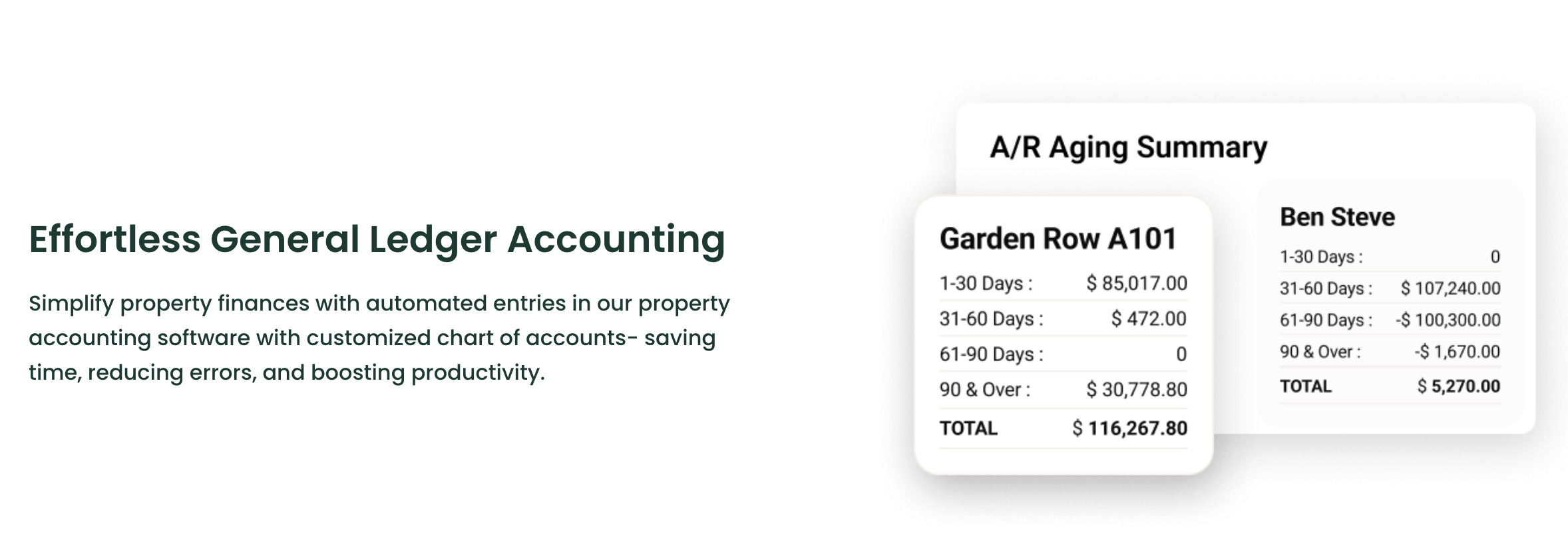
The AR aging report shows every tenant balance owed, categorized by how old the debt is.
What’s On It
Outstanding balances grouped into aging buckets:
- Current (under 30 days)
- 31-60 days past due
- 61-90 days past due
- Over 90 days past due
How to Read It
The older a balance, the less likely you are to collect it. AR over 90 days old should be flagged for escalation (collections, eviction proceedings, or write-off).
The total AR aging number also tells you how much rent you’ve billed but haven’t received. If that number is climbing, your collections process needs attention.
For property managers, the AR aging report is a critical operational document. Reviewing it weekly (not monthly) catches small delinquencies before they grow.
7. General Ledger

The general ledger is the complete record of every financial transaction in your books. It’s the source of truth that every other report pulls from.
What’s On It
Every transaction with:
- Date
- Account (from your chart of accounts)
- Description
- Vendor or tenant
- Amount (debit or credit)
- Property assignment
How to Read It
You don’t read the general ledger end-to-end. You search it. When the P&L shows a number that looks wrong, you drill into the underlying GL transactions to figure out why.
A clean general ledger means every other report you produce is reliable. A messy GL means even the cleanest-looking summary reports are suspect.
Key Financial Metrics to Track
Reports are most useful when paired with metrics. The same income statement can look healthy or alarming depending on the context, and metrics provide that context.
Here are the metrics worth tracking across reports:
| Metric | Formula | What It Tells You |
|---|---|---|
| Net Operating Income (NOI) | Revenue – Operating Expenses | True operating profit (excludes financing and depreciation) |
| Occupancy Rate | Occupied Units ÷ Total Units | Demand and revenue health |
| Operating Expense Ratio | Operating Expenses ÷ Revenue | Cost efficiency |
| Cap Rate | NOI ÷ Property Value | Return on investment as a percentage |
| Cash-on-Cash Return | Annual Cash Flow ÷ Cash Invested | Actual cash yield on invested capital |
| Debt Service Coverage Ratio | NOI ÷ Debt Service | Ability to cover loan payments |
| Gross Rent Multiplier | Property Value ÷ Annual Gross Rent | Valuation shortcut for comparable properties |
| Delinquency Rate | Past-Due AR ÷ Total Rent Billed | Collections health |
Each of these metrics pulls from your financial reports. Tracking them month over month and year over year reveals the trends that single-period snapshots miss.
Reporting Cadence: When to Run Each Report
Different reports serve different purposes, which means they should run on different schedules.
Most operators settle into a rhythm that looks something like this:
- Weekly: AR aging, rent roll spot-checks. These reports drive day-to-day operations and need to be current.
- Monthly: Income statement, cash flow statement, budget vs. actual, full rent roll. The standard property management reporting package.
- Quarterly: Balance sheet review, year-to-date P&L. Quarterly review smooths monthly variation and reveals longer-term trends.
- Annual: Full balance sheet, year-end P&L, tax preparation reports. Year-end reporting feeds directly into Schedule E for self-managed landlords and full tax filings for management companies.
The truth is, most property managers under-run their reports. Producing them monthly and reviewing them as part of a regular financial review meeting catches problems early and gives owners predictable reporting they can plan around.
6 Common Property Management Reporting Mistakes
Most reporting issues come from the same handful of mistakes. They’re easy to avoid once you know what to watch for.
1. Pulling Reports From Bad Data
Reports are only as accurate as the accounting underneath them. If your AP workflow has miscoded expenses or your bank reconciliation is months behind, your reports will reflect those problems. Fix the accounting first.
2. Skipping Property-Level Detail
Portfolio-wide totals hide property-level performance. A portfolio P&L might show healthy NOI even when half the properties are losing money. Run reports at both the portfolio and property level.
3. Ignoring Variance Notes
A budget vs. actual report without explanations is just a list of numbers. Adding brief narrative notes to significant variances turns the report into an actual decision-making tool.
4. Inconsistent Period Definitions
Comparing this month’s report to last quarter’s, or running a “monthly” report that covers different date ranges each time, makes the comparisons meaningless. Standardize your reporting periods.
5. Missing Comparison Columns
A standalone monthly number is useful. The same number compared to the prior month, the same month last year, and year-to-date averages is dramatically more useful. Comparison columns should be standard.
6. Treating Reports as Compliance, Not Tools
The biggest reporting mistake is producing reports because you have to, then filing them away without reviewing them. The point isn’t generating the report. It’s using it to make decisions.
How Mocha Manage Handles Financial Reporting

If you’re producing financial reports by exporting transactions from one system into spreadsheets in another, you already know how easy it is for small errors to undermine the whole report. Miscoded categories. Allocation issues. Reconciliation gaps. Each one is a number that doesn’t quite mean what it’s supposed to.
Mocha Manage was built by CPAs who understand financial reporting from both sides: as managers producing reports for owners and as accountants making sure those reports actually match the books:

Our reporting and accounting features are designed to give you reports you can trust, quickly, and all baked into our native accounting suite (no QuickBooks integration required, unlike other property management tools).
Here’s how Mocha helps you stay on top of your financial reporting:
- Run all core reports natively. Income statement, balance sheet, cash flow statement, budget vs. actual, rent roll, AR aging, and general ledger are all built in. No exports or spreadsheet workarounds.
- Generate reports at any level. Run portfolio-wide, property-level, or owner-level reports with a few clicks. The accounting tracks every transaction by property and owner from the moment it’s recorded.
- Include comparison columns automatically. Prior period, prior year, and year-to-date comparisons are included on every report so you can see trends without building them yourself.
- Drill from summary to detail instantly. Click any number on a P&L or balance sheet to see the underlying transactions. No more chasing down the source of an unexpected variance.
- Track key metrics in real time. NOI, occupancy rate, expense ratios, and delinquency rates surface automatically. No manual calculation required.
- Reconcile before reporting. Because bank reconciliation happens within the platform, reports are pulled from reconciled records. You’re never reporting numbers that don’t match the bank.
- Export reports in multiple formats. PDF, Excel, and CSV exports are built in. Share with owners, accountants, lenders, or auditors in whatever format they need.
- Schedule recurring reports. Set up monthly report packets that generate and deliver automatically. Owners get consistent reporting without you having to remember to send it.
- Maintain audit-ready records. Every report is backed by the complete general ledger and transaction history, so audit requests and lender documentation requests are answered without scrambling.
The result is financial reporting you can actually trust. Built on accounting that’s already correct. Available at any level of detail. Delivered consistently and on time.
Try Mocha Manage free to see what property management financial reporting looks like when the accounting underneath is built for it from day one.
Frequently Asked Questions
What are the most important property management financial reports?
The income statement, balance sheet, and cash flow statement are the foundation. Beyond those, the rent roll, AR aging, budget vs. actual, and general ledger round out the core reporting package.
How often should I run financial reports?
Monthly is the standard cadence for most reports. AR aging and rent roll should be reviewed weekly. Balance sheet and quarterly/annual summaries add longer-term perspective.
What’s the difference between a P&L and a cash flow statement?
The P&L shows profitability (revenue minus expenses). The cash flow statement shows actual cash movement, which can differ from profit due to timing, depreciation, and capital investments.
How do I know my reports are accurate?
Reports are only as accurate as the underlying accounting. Reconcile bank accounts monthly, code expenses correctly, and maintain a clean chart of accounts. If those are in order, your reports will be reliable.
What’s net operating income (NOI)?
NOI is revenue minus operating expenses, before debt service and depreciation. It’s the metric most owners and investors use to evaluate property performance because it strips out financing and tax decisions.
Should I use the same reports for owner statements?
Owner statements include some of the same data but are formatted specifically for the owner’s view of their property. They typically combine elements of the P&L and cash flow statement with transaction detail and owner distribution information. We cover them in detail in our complete guide to owner statements.
Disclosure: Mocha Manage publishes this blog. This guide is for informational purposes only and does not constitute legal, tax, or accounting advice. Consult a CPA familiar with property management for advice specific to your situation.
Leave a Reply