Every SME reaches a point where manual billing becomes inefficient.
You’re no longer managing 50 invoices; you’re managing 500. And manually, there’s only so much you can do before you start witnessing the errors, delayed follow-ups, and limited cash flow visibility.
That’s when you begin considering an automation tool. Not just any tool, but cloud-based billing software.
Because at a certain scale, you’re not just generating invoices. You’re also looking at real-time tracking, faster collections, automated compliance, and a system that facilitates your business growth.
In this blog, we break down what cloud billing software is, how it works, and why it might be the smartest move for your growing business.
What Is Cloud Based Billing Software?
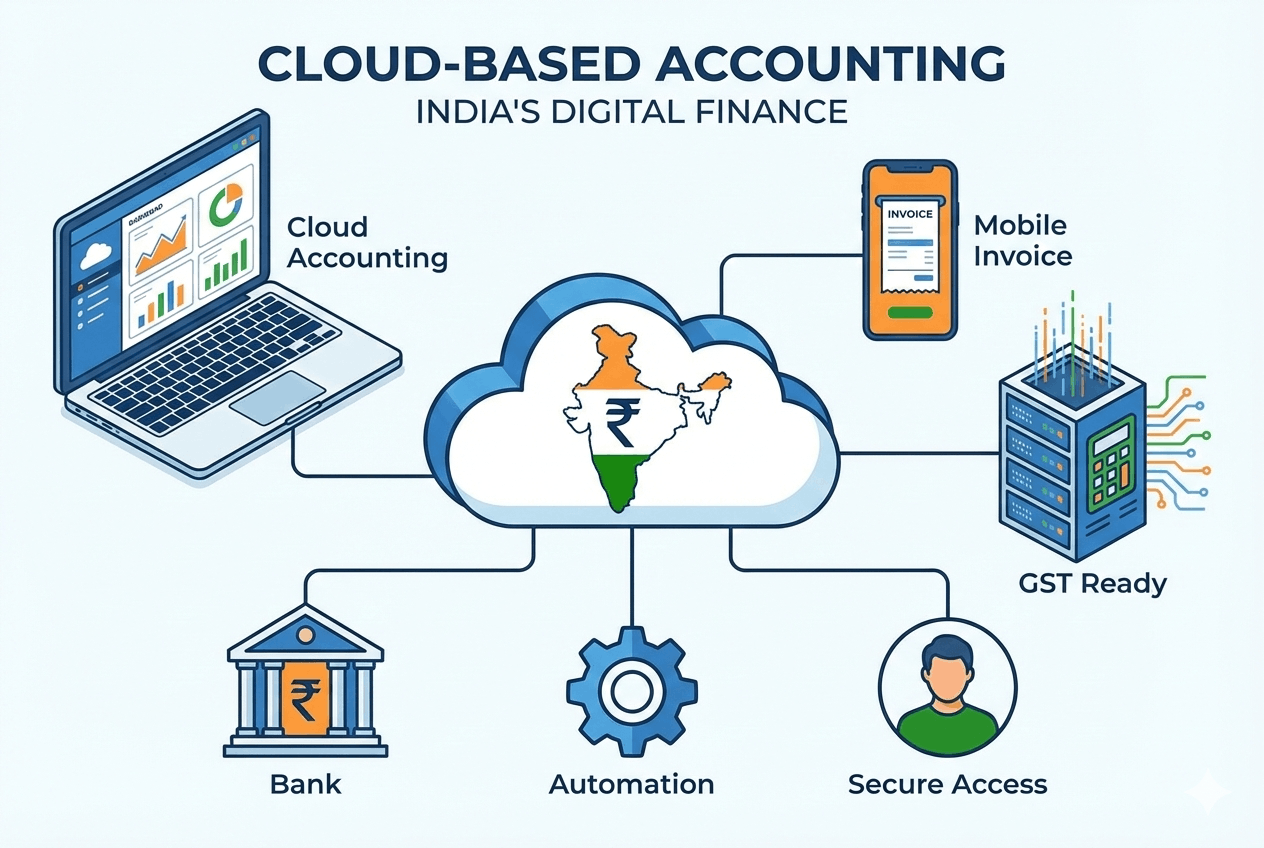
Cloud billing software is a web-based tool that automates and streamlines invoicing, payment tracking, tax calculations, and revenue reporting. The cloud-based framework allows for real-time access from anywhere.
Let’s clear one misconception. How is it different from the desktop software you already use? In desktop billing tools, data is often stored locally which limits access to specific devices.
On the other hand, a cloud invoicing system facilitates better scalability, automatic updates for compliance and complete visibility into billing operations. Market studies show that the cloud-billing system market is expected to grow severalfold this decade, indicating that companies are actively shifting towards cloud-based financial systems.
The idea of a cloud-based billing software stems from the limitations of traditional tools which are discussed below:
Errors
While to err is to human, minor mistakes in calculations and duplicate invoices can affect the overall revenue health of the business. You’re looking at losses and mistakes that are expensive to rectify.
Delays
Your accounting health largely depends on timely entries and payments. Delays in billing result in delayed payments.
Difficulty in tracking
Without web-based invoice management, tracking outstanding payments becomes manual and time-consuming. You cannot pinpoint transactions using advanced filters, and there is a delay in closing the books.
Limited access from multiple devices
With on-premise systems, you cannot keep your growing teams in the loop. Not to forget, they are heavy on the pocket and lack in flexibility.
Complicated reporting and auditing
Generating accurate reports for audits or financial planning often requires significant manual effort. With a cloud-based invoicing software, you can easily access dashboards and make quick financial decisions.
Key Features of Cloud & Web-Based Billing Software
A modern cloud invoicing system encompasses the following features:
1. Online invoice generation
An online billing system can automatically generate invoices using processed data and send them directly to customers via email. For you as a business owner, it eliminates manual entry and leads to lesser errors and time savings. The invoices are also professionally designed and are customizable, ensuring branding consistency.
2. Real-time tracking of payments
You can easily keep a track of which invoices are paid and which are overdue. For example, if a client hasn’t paid within 15 days, you know immediately instead of digging through spreadsheets. You can set custom rules for customers and set their due dates for final payments.
3. Multi-device access from anywhere
One of the biggest advantages of a cloud-based system is that you can access it both on and off-premise. For teams that are scattered across multiple locations, this is a big win since all of them can access the same data from a single source of truth.
4. Automated reminders and notifications
You’re no longer making awkward follow-up calls for payments. Cloud-systems can send automated reminders and notifications to customers. You can schedule customized reminders for different customers to ensure timely payments and improve collection cycles.
5. Integration with accounting, POS, and inventory systems
A cloud billing system works best when it is connected to other systems, such as your accounting tools, POS, and inventory systems. This ensures that your financial data stays consistent across departments.
Practical Workflows Using Cloud Billing Software
Along with the digitization of invoicing, a cloud billing software can reshape finances operations in an organization. Let’s check how:
1. Create and send invoices online
Picture this: your sales team closes a deal at 11 AM. Instead of waiting until the end of the day to draft an invoice manually, your online billing system generates one instantly using saved customer details and predefined tax rules. You can send the invoice, that too a professional, branded one, in minutes to the client’s inbox. You can pick an invoicing template, add only the necessary details, and your invoices are good to go.
2. Track pending and completed payments
Cloud-based invoicing software comes with a tracking feature. Your dashboard clearly displays which invoices are paid, partially paid, or overdue. For example, if a key client crosses their credit period, the system flags it immediately, allowing you to act before it affects the cash flow.
3. Reconcile bills with accounting software
When you receive payments, they automatically sync with your accounting system. This eliminates errors caused by miscalculation and duplicate entries. It also reduced month-end reconciliation stress. Your books stay up to date in real time, not weeks later when the reports are due.
4. Generate reports for sales, revenue, and taxes
Need to review your monthly revenue performance? Or say, have to prepare GST summaries during the filing season? You can simply generate them on your billing system. This provides clear visibility to leadership and visual data for financial decision-making.
5. Manage recurring invoices and subscriptions
For retainer clients or subscription-based services, you can schedule recurring invoices automatically. This ensures consistent billing without manual reminders, supporting predictable and stable cash flow.

Benefits of Using Cloud-Based Billing Software
A cloud-billing system can be beneficial in various ways for your business like:
1. Accessibility from anywhere, anytime
This is where the ‘cloud’ tag helps. Since your data is not on a desktop or stored in a physical file, it becomes easier to access it from anywhere. You can be reassured about the security of your data and remote access.
2. Real-time updates and accurate records
With a modern digital billing application, every invoice, payment, and adjustment update instantly. That means that there are no outdated spreadsheets and no guessing games during closing times. You get real-time updates of cash flows that helps with keeping the health of accounting books intact.
3. Reduced billing errors and faster payment cycles
Let’s consider this snowball effect: There are fewer errors as you eliminate manual calculations, duplicate invoices, and data entry. This results in better accuracy, and invoices go out instantly. Since the process is automated and digital, customers often have the option to pay faster using the payment links. The ultimate result: shorter billing cycles and faster payments, with higher customer satisfaction.
4. Simplified reporting for audits and management
Audits no longer mean scrambling through folders and files. Since you have sales, revenue, and outstanding payments, and tax reports generated in minutes, you can reduce the headaches during compliance checks. It also helps leadership make timely decisions.
5. Scalable solution for growing businesses
Most billing solutions have premium pricing plans that you can opt for as your business grows. You may grow from handling hundred invoices to thousands of invoices but you can do so without requiring new infrastructure. Even as the business grows ir expands, your billing process remains stable and efficient.
What Should You Look for in an Invoicing System?
As an SME, it is critical for you to choose a solution that directly impacts your cash flow, compliance, and operational efficiency. Here are a few essentials to look for:
Automation Capabilities
Check if your system can automate invoice generation, tax calculations, recurring billing, and payment reminders.
Seamless Integrations
Ensure that the tool you choose integrates smoothly with your accounting software, POS, inventory system, and payment gateways to avoid data silos.
Real-Time Visibility
A clear dashboard is central for decision-making. Tools like Mocha Accounting provide visual dashboards with live payment status, outstanding invoices, and revenue insights.
Scalability
Ask yourself: will the tool support your growing business? Can it handle the increased volumes without performance issues? Only opt for tools that can manage your operations and leave room for growth.
Security and Compliance
You simply cannot compromise your security and data. While searching, look for strong data encryption, regular backups, and automatic compliance updates.
Solutions like Mocha Accounting are designed specifically with growing businesses in mind. It combines automation, integrations, and real-time insights into one scalable platform.

Frequently Asked Questions
- What is cloud-based billing software, and how does it work?
Cloud-based billing software is a tool that aids businesses in creating invoices, tracking payments, managing taxes, and generating reports through a SaaS billing software subscription model. It stores data securely on cloud servers and updates in real time. This provides teams access to accurate billing information anytime.
- How does web-based invoice management help businesses save time?
Web-based invoice management automates invoice creation, tax calculations, and payment reminders. Instead of preparing bills and tracking payments in spreadsheets, businesses can send invoices instantly and monitor status through a centralized dashboard.
- Can SaaS billing software integrate with accounting systems?
Yes, most modern solutions integrate seamlessly with accounting software, POS systems, and inventory tools. This reduces double data entry and simplifies reconciliation.
- Is cloud billing software secure for financial data?
Reputable providers use encryption, secure data centers, and regular backups to protect sensitive financial information, often offering stronger security than local desktop systems.
- Can I access my invoices from multiple devices?
Yes. Since it’s cloud-based, you can log in securely from desktops, laptops, tablets, or mobile devices.
- What features should I look for in cloud-based invoicing software?
While looking for a cloud-based invoicing software, look for automation, real-time tracking, integration capabilities, compliance support, scalability, and strong data security.
Leave a Reply