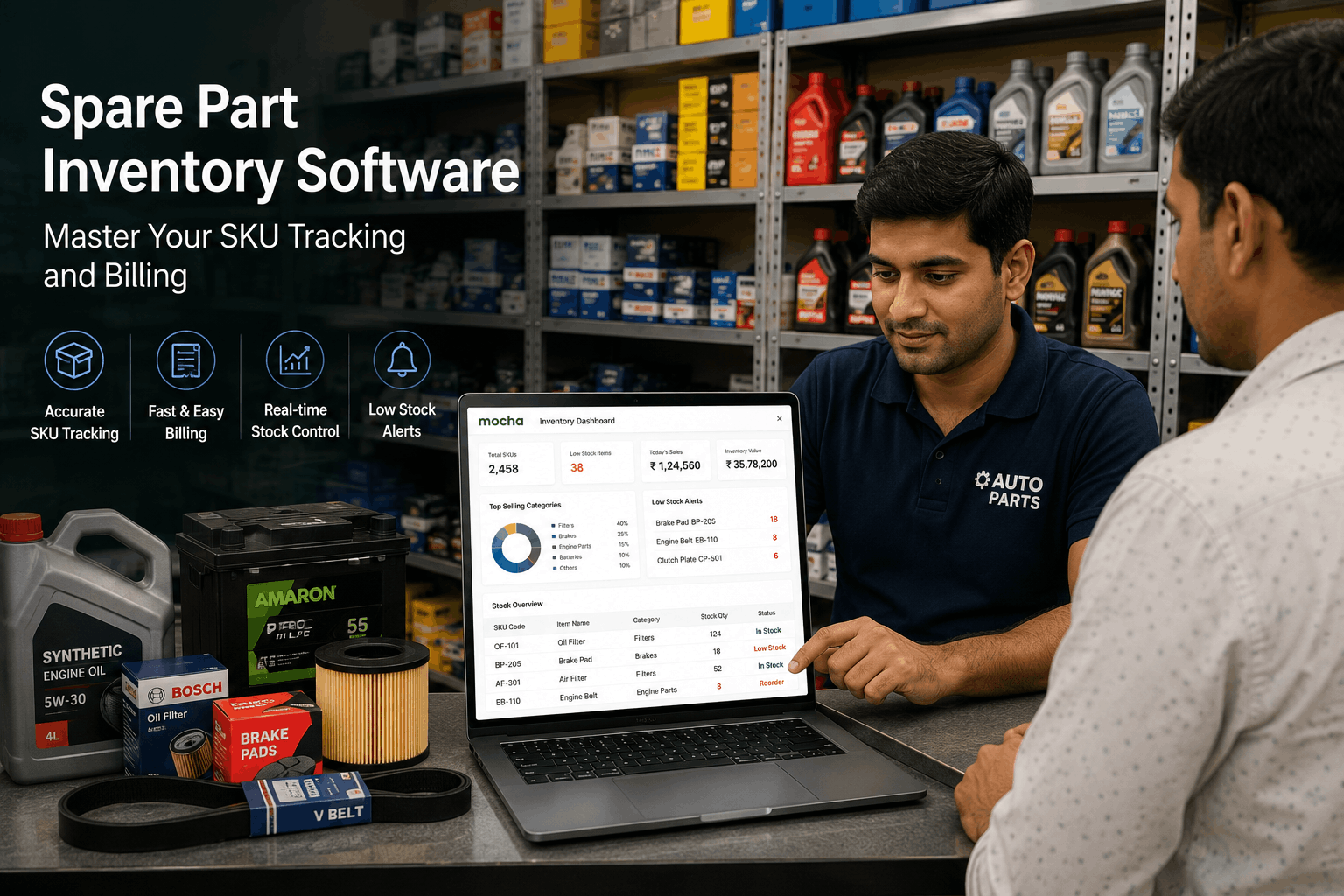
The Indian automobile industry is hitting new highs, with sales in FY 2025-26 clocking a record 2.97 crore units. At the same time, research by Market Research Future indicates that the spare part market in the country is projected to grow from approximately ₹5.8 lakh crore in 2025 to ₹9.5 lakh crore in 2035, in line with the growth in auto sales. For the spare parts businesses in India, every sale depends on the answer to one simple question: Do you have the right part available right now?
For Indian spare parts sellers, auto repair shops, authorised service centres, multi-brand workshops, and fleet maintenance teams, inventory control can make or break profits. That is why spare part inventory software matters. It helps you track each SKU accurately, giving your team confidence in stock levels, speeding up billing, managing purchase orders, monitoring stock levels, storing vendor records and analysing profitable parts. This article explains the challenge of spare parts inventory, the role of SKU tracking, the key features you need, and how Mocha Accounting can help spare parts businesses operate with greater control.
The challenge of managing spare parts inventory
Spare parts inventory is complex because it involves a long tail of parts. A shop can stock thousands of parts across brands, vehicle types, models, sizes, materials, grades, and price points, which is a nightmare to manage without spare parts inventory management tools like Mocha Accounting. Here are the common inventory problems that spare parts businesses face at an operational level:
| Inventory issue | Outcome | Business impact |
| Too many similar parts | Staff pick the wrong size, brand, or model fitment | Customer returns increase, and billing corrections take time |
| Stockout of fast-moving parts | Mechanics wait for filters, oils, belts, or brake parts | Service jobs take longer, and sales get missed |
| Overstocking of slow-moving parts | Rare parts occupy shelf space for months | Capital stays blocked in inventory |
| Manual price lookup | Staff check price lists or old bills during each sale | Billing takes longer, and margins vary |
| Poor vendor tracking | Purchase rates and delivery status stay scattered | Purchase planning becomes harder |
| Missing location details | Staff search shelves, racks, and bins by memory | Counter billing slows during peak hours |
| Limited sales reports | Owners guess which parts sell best | Purchase orders become less planned |
What is spare part inventory software?
Spare part inventory software is a specialised system that tracks every Stock Keeping Unit (SKU) in your business. For a spare parts business, SKU tracking is the basis of stock control. It gives each item a unique identity, so you can track each bolt, nut, filter, cable, bearing, oil pack, tyre, battery, or engine component individually.
Spare part inventory software like Mocha Accounting also includes other modules that enable users to implement an end-to-end accounting solution in the business, eliminating the need for a separate spare parts billing software. When your counter staff bills a part, Mocha Accounting automatically deducts stock from inventory and records the sale. This sell-and-update flow keeps stock records up to date after each transaction, ensuring your team always has accurate, real-time data for decision-making.
Here are details of just what a spare part inventory system, such as Mocha Accounting, can do for an automobile business:
- It tracks quantity, price, vendor, category, and stock location for each item.
- It connects billing to stock deduction, so inventory records are updated after a sale.
- It tracks purchases and vendor bills, so owners can compare buying costs.
- It helps manage stock alerts so fast-moving parts are reordered on time.
- It creates reports that help managers confidently identify slow-moving stock and high-margin categories, supporting better decision-making and reducing uncertainty in business planning.
- It stores customer purchase history, so repeat sales become easier.
Key features for smoother daily work
The best spare part inventory software, such as Mocha Accounting, adds value to every operational element of a spare parts business. Here are some of the most powerful features of spare part inventory software:
| Feature | What it does | Problem it solves |
| Advanced SKU tracking | Categorises parts by brand, model, type, and category | Staff can pick the right part faster |
| Barcode scanning | Lets the counter team scan parts during billing | Billing time reduces, and item selection improves |
| Automated billing | Creates GST-ready invoices with with HSN codes and saved part details and prices | Staff spend less time typing item details |
| Stock alerts | Alerts the team when the quantity falls below a set level | Fast-moving parts get reordered before a shortage |
| Supplier management | Tracks purchase orders, vendor bills, and incoming goods | Owners see what was ordered and what has reached |
| Bin tracking | Records shelf, rack, or bin location | Staff find parts faster during rush hours |
| Customer history | Stores that carry the parts a customer bought earlier | Repeat sales and service follow-ups become easier |
How software improves precision and reduces mistakes
Spare parts businesses often start small, which is when manual entry is most effective. However, as the business grows, complexity increases, and working with physical ledgers or spreadsheets no longer cuts it. Using a spare parts inventory management tool like Mocha Accounting is essential because it reduces errors and improves business efficiency. Here are the most common mistakes that inventory management tools reduce:
| Error | Business impact | How software reduces the issue |
| Wrong part selected | Customer returns or service delays | SKU details show brand, model, and category |
| Wrong price billed | Margin loss or customer dispute | Saved prices appear during billing |
| Stock deduction missed | Inventory count becomes unreliable | Billing updates stock after sale |
| Part location missing | Staff search the shelves for too long | Bin details show shelf or rack location |
| Customer history missing | Repeat sales take more time | Purchase history shows past items |
| Vendor rate forgotten | Purchase cost comparison becomes harder | Vendor bills and purchase orders stay recorded |
Driving decisions with parts-specific reporting
Reports and dashboards, which are a key feature of spare part inventory management and accounting software such as Mocha Accounting, help business owners proactively improve their operations. Parts-specific reporting is one such feature which gives owners a better view of stock value and profit. Here are some reports that spare parts businesses should review frequently:
- Dead stock report: Shows parts that have been unsold for 6 months or more, so the business can plan discount sales.
- Fast-moving stock report: Shows items that sell often so that the purchase team can reorder them on time.
- High margin report: Shows categories that bring better profit so that owners can promote those products.
- Vendor purchase report: Shows the purchase cost by supplier, enabling the business to compare rates.
- Category sales report: Shows sales by oils, filters, batteries, belts, brake parts, and accessories.
- Customer purchase report: Shows repeat buying patterns for mechanics, fleets, and workshops.
- Stock ageing report: Shows how long items have stayed in inventory.
- Low stock report: Shows SKUs that need fresh purchase orders.
Why Mocha Accounting is the perfect fit for spare parts businesses
Mocha Accounting fits spare parts businesses because it helps manage SKU-level stock, GST-ready invoicing, purchase orders, vendor bills, banking, and reports all in a single platform. Here are some of its key features:
| Feature of Mocha Accounting | Utility in spare parts business operations | Benefit to stakeholders |
| SKU level inventory | Tracks parts by item, category, and quantity | Shop owners see stock movement better |
| GST-ready invoicing | Counter staff bill faster with saved item details | |
| Purchase orders | Records orders placed with vendors | Workshop owners track parts ordered and received |
| Vendor credits | Records returned items and supplier adjustments | Accounts teams adjust returns against future bills |
| Bank transaction rules | Categorises receipts and payments | Finance teams match customer and vendor entries faster |
| Reports dashboard | Shows revenue, expenses, bank balances, and stock data | Owners review business performance from one place |
| In-store and online payment integration | Customer experience is enhanced and business cashflow improves |
How different automobile businesses can use spare part inventory software
Different types of automobile businesses use spare part inventory software in different ways. While the core requirements to track parts, control costs, bill faster, and understand stock movement remain the same, the way the software is used varies. Here’s how each business type uses spare part inventory software:
| Business type | How it uses the software | Main benefit |
| Standalone auto repair shop | Tracks parts used in each repair job | Better view of job cost and part margin |
| Authorised service centre | Tracks approved parts, OEM warranty items, and paid service stock | Faster billing and better service, stock control |
| Multi-brand workshop | Tracks parts across many vehicle brands and models | Easier fitment search and vendor planning |
| Spare parts retailer | Bills counter sales and tracks SKU movement | Faster sales and better reorder planning |
| Fleet maintenance team | Tracks parts used across vehicle groups | Better vehicle cost history and service planning |
| Parts distributor | Tracks bulk stock, customer sales, and supplier orders | Better stock ageing and purchase planning |
Conclusion
Spare parts businesses need strong stock control, fast SKU search, planned purchasing, proper vendor tracking, and reports that show what is selling and what is blocking capital. However, the long tail of spare parts makes inventory management difficult. This is why spare part inventory software plays such an important role for Indian automobile businesses that deal with spare parts.
Mocha Accounting brings inventory, invoicing, purchasing, banking, documents, and reports into a single accounting system, which greatly simplifies spare part business operations with the following features:
- SKU-level inventory tracking helps better control item movement.
- GST-ready invoicing enables invoices to be generated quickly and accurately, with tax computations based on pre-fed information.
- Purchase order and expense management features help manage suppliers, incoming stock, and returned items.
- Integration with online and in-store payment options allows customers to pay conveniently via multiple payment modes, including credit/debit cards, UPI, and netbanking, delivering a superior customer experience and strengthening cash flow.
In the spare parts business, the path to profitability often lies in how well details are managed. Spare parts inventory software, such as Mocha Accounting, gives your team the tools to manage those details with care and grow revenues and profits sustainably.
FAQs
Why is SKU tracking important for spare parts?
SKU tracking gives every part a unique identity. It helps staff identify the right item by brand, model, category, price, and quantity. For spare parts businesses, this reduces wrong part selection, improves stock control, and also helps owners understand which items sell faster.
Can I use barcode scanners with spare parts billing software?
Yes, spare parts billing software can work with barcode scanners. Staff can scan an item during billing, pull saved details, and deduct stock after sale. It speeds billing and helps newer staff handle item selection with more confidence.
How does the software handle parts for multiple vehicle brands?
The software can categorise parts by brand, model, category, size, and SKU. This helps multi-brand workshops and parts sellers manage similar-looking parts across many vehicles.
Can I set different prices for wholesale and retail customers?
Yes, software can help manage pricing for different customer groups. A spare parts seller can keep one price for retail buyers and another price for mechanics, workshops, or fleet customers. This helps businesses protect margins while serving repeat buyers. It also reduces manual price checks at the counter.
Does the software help in identifying slow-moving inventory?
Yes, reports can show parts that have stayed unsold for a long period. Owners can use this report to plan discount sales, bundles, or purchase pauses for those items. Slow-moving inventory reports also help free capital. They show which SKUs need attention before the stock value becomes harder to recover.
Leave a Reply