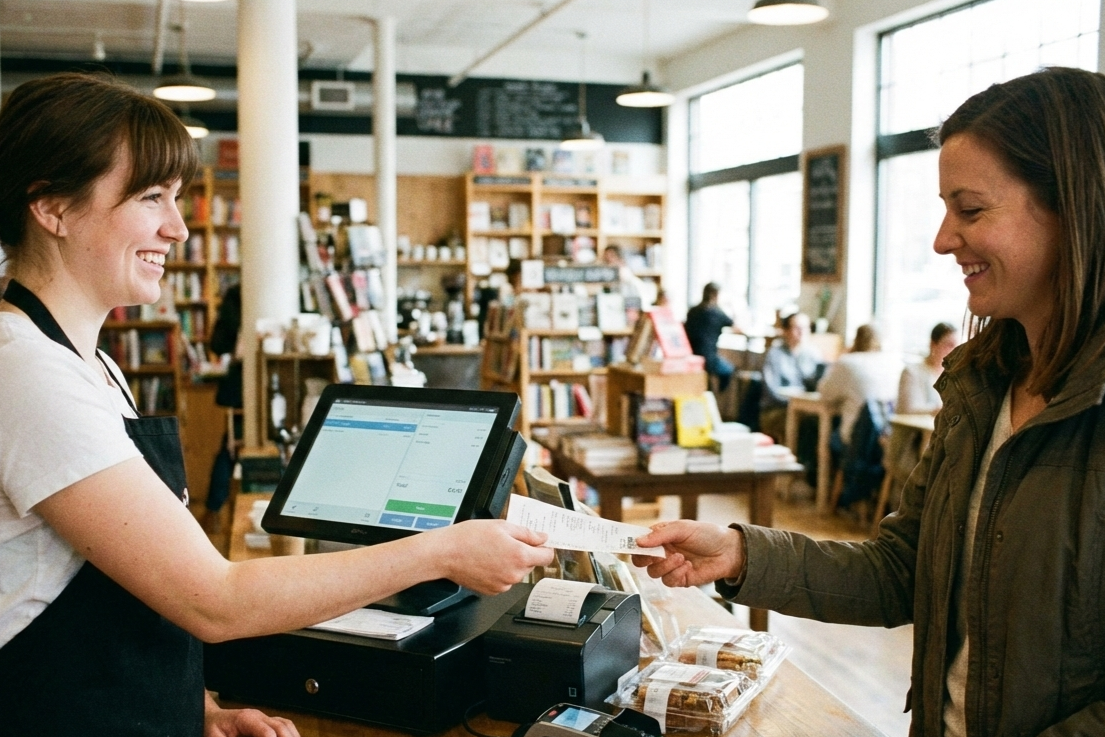
Whether you have a brick-and-mortar retail business that is just finding its footing or a multi-store chain that attracts customers across the country, your sales and inventory are what keep you afloat.
Even though most retailers already treat these business functions as priorities, they still go about the process manually. However, in today’s day and age, where you are dealing with customers with shrinking patience, you want to navigate the challenges of manual billing and digitize the process through retail POS software.
Challenges of Manual Retail Management
The modern retail environment is highly competitive and fast-paced. What’s more, the switching costs for a typical consumer are practically non-existent, making it important for retail businesses to prioritize customer satisfaction and deliver seamless shopping experiences.
That said, some of the common challenges that complicate the process for retailers include:
- Slow billing and checkout delays: Manual billing has long been associated with errors like miscalculated taxes or price totals, missing discounts, and more. In addition to that, manually generating bills can take a lot of time, especially if dealing with large carts containing numerous items.
- Inventory tracking errors: Retailers stocking many items across brands can often lose sight of their inventory and end up experiencing stockouts or overstocking. This can negatively impact your sales and profitability.
- Difficulty in managing promotions and discounts: Promotions and discounts often invite a large number of customers, and during peak sales periods, manual billing may be rushed, leading to miscalculation of discounts or longer turnaround times.
- Limited sales reporting and analytics: With manual spreadsheets and records, you will have access to limited reporting and analysis features. As a result, you may have to settle for the limited insights or invest in other expensive analytics tools for report generation.
- Time-consuming manual accounting: Manual billing more often than not requires manual accounting, and even if you use accounting software, you will have to enter all the bills manually, consuming a lot of time, especially if you are dealing with numerous bills.
What Is Retail POS Software?
To work your way around the aforementioned challenges, you must use a robust retail POS software that can help you generate fast and accurate bills.
A retail POS software is a digital system that allows retailers to enter, process, and track sales. The system will also help you accept and reconcile payments, manage inventory, and track customer data in real-time.
Most of us have witnessed the handwritten bills evolve into cash registers. A retail POS software is the digital extension of a typical cash register, adding automation, data management, and reporting capabilities to your billing process.
Traditional billing processes isolated each store in multi-store retail chains and complicated the taxation and reconciliation processes. The modern POS systems are digital and centralized, making it easier for you to manage your billing and sales data across locations. Additionally, retailers and store owners can generate accurate bills, regardless of the sales volume.
Key Features of Good POS Software
While implementing any POS system for your retail business is a good starting point, you must prioritize solutions that provide the features you need the most. Here are some of the primary ones you might want to look for when choosing a retail POS product:
Billing and Invoicing Automation
You can streamline your checkout process by automating the crucial parts of the billing process, like invoice generation, tax calculation, and management of payments and discounts within seconds. As a result, you can minimize errors and speed up your transactions significantly while supporting multiple payment methods.
Inventory Management and Stock Alerts
Modern POS systems can help you integrate the two most important functions of your retail business — sales and inventory management. By linking sales to real-time inventory updates, you can prevent overselling and unforeseen stock alerts. With this feature, you can empower your POS system to manage optimal stock levels, minimize waste, and inform reordering decisions.
Dashboards For Sales Reporting and Analytics
Most retail POS systems also provide fully customizable dashboards that offer valuable insights into your sales performance, trends, top products, and more. You can create detailed reports, including charts and graphs, that can inform your sales and accounting strategies. You can also make data-driven decisions, draw up forecasts, and track your performance with comprehensive and exportable reports.
Customer Management and Loyalty Tracking
You can extend the functionality of your POS system to include basic CRM capabilities that can help your retail business grow. You can create and track customer profiles, purchase history, and loyalty points to personalize your rewards and offers. Doing so can help you boost retention, nurture customer relationships, and segment customers for targeted campaigns.
Integration With Accounting Software
Look for POS software that seamlessly syncs with your accounting tools to automate expense tracking, reconciliation, and financial reports. So every time you generate bills, the data is recorded directly in your accounting ledger, saving hours of manual entry. When used right, these solutions can help you ensure compliance, reduce accounting errors, and provide real-time visibility into your financial performance.

How Retail POS Software Improves Daily Operations
When you implement the right retail POS software in your retail business, several aspects of your daily operations can be improved and streamlined, such as:
Faster Checkout and Reduced Queues
A study by Zendesk shows that 50% of customers are likely to switch to a competitor after one bad experience. Equipped with barcode scanning, contactless payments, and one-click checkouts, modern retail POS systems can streamline your checkout process and reduce the queues.
For example, a supermarket can generate significantly more sales during peak times, increase customer satisfaction, and reduce abandonment.
Accurate Sales and Stock Tracking
By ensuring real-time synchronization between your sales management software and inventory, you can ensure precise stock levels and eliminate oversells or discrepancies. With accurate sync, you can also minimize the errors from manual counts, prevent stockouts, and support reliable demand forecasting.
Easy Handling of Promotions, Discounts, and Returns
Modern point of sale software for retail offers built-in tools that automate discount applications, promotions, and return processing with faster policy checks and refunds. Implementing a good retail POS system can help you streamline operations, boost promotion effectiveness, and maintain accurate records for audits and compliance requirements like GST.
Better Insights for Business Growth and Decision-Making
POS systems can give you access to advanced analytics that provide deep-rooted insights into your sales and overall performance through visually appealing, intuitive reports. These insights can then drive strategic stocking, pricing tweaks, and growth initiatives backed by data.
Multi-Location Sales Tracking
Centralized dashboards offered by good POS software can unify your sales and inventory data across locations and enable seamless transfers and oversight. With this feature, you can increase scalability, consistent reporting, and quick responses to location-specific issues.
Practical Workflows Using Retail POS Software
Aside from contributing to daily operations through specific features, a robust retail POS system can help streamline and empower practical workflows.
Recording Daily Sales
When you integrate barcode scanners and POS systems, you can record every transaction instantly and log important details like product name, quantity, price, and payment method. Such retail billing software can immediately process transactions by applying taxes and draw up totals that contribute to accurate daily records. As a result, you can eliminate manual entry errors and even create an audit trail for compliance.
Real-time Stock Updates
Each sale you make at your retail outlet can trigger immediate inventory updates across inventory management POS and connected systems, reflecting real-time stock levels. For example, when a bookstore sells a book copy, it is immediately recorded in the inventory, empowering accurate reordering decisions. As a result, you can prevent overselling and enable seamless restocking.
Generating Sales and Profit Reports
You can compile your daily, weekly, and custom sales data into detailed summaries packed with insights into your revenue, sales margins, and top sellers. Generating these insights can help you identify influential trends and optimize pricing without spreadsheets.
Managing Customer Loyalty Programs
You can also use your POS systems to empower your loyalty programs by tracking purchases against loyalty accounts. By rewarding points and offers, you can personalize discounts at checkout. Such programs can also foster repeat business, with dashboards showing program ROI and retention rates.
Integrating with Accounting for Faster Financial Reconciliation
POS syncs with sales tracking software data directly to accounting software, helping you categorize transactions and update ledgers in real-time, substantially eliminating manual bookkeeping. You can also ensure accuracy and accelerate financial closings and your accounting processes.
Benefits of Implementing POS Software in Retail
Now that we have looked at what retail POS systems are and the key features they offer for the primary business workflows. Let us look at the benefits you can gain by opting for the right POS software for your retail business:
- Improved operational efficiency and productivity: Implementing a POS software can help you automate routine tasks like stock updates and checkouts, boosting staff productivity and streamlining daily tasks.
- Reduced errors in billing and inventory: You can eliminate manual calculations and provide instant sync to cut billing mistakes substantially. You can also prevent inventory discrepancies caused by oversells or miscounts.
- Enhanced customer experience: You can also improve customer experience by enabling faster transactions and personalized loyalty rewards to reduce wait times and build trust.
- Real-time insights for inventory and sales: You can leverage live dashboards to deliver immediate data on stock levels and sales trends to inform your sales and inventory decisions.
- Scalable solution for growing retail businesses: You can also seamlessly handle rising transaction volumes and multi-store operations effortlessly.

Frequently Asked Questions
What is retail POS software and how does it work?
Retail POS software is a system that not only processes transactions, manages sales, and tracks inventory using hardware like scanners or readers, but also scans items, calculates totals with taxes, and processes payments.
What features should I look for in good POS software?
You should prioritize features such as real-time inventory management, flexible payment processing, customer loyalty tracking, access to analytics and reporting features, and integrations with accounting tools. You should look for user-friendly interfaces with barcode support and mobile access to boost the scalability of your business.
How does POS software improve sales and inventory management?
A POS software can improve your sales and inventory management by automating stock deductions, sending low-stock alerts, and providing sales trend insights to create better forecasts and inform your reordering decisions.
Is retail POS software suitable for small shops and startups?
Yes. Cloud-based POS systems are totally affordable and can be easily set up on a wide range of devices, scaling with your business without too many upfront costs.
Can POS software integrate with accounting systems?
Absolutely. Retail POS systems can usually seamlessly integrate with popular accounting tools and enable real-time ledger updates, tax calculations, and payment reconciliations.
How does POS software help track customer transactions and loyalty?
A POS software will help you record purchase history, emails, and phone numbers at checkout to build profiles and manage loyalty points.
Leave a Reply