Key Takeaways
- Condo Control is a communication and operations platform for condos and HOAs. It handles amenity booking, service requests, announcements, package tracking, and security tools. Accounting isn’t built in. You’ll need QuickBooks or another external tool for financials.
- Users consistently praise the support team. Same-day responses, friendly service, and a willingness to listen to feedback and implement changes. This comes up in nearly every positive review.
- The platform is easy to use once you learn it. But the learning curve is steeper than expected. Multiple reviewers note that new staff and residents take time to get comfortable with the interface.
- Pricing isn’t transparent. Condo Control uses custom quotes across three tiers (Standard, Modern, and Premium Living). Third-party sources suggest plans start around $49/month plus setup fees.
- Best for mid-to-large condos that need communication and amenity tools. If your community’s biggest pain point is accounting, Condo Control won’t solve it natively.
Your condo board wants to stop printing newsletters. Residents keep asking when they can book the party room online. The front desk needs a better way to track packages.
Condo Control keeps coming up. The reviews seem positive. The feature list is long. And the platform seems built for this kind of problem.
But positive reviews don’t tell the whole story. What’s missing from a platform matters just as much as what’s there. And sometimes the gap between what software does well and what your community actually needs is wider than the marketing suggests.
We went through dozens of verified Condo Control reviews on Capterra, G2, Software Advice, and GetApp to understand where the platform delivers and where it falls short.
Plus, what alternatives might be out there to consider alongside it (like our own Mocha Manage).
Below, we’ve organized what we found from studying online reviews, features, capabilities, and online comments. The result is a comprehensive review of Condo Control and additional options, designed to help you figure out if it’s the right option for your association or community.
Let’s start from the top:
What Is Condo Control?
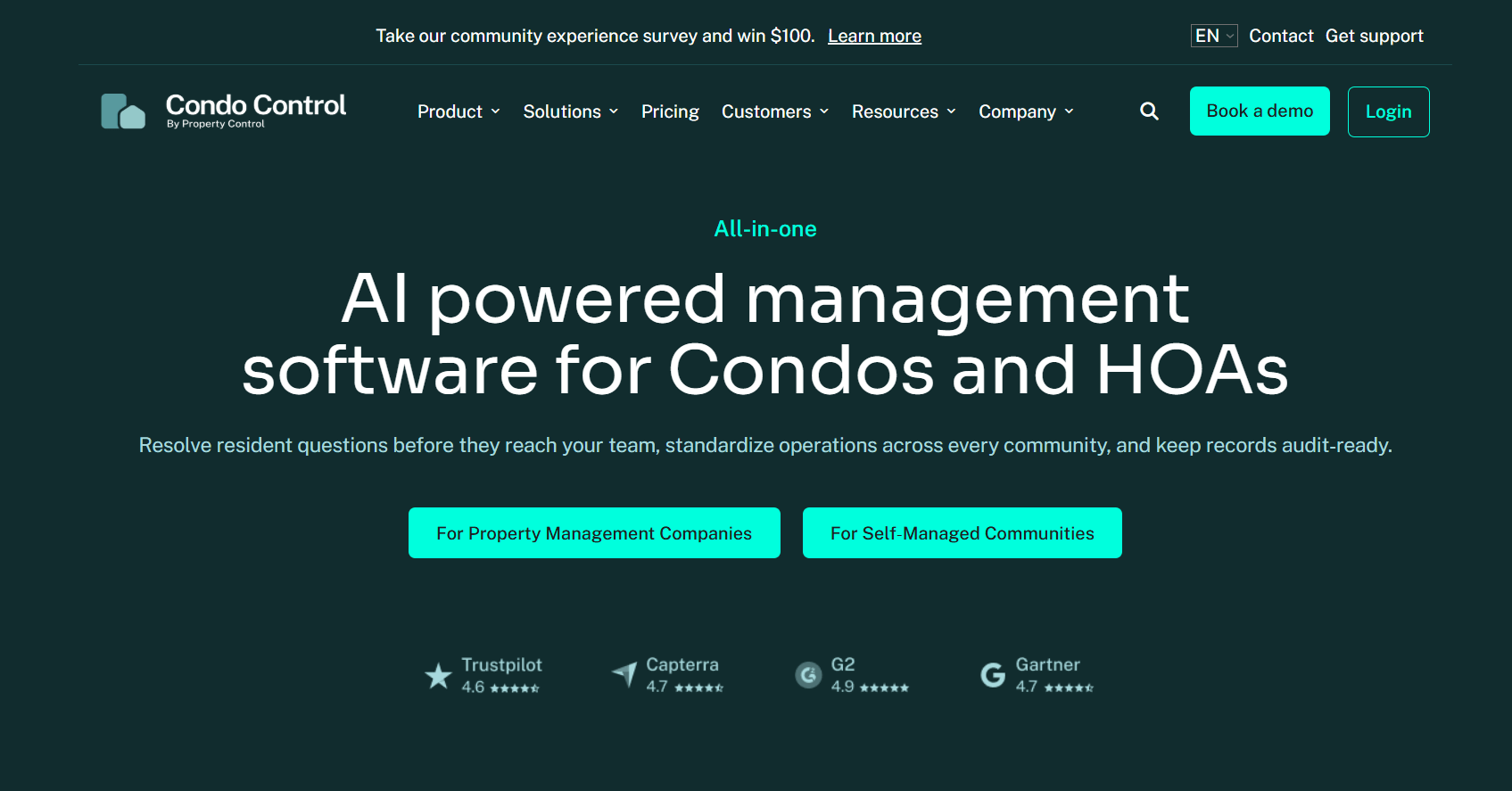
Condo Control is a web-based property management and communication platform for condos, HOAs, and co-ops. It was founded in 2008 by Brian Bosscher in Toronto, Canada.

The origin story is worth noting. Bosscher bought a condo in 2006, joined the finance committee, and eventually became board president. He saw the inefficiencies firsthand and built the software to fix them. That hands-on experience shows in the product’s DNA: Condo Control is built around the daily operations of running a community, not around financial management.
Today, the platform serves communities across North America with a team of about 50 employees. It’s backed by Klass Capital and generates roughly $3 million in annual revenue.
The feature set covers a lot of ground:
- Communication: announcements via email, text, and voice; discussion forums; private messaging
- Amenity booking: online reservations for gyms, party rooms, guest suites, and more
- Service requests: residents submit and track maintenance issues
- Package tracking: front desk logs deliveries and notifies residents on pickup
- Security tools: incident reports, key tracking, visitor parking, security patrol logs
- Resident portal: self-service access to documents, payments, and requests
- Board tools: dedicated portals with permissions, voting, and meeting management
- Online store: sell keys, fobs, and garage remotes directly through the platform
- AI assistant: helps managers draft announcements and helps residents answer common questions
- Mobile app: iOS and Android for both managers and residents
The platform integrates with QuickBooks (Desktop and Online), Yardi, Caliber, TOPS, and Stripe for payment processing.
One thing Condo Control does not include: native accounting. There’s no built-in general ledger, no fund-based accounting, no AP/AR system. Financial management requires a separate tool, typically QuickBooks, connected through an integration.
Where We Pulled Reviews
We focused on verified reviews from Capterra, G2, Software Advice, and GetApp. One thing worth flagging: many of the Capterra reviews carry a note that the reviewer was offered a “nominal incentive” by the vendor. That doesn’t make the feedback invalid. But it’s context you should have when reading reviews that skew heavily positive.
We also looked at G2’s AI-generated sentiment tags and third-party comparison content from HOA Start and DoorLoop.
What Users Like About Condo Control
Customer Support That Actually Responds
This is the standout. Nearly every positive review mentions the support team by name or by quality.
One Capterra user said they answer help tickets within the same business day with friendly service and useful information. Another on SourceForge said Condo Control was the only company they’d found that offered reliable software support that was easy to reach, adding that previous companies took too long to respond or charged fees for support calls.
A GetApp reviewer noted the team’s willingness to listen to feedback and implement suggestions into the software. Several users describe the onboarding process as smooth and professional.
For a platform in this space, that level of support responsiveness is uncommon.
Ease of Use for Everyday Tasks
Reviewers consistently describe Condo Control as intuitive for daily operations. Amenity booking, service requests, announcements, and package tracking all get high marks for simplicity.
One CEO on Capterra said she was grateful for a platform that centralizes everything needed to manage a condominium and found the interface simple to navigate. A board member on Capterra noted that it didn’t take long to get used to at all, and after a month of use, finding things was easy.
The platform also gets credit for being accessible to non-technical users. That matters in communities where board members and front desk staff have varying comfort levels with software.
Communication Tools That Work
Communication is Condo Control’s core strength. The ability to send announcements via email, text, and voice from one place saves managers from juggling multiple tools.

One verified Capterra user said their favorite feature was the AI assistant, which helped them create announcements and helped residents get answers without calling management. Another reviewer said the posting of notifications was the feature they used most regularly, and customer service help was swift and professional.
The discussion forums, event calendars, and group messaging give residents ways to engage without management having to broker every conversation.
Constant Updates and Improvements
Multiple reviewers note that Condo Control regularly ships product updates based on user feedback. One long-term user on SourceForge said the software is constantly evolving as their needs change, which was a huge plus for their portfolio management.
Another Capterra reviewer used the platform for two years and said it’s improved regularly. That kind of ongoing investment in the product is a good sign, especially when you’re committing to a platform long-term.
Common Complaints in Condo Control Reviews
No Native Accounting
This is the elephant in the room.
Condo Control handles communication, operations, amenity booking, security, and resident engagement. It does not handle your books. For financial management, you need QuickBooks, Yardi, or another external accounting tool connected through an integration.

The HOA Start comparison puts it plainly: associations wanting integrated financial management find that the additional cost of accounting software plus integration maintenance increases total ownership expense.
If your community’s biggest headache is tracking assessments, managing delinquencies, running financial reports, or handling reserve fund accounting, Condo Control won’t solve that on its own. You’ll be running two systems. Paying for two subscriptions. And hoping the sync between them stays clean.
For condos with a dedicated bookkeeper or management company handling the accounting separately, this might not matter. For self-managed HOAs where the treasurer is also the person sending announcements and booking amenity slots? It’s a real gap.
Search and Navigation Issues
G2’s AI-generated sentiment analysis flagged Search Issues, Search Functionality, and Navigation Issues among the top negative themes across reviews. That tracks with what individual users say.
One verified Capterra reviewer from December 2025 was specific: some sections feel outdated and require too many clicks to get to simple information, especially when navigating work orders or searching for past requests. The filters aren’t always intuitive.
Another reviewer noted that it’s sometimes tough to figure out how to do things, like adding or removing board members and editing roles. For a platform that handles so many operational tasks, navigation friction adds up over a full workday.
Learning Curve Steeper Than Expected
A verified Capterra reviewer from November 2025 said the learning curve for new staff or residents can be steeper than expected, noting there’s a lot of functionality and it’s not always intuitive on first use.
Keep in mind, most positive reviewers also acknowledge this. The consensus is that Condo Control is easy to use once you’ve learned it. But “once you’ve learned it” is doing real work in that sentence. For communities with high staff turnover or volunteer boards that rotate every year, ongoing retraining is a factor.
Occasional Bugs and Performance Issues
One Capterra reviewer noted that bugs and issues slow down the application sometimes, though they’re usually resolved in the next software update. Another reviewer on DoorLoop mentioned the platform can crash when running too many things at once, which is problematic for users with multiple tabs open for packages, security, amenities, and residents.
These aren’t dealbreaker-level complaints. But they show up consistently enough to be a pattern.
Pricing Transparency
Condo Control doesn’t publish its full pricing plan on its website. You need a custom quote if you have above 50 units, and there are setup fees on top of the monthly subscription.

The three tiers (Standard Living, Modern Living, and Premium Living) determine which features you get access to. Many features that feel core to the product are add-ons at lower tiers.
Keep in mind that while plans may start at around $67.50/month, the actual total cost depends heavily on your community’s size and which modules you need (not just the number of units).
Incentivized Reviews
This isn’t a complaint about the software itself. But it’s worth noting. A significant portion of Condo Control’s Capterra reviews carries the disclosure: “This reviewer was invited by the software vendor to submit an honest review and offered a nominal incentive.”
That’s standard practice in the SaaS review world. But when you’re reading through dozens of near-perfect ratings, it helps to know that many of those reviewers were prompted and compensated. It doesn’t mean the feedback is inaccurate. It means the review pool may not fully represent the range of user experiences.
Review Patterns by User Type
Large Condos and High-Rise Buildings
This is Condo Control’s sweet spot. High-density buildings with concierge staff, security teams, and lots of amenities get the most value. Package tracking, visitor management, incident reporting, and the security console all shine in this environment. These users tend to leave the highest ratings.
Mid-Size HOAs With Professional Management
Management companies running multiple communities appreciate the communication and operational tools. They typically handle accounting separately through their own systems, so the lack of native financials matters less. The QuickBooks integration fills the gap well enough for their workflow.
Self-Managed HOAs and Volunteer Boards
Mixed results here. Board members who primarily need communication tools and amenity booking tend to be happy. But volunteers who also handle the association’s finances find themselves managing two separate platforms, one for operations and one for accounting, with no real connection between them.
The learning curve is also harder to absorb when you’re a volunteer doing this outside of your day job.
Security and Concierge Staff
A niche but important user group. Condo Control’s security console, incident reporting, and key tracking get consistently positive feedback from front desk and concierge staff. For buildings that need these tools, it’s a real differentiator.
Is Condo Control Right for Your Community?
Condo Control is a strong choice if you:
- Run a mid-to-large condo or high-rise with amenities and front desk staff
- Prioritize communication, amenity booking, and resident engagement
- Already use QuickBooks or another accounting tool and want an operations layer on top
- Need security, concierge, and visitor management features
- Have staff dedicated to learning and managing the platform
- Value responsive customer support
Consider alternatives if you:
- Need native accounting without a QuickBooks workaround
- Want transparent pricing before talking to sales
- Run a self-managed HOA where one person handles both operations and finances
- Prefer a simpler platform with a shorter learning curve
- Manage fewer than 50 units and don’t need security or concierge tools
- Want one system that handles everything without integrations
What Condo Control Reviews Say About Operations-First Platforms
The pattern across Condo Control reviews is clear. The platform excels at the operational side of community management. Communication, amenity booking, service requests, package tracking, and security. These features work well and get high marks.
But the absence of native accounting keeps coming back. It shapes how users experience the platform and who it works best for.
If your community has dedicated accounting staff or a management company handling the books, Condo Control’s operational focus is a strength. You get a tool built specifically for the day-to-day without the weight of a full financial system you don’t need.
Having said that, most HOAs don’t have that luxury. The person booking the party room is often the same person tracking delinquent assessments. And running two disconnected systems to handle what should be one workflow creates friction, extra cost, and room for error.
Mocha Manage: The Modern, Streamlined, Accounting-Native Community Platform

If Condo Control reviews make one thing clear, it’s that a great operations platform still leaves a gap when accounting lives somewhere else.
Mocha Manage was built from the ground up by CPAs who are also property managers. Accounting isn’t an integration. It’s part of the foundation.
Fund-based financials, trust accounting, reserve tracking, AP/AR, and budgeting. It’s all native. Built by people who understand HOA accounting at a technical level, not connected through a QuickBooks sync that might break when you update one side without the other.

You still get the operational tools that matter: assessment tracking, violation enforcement, architectural request management, homeowner portals, and board communication. But you don’t need a second subscription to manage your community’s money.
Pricing is transparent and per-unit. No custom quotes. No setup fees. No demo required before you see what it costs. You know what you’re paying before you sign up.

For communities where the same person manages operations and finances (which is most HOAs), having everything in one system built by accountants isn’t just convenient. It’s the difference between clean books and a reconciliation headache at year-end.

Try Mocha Manage free to see what happens when accounting and operations live under one roof.
Frequently Asked Questions
What is Condo Control used for?
Condo Control is a web-based platform for managing condo and HOA operations. It handles communication, amenity booking, service requests, package tracking, security, and resident engagement. Accounting requires a separate tool like QuickBooks.
How much does Condo Control cost?
Pricing isn’t public. You need a custom quote across three tiers: Standard, Modern, and Premium Living. Third-party sources suggest plans start around $49/month plus setup fees.
Does Condo Control include accounting?
No. Condo Control integrates with QuickBooks, Yardi, and other accounting tools but doesn’t include native financial management. You’ll need a separate subscription for accounting.
Is Condo Control easy to use?
Most reviewers say yes, once you’ve learned it. The learning curve is steeper than expected for new staff and residents, but daily operations become intuitive over time.
Does Condo Control have a mobile app?
Yes. The Condo Control app is available on iOS and Android for both managers and residents. It supports payments, service requests, amenity booking, and announcements.
What are the main complaints about Condo Control?
The most common issues: no native accounting, search and navigation friction, steeper-than-expected learning curve, occasional bugs, opaque pricing with setup fees, and a review pool heavily weighted by vendor-incentivized feedback.
What are good alternatives to Condo Control?
For communities that need native accounting alongside operations, Mocha Manage offers CPA-built financial tools with transparent pricing. PayHOA targets smaller self-managed associations. Buildium offers stronger accounting but skews toward rental property management.
Disclosure: Mocha Manage publishes this blog. We analyzed real, verified user reviews from third-party platforms to write this article. Our goal is to give you an honest assessment of Condo Control and Mocha Manage so you can make the best decision for your community.
Leave a Reply