Imagine you are racing against the clock to file your GSTR-1 form, and it is already the 10th of the month. Even the smallest error or typo can cause major delays or freeze your submission. As a result, you could even end up disrupting further processes and your ITC (input tax credit) claims.
Since GSTR-1 is considered the backbone of GST compliance, reporting all your data accurately is important to maintain your cash flow and avoid penalties. To go about the process effectively, let us start by understanding the GSTR–1 format, definition, and then learn the specifics of the filing process.
What is GSTR-1 and Why Is It Important?
A typical GSTR-1 form includes invoice-level details about all the outward supplies, such as sales to registered and unregistered persons, any advances received by the business, and specifics about exports. GSTR-1 is a monthly or quarterly statement that must be furnished by every registered taxpayer making outward supplies of goods.
Ensuring accuracy in filing the GSTR-1 form helps with accurate tax liability and ITC claims. Accurately filing the GSTR-1 form facilitates auto-population of the GSTR-2A and GSTR-2B forms, which play pivotal roles when claiming ITC and preventing disputes.
Moreover, accurate GSTR-1 filing can help your clients reconcile taxes and ensure tax payments based on GSTR-3B. The deadlines for filing GSTR-1 returns are:
- 11th of the next month for monthly filers
- 13th of the month following the end of a quarter
Any delays or inaccuracies in your GSTR filing can attract additional interest on tax liabilities and face increased scrutiny from GST authorities in case of repeated non-compliance.
Understanding the GSTR 1 Format
Now that we have discussed what GSTR-1 is and the importance of filing the form promptly, let us delve deeper into the format.
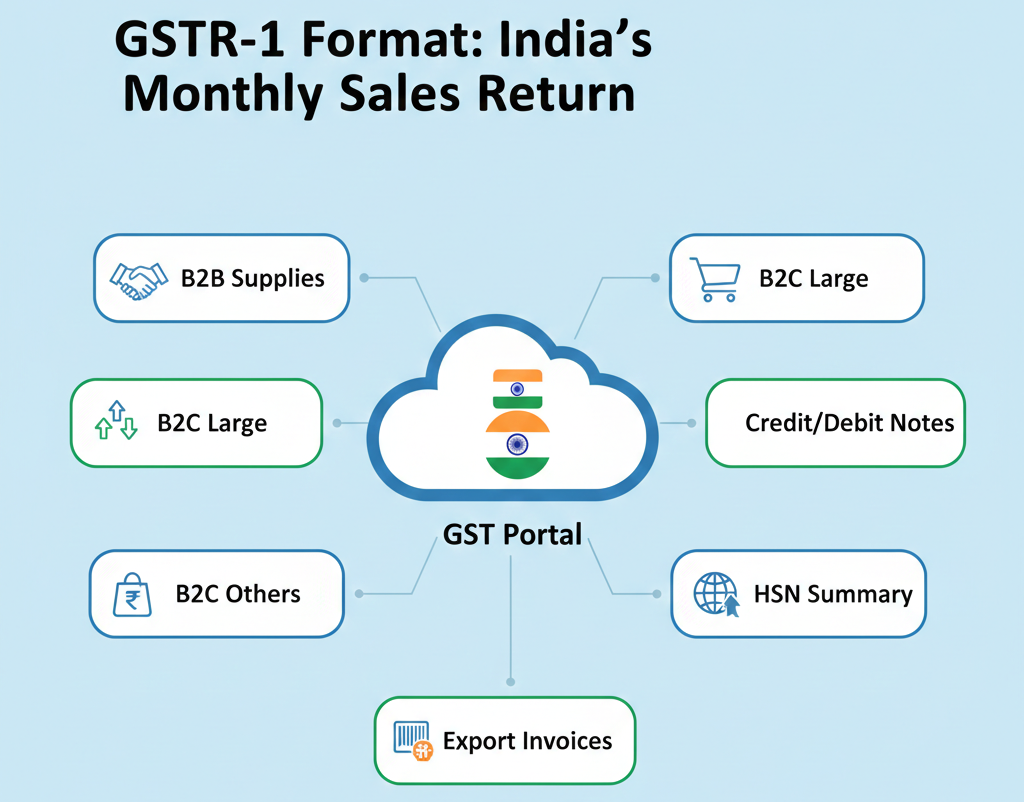
The primary components you will need to fill your GSTR-1 fully and accurately include invoice-wise details of supplies sold to registered and unregistered persons, export and zero-rated supply information, debit and credit note details, and any specific documents and HSN-wise summaries.
The GSTR-1 form entails 13 tables, including specific details of outward supplies and their respective payment details, supporting invoice-level reporting and summaries, highlighting the importance of accuracy. These 13 tables and the details they include are:
- Tables 1, 2, and 3 list the GSTIN, legal and trade names, and the aggregate turnover in the previous year.
- Table 4 lists taxable outward supplies to registered persons
- Table 5 details the taxable outward inter-state supplies to unregistered persons in cases where the invoice value exceeds 2.5 lakhs.
- Table 6 includes details of zero-rated supplies and deemed exports.
- Table 7 includes taxable supplies other than those listed in Table 5 to unregistered persons
- Table 8 details nil-rated, exempted, and non-GST outward supplies
- Table 9 mentions details about the amendments applicable to outward supplies mentioned in Tables 4, 5, and 6 of earlier tax GSTR-1 return periods
- Table 10 includes details of credit and debit notes issued to unregistered persons
- Table 11 includes details of advances received or adjusted in the current period or amendments pertaining to the earlier tax period
- Table 12 lists outward supplies based on HSN codes
- Table 13 includes documents issued during the taxation period
- Tables 14 and 14A are for suppliers, wherein the former lists GSTIN-wise sales and the latter lists relevant amendments.
- Tables 15 and 15A are for eCommerce operators, wherein the former lists GSTIN-wise sales and the latter lists relevant amendments.
Common Mistakes While Filling the GSTR-1 Form
The GSTR-1 form has dedicated sections that can help file returns for B2B and B2C companies.
While the highly specific nature of the tables makes it easier for individuals to precisely report data, some common mistakes you should know about in the process include:
- Using the wrong GSTIN format in the invoices that don’t match PAN can result in duplicate entries
- Treating B2B as B2C and missing the interstate flag while making an entry
- Selecting the wrong type when entering details about credit or debit notes, and mismatches with the original document
- Missing mentions of IGST or shipping details when adding details about exports or SEZ
- Failing or forgetting to mention the nil/exempt outward supplies in the form
Ensure to validate your GSTR-1 form before you submit, and use the portal’s search tool to verify your GSTIN, so you can avoid rejections.

Step-by-Step GSTR-1 Filing Process
Now that we have looked at the GSTR-1 format and the major components of the GSTR-1 form, and the common mistakes that can derail the process, here is the step-by-step process you can follow to file the form accurately:
Step 1: Preparing Sales and Outward Supply Reporting
For a successful GSTR-1 filing, you must first record and prepare all your sales and outward supply data. It may also help you save time by going through the aforementioned key components and ensuring you have access to the necessary details.
Step 2: Validating Invoices and GSTINs
To prevent costly input errors later, validate all your invoices for accuracy and ensure the correct GSTIN has been entered for each. Incorrect GSTINs can trigger invalid GSTIN errors, and invoice mismatches can even block filing. While a monthly validation is highly recommended, you should also cross-verify all the details before filing your return.
Step 3: Logging into the GST Portal and Uploading Data
Once you have prepared all the necessary data, log onto gst.gov.in to file your return using your credentials. On the portal, navigate to Services and then Returns. Click on GSTR-1, and then select the relevant period. You can now upload the invoice and related data onto the portal.
Step 4: Filing and Confirming GSTR-1
To file your GSTR-1 form correctly, ensure that all your data is in the JSON/Excel format. Upload this file directly onto the portal so that the relevant fields can be autofilled. Verify whether all the pertinent tables are thoroughly and accurately filled out, and submit the form after you confirm the correctness of the details.
Step 5: Downloading the Acknowledgement and Filing the Report
When you submit your GSTR-1 form, you get an acknowledgement of the filing that you must hold on to. This acknowledgement confirms that your return has been successfully filed by assigning an Acknowledgement Reference Number (ARN).
Common GSTR 1 Filing Issues & How to Resolve Them
The GSTR-1 filing process is prone to errors and portal glitches, which can affect the accuracy of your GST return filing. Here are a few errors that you should actively try to prevent when filing your GSTR-1 form:
Errors due to incorrect GSTINs
The most common error to watch out for is incorrect GSTINs, which are tagged as “Invalid GSTIN” during return validation. This error can result from typos, outdated numbers, or unverified recipient numbers. To resolve this, you can use the GST portal’s “Search Taxpayer” tool to validate the GSTINs before entry and cross-check with buyer invoices.
Mismatch in invoice amounts
Differences in the invoice totals (taxable amount + tax) reported in GSTR-1, GSTR-3B, or your buyer’s GSTR-2A may trigger “amount mismatch” alerts. Such mismatches are common when advances or rates change.
To resolve such issues, reconcile your sales ledger with e-way bills or e-invoices by checking them on the “View Additional Notices” section on the portal. You can then amend them using credit or debit notes.
Missing or duplicate invoices
In case of missing invoices, you can end up incurring under-reporting penalties, whereas duplicate invoices can lead to “Duplicate Detected” blocks. This issue is common during bulk uploads and can be resolved by adding a record in the next GSTR-1 cycle. Duplicates can be deleted using the “Amend Invoices” option post-submission and pre-filing.
Solutions and Preventive Measures
In most cases, GSTR-1 error correction can entail applying preventative measures, such as:
- Preview summaries before you submit your GSTR-1 form
- Use EVC (Electronic Verification Code) for quick filings
- Opt for GST Suvidha Providers (GSPs) to get assistance with filing
- Automate most parts of the process with tools like Tally GST or ClearTax
5 Tips for Smooth GSTR 1 Filing
Now that we have looked at the format of the GSTR-1 form and the specifics of the filing process, let us explore some actionable tips to ensure accurate and successful GSTR-1 filing.
Maintain Organized Invoice Records
Ensure that your invoices are organized and maintained according to month, state, and type in a secure cloud environment. Tag your invoices with amounts and GSTIN to conduct instant searches and avoid any last-minute issues.
Use accounting or GST software for accuracy
Take advantage of accounting software like Mocha Accounting to auto-generate the GSTR-1 JSON file based on your sales data. Doing so will help you flag any errors beforehand and help categorize and validate your invoice data accurately. This can help you eliminate manual errors and is ideal for handling multiple clients.
File GSTR-1 before deadlines to avoid penalties
Target to finish the monthly GSTR-1 filing before the deadline of the 11th of every month, and quarterly filings before the 13th of the month after the quarter ends. By submitting your GSTR-1 forms early with reminders, you can lock in ITC for buyers and avoid late fees.
Regularly reconcile with the books of accounts
Match the data in your GSTR-1 form against e-invoices, ledgers, and GSTR-3B using reconciliation tools or software dashboards. You must aim to spot mismatches early to prevent notices and boost compliance rates for diligent filers.
Double-check B2B and B2C data
Double-check your B2B invoices using GST portal lookups and manage your B2C invoices correctly. Misclassifying your invoices can increase rejections, so it’s important to use checklists and preview summaries twice before uploading your data to the GST portal.

Frequently Asked Questions (FAQs)
1. What is the GSTR 1 format, and how do I read it?
GSTR-1 presents data in JSON or Excel format with specific sections for B2C summaries, B2B invoices, and exports for outward supplies. You can read it using the GST portal’s preview summary or downloaded PDFs.
2. How do I file GSTR-1 online, step by step?
Log in to the GST portal, and navigate to the Returns option under Services. Then select the period for which you are filing, and upload the data in the right format. Preview before you submit your GSTR-1 form and download the ARN once you have successfully filed it.
3. What common errors occur while filing GSTR 1?
Some of the top errors to avoid when filing GSTR-1 include invalid GSTINs, invoice amount mismatches, duplicates, and portal validation issues affecting the filings, thanks to manual entry or peak-hour uploads.
4. Can GSTR 1 be revised if mistakes are found?
Yes, you can amend the errors in the next GSTR-1 filing, and the core invoice details can be corrected up to two years back, but not after the final filing.
5. What is the difference between the GSTR 1 B2B and B2C sections?
While the B2B sections detail the per-invoice data, such as GSTIN, value, and taxes for registered buyers, B2C aggregates values by state or UT for unregistered buyers. The B2B section of your GSTR-1 form enables buyer ITC matching via GSTR-2A.
6. How can I simplify GSTR 1 filing for my business?
Consider implementing a robust accounting software like Mocha Accounting for auto-population and validation of your invoice data, and do your reconciliations early. Additionally, you should also aim to file your returns early to cut down on errors and save time.
Leave a Reply