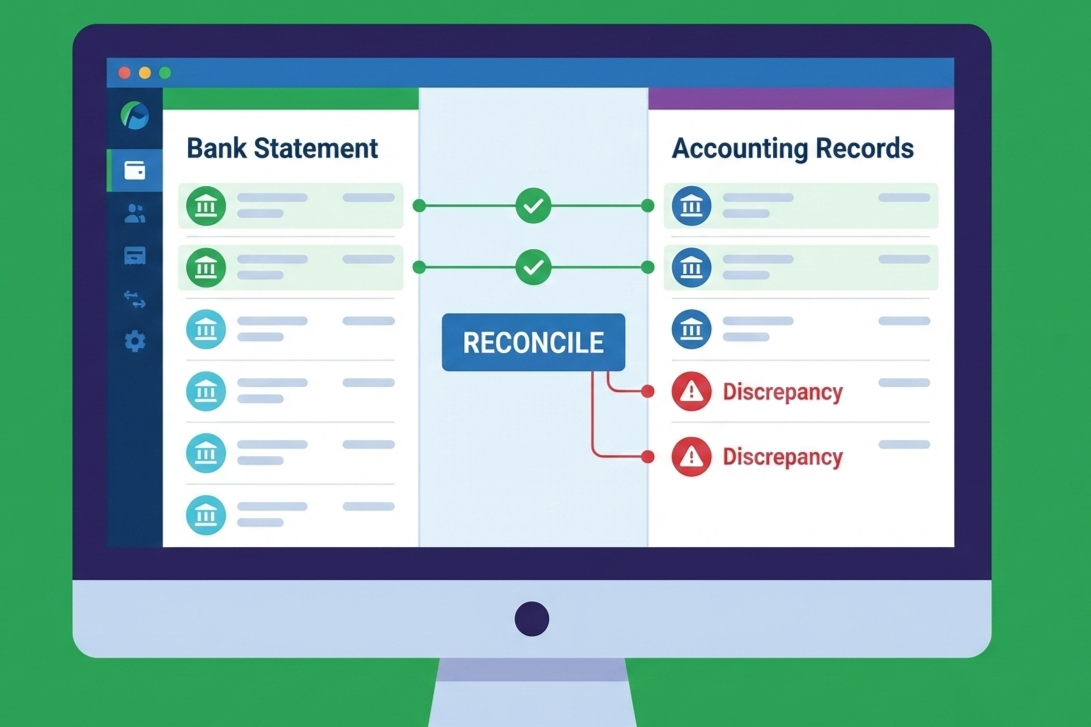
It’s the end of the quarter again, and you’re tallying your accounts with your bank statements. You notice the numbers don’t match.
What do you do?
For starters, you can go the manual way. Review your records and identify gaps across all transactions from the past quarter.
You can scroll through spreadsheets, cross-verify statements, and second-guess entries.
Or you can take the easy route and consider a bank reconciliation software that automates the process and brings clarity to your finances.
In this blog, we break down what bank reconciliation software is, its key features, benefits and tools available to help you understand why this software is for you.
Challenges of Manual Bank Reconciliation
Let’s go back to the first option: Manual bank reconciliation, and the problems with it.
1. Time-consuming
Looking through past bank statements may not seem like a big deal but it becomes one when you have reports due that delays close cycles and drains resources. At the end of the day, the amount of time you spend with manual reconciliation is not worth the outcome.
2. Error-Prone
Along with being time-consuming, manual reconciliation is also error-prone. A Gartner report mentioned that at least 59% of accounting professionals make errors in manual accounting. It can mean making an entry to a wrong account, omission, compensating error, and so on.
Some of these errors can have serious consequences too. If you fail to log a transaction, it may look like you’re under-reporting your performance. Over-reporting can lead to higher taxes. Every mistake can turn into a costly affair.
3. Challenges in Spotting Discrepancies
Manual reconciliation lacks real-time visibility and insights. Teams lack the necessary context to accurately align data and records. Access to real-time, error-free data is a must for clean bookkeeping. But with manual reconciliation, it’s almost impossible.
4. Managing Multiple Accounts
If you think it’s becoming harder to reconcile your accounts manually, it’s a sign of growth. Multiple accounts means you’re dealing with a higher amount of data. Reconciliation becomes more complex, urging you to switch to automation.
5. Delayed Financial Reporting
All of the challenges above creates a snowball effect and leads to a single outcome: delays in financial reporting. Without proper reconciliation, you don’t want to publish false reports. As mentioned, piled-up errors can lead to compliance or fraud issues.

What Is Bank Reconciliation Software?
Bank reconciliation software is how you align transactions from your accounting books to your bank statements. It is important that both the balances align. It aids in identifying discrepancies such as missing transactions, duplicate entries, bank fees, or timing differences.
For example, say XYZ Solutions has a bank balance of ₹8,50,000 as per the bank statement dated 31 January 2026. However, the balance reflected in the company’s cash book on the same date is ₹8,94,000.
Upon review of the latest transactions, you find out that a cheque was deposited but not yet cleared and a bank service charge was deducted but not recorded in cash flow, etc. But instead of figuring these out manually, a reconciliation software identifies the gap of ₹44, 000 for you and tallies your cash book with bank statements.
Key Features of Bank Reconciliation Accounting Software
Automated bank reconciliation goes beyond basic transactions. It automates repetitive tasks, improves visibility, and strengthens financial control across the process. Let’s take a look at its key features:
1. Auto Transaction Matching
In an automated bank reconciliation software, the system matches transactions based on the rules you feed. They can range from amount, date, to a reference ID. Say a ₹25, 000 vendor payment recorded in your ledger is instantly matched with the corresponding bank debit. But it’s not just the simple transactions.
A bank reconciliation tool needs to handle many one-to-one, and even one-to-many matching scenarios. It uses configurable matching rules to accommodate different payment flows. It can also notify and flag the transactions that haven’t matched.
2. System Integration
For automatic bank reconciliation, your tool needs to have access to your internal data too. That comes from integration with your accounting or ERP tools. If you’re using accounting software with bank reconciliation capabilities, transactions sync seamlessly, eliminating the need for manual uploads and version control issues.
3. Discrepancy Alerts
Effective reconciliation software should alert you only when action is needed. You can schedule automated reconciliation and customizable alerts using rules for missing reports. Instead of scanning numerous rows, your team focuses only on exceptions that need attention.
4. Reconciliation Reports
A reconciliation bank statement software provides you with real-time data that makes sense. With status dashboards you can gauge the health of accounts and check which accounts are pending, unreconciled transactions, and percentage of reconciliation that is complete.
5. Multi-Account Support
The best part about a finance reconciliation tool is that it supports scaling. Even if you have multiple accounts that have transactions in different currencies, countries, and entities, you can still manage them all under one platform along with a detailed audit trail.
How Bank Reconciliation Software Improves Accuracy and Efficiency
Now that you know what a bank reconciliation software entails, let’s see how these features help improve the outcome.
1. Reduces Manual Errors
Bank reconciliation accounting software addresses all the error challenges stemming from manual data entry. You’re looking at benefits like duplicate entries, fewer spreadsheets and formula mistakes, and fewer overlooked transactions. As the system applies consistent matching rules every time, it improves overall accuracy.
2. Saves Significant Time
What once took hours, or even days during the closing time can now be done in mere minutes, saving you ample time to focus on issues that truly need attention. Instead of manually ticking and tying transactions, your team just focuses on reviewing exceptions.
3. Real-time Balance Visibility
Automated systems provide up-to-date insights into existing balance and cash flows. This enables finance teams to monitor liquidity without waiting for end-of-the-day or end-of-the-month updates.
4. Improves Compliance & Audit Readiness
Inaccurate and inadequate reporting leads to compliance failures. You’re faced with fines and penalties along with reputational damage. With the best bank reconciliation software, you can automate and streamline the process for compliance efficiency and ensure every transaction is traceable, potentially avoiding the risks that come from its failures.
5. Faster Decision-Making
Since you’re saving ample time, you’re also accelerating your financial close. This gives leadership and small business owners sufficient time to make informed decisions that benefit the business.
Practical Use Cases of a Reconciliation Tool for Businesses
Before jumping on the automation bandwagon, it is crucial to understand some practical scenarios where a reconciliation software makes a real difference:
1. Small Business Managing Multiple Accounts
A growing business works with several bank accounts for different accounting functions like payroll and taxes. Instead of manually switching between statements, automated reconciliation centralizes these functions. It is easier to track balances and spot inconsistencies.
2. Bookkeepers Handling Client Accounts
Managing client accounts means you’re dealing with a higher volume of transactions and accounts every month. In this scenario, bookkeepers can find reconciliation repetitive and time-intensive. Automation allows them to reconcile accounts faster, focus on exceptions, and deliver accurate reports without chasing minor mismatches.
3. Finance Teams Managing Vendor Payments
When you’re managing vendor payments, it’s easy to get lost amidst the incoming and outgoing transactions. A bank reconciliation accounting software matches payments to invoices instantly, reducing the risk of missed or duplicate entries.
4. Monthly or Quarterly Close Cycles
Finally, financial close cycles are a crucial time for management. Between making stable financial decisions for the future and analyzing results, reconciliation takes care of the basic financial adjustments. It overall reduces the last-minute pressure on the team.
Choosing the Best Bank Reconciliation Software
With numerous tools in the market, choosing the best bank reconciliation software is a task. You need to opt for a tool that fits your feature requirements and matches your budget. Check out some of the must-haves you should look for:
1. User-Friendly Interface
The best bank reconciliation tool needs to be user-friendly and easy to navigate. Instead of spending time on the learning curve or training to reconcile accounts, your teams need to adapt easily with a clean dashboard and clear workflows.
2. Reliable Integration
A good reconciliation tool is nothing without seamless integrations with other tools you use for financial management like invoicing or ERP systems. Tools like Mocha Accounting provide seamless integrations that help you sync your bank feeds and ledger data accurately.
3. Automation Capabilities
Look out for intelligent matching rules and bulk reconciliation options that come in handy when you’re dealing with a large volume and complex transactions. Customizable workflows are also a plus. Ask yourself, does this tool in any way reduce reconciliation errors and the endless hours you spend on manual reconciliation while still allowing control?
4. Security and Compliance
Finally, you need to consider role-based access and detailed audit trails. Tools like Mocha Accounting ensure that your financial data remains secure while supporting audit requirements.

Wrapping Up
Accurate reconciliation is the foundation of reliable financial reporting. With Mocha Accounting, you get a powerful accounting and reconciliation tool that automates processes, eliminate manual errors, and gives you complete visibility over your finances.
Frequently Asked Questions
1. What is bank reconciliation software and how does it work?
A bank reconciliation software is a finance reconciliation tool that matches your books with bank statements automatically using preset rules and live bank feeds.
2.How does automated bank reconciliation reduce errors?
A bank reconciliation tool minimizes manual data entry, flags mismatches instantly, and helps reduce reconciliation errors before they snowball.
3. Can bank reconciliation software handle multiple bank accounts?
Yes, most tools reconcile multiple accounts, entities, and currencies in one dashboard. If you’re a small business owner or even an enterprise, it is ideal to opt for a reconciliation tool for multiple bank accounts.
4. Is bank reconciliation accounting software suitable for small businesses?
Absolutely. Small teams benefit from accounting software with bank reconciliation built in. with limited resources, it helps small businesses reduce time spent on manual reconciliation.
5. What features should I look for in bank reconciliation accounting software?
Look for automation, seamless integrations, clear reporting, and detailed audit trails. These features ensure the software scales with your needs and supports compliance as your business grows.
5. How does software save time in the reconciliation process?
The software automaticalely matches transactions in bulk and highlights only the discrepancies that need attention, allowing teams to reconcile faster and focus on higher-value work.
Leave a Reply